

Grok AI Image Generator
Grok AI Image Generator · Image
Grok AI Image Generator is a free AI art tool and text-to-image generator that turns your prompts into high-quality images in the browser, made for casual creators.
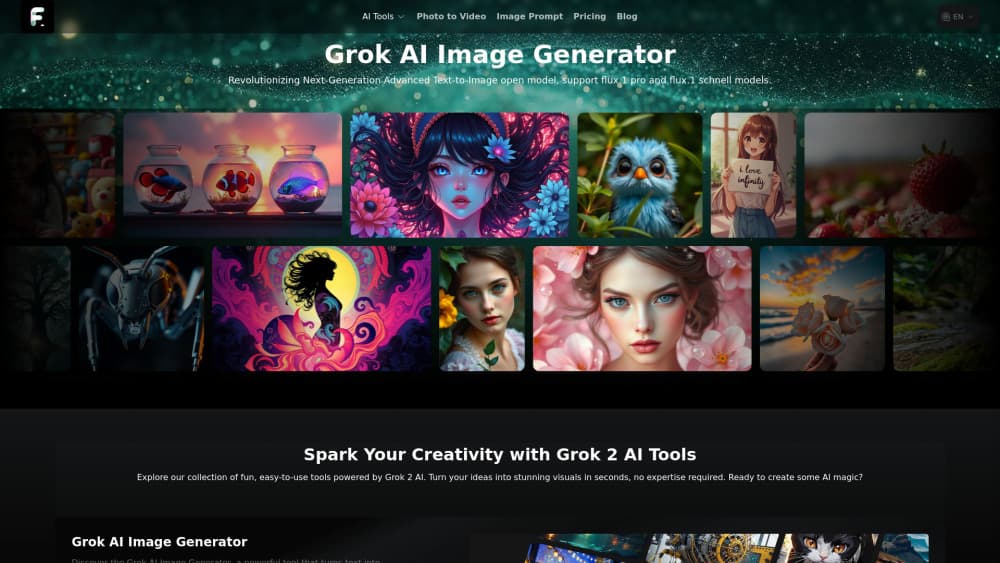
About Grok AI Image Generator
What Is Grok AI Image Generator
Grok AI Image Generator is a free web tool that turns written prompts into finished images. You type a description, hit generate, and it returns a picture in seconds. No account, no download, no credit card. It runs in your browser at grokimagegenerator.net.
The draw here is speed and zero friction. Most image generators ask you to register, pick a plan, or burn through a small daily quota before you've made a single picture. This one just opens and works. The site says generations are unlimited on the free tier, which is unusual for the category and the main reason people keep coming back to this image generator online.
What about output quality? The free tier runs on the Flux.1 model, which handles everyday prompts well for a Flux.1 image generator that costs nothing, but the site is upfront that faster and sharper results with no ads sit behind a separate paid product it links to, which means the free tool is a starting point rather than the final stop.
Getting Started
- Open grokimagegenerator.net in any modern browser. No signup form stands in your way.
- Type your prompt into the text box. Describe the subject, style, and any details you care about.
- Click generate and wait a few seconds for the image to render.
- Download the result if you want to keep it, or tweak your wording and try again.
- For faster, ad-free, higher-quality output, follow the link to the paid companion tool.
Product Information
A quick look at Grok AI Image Generator's pricing, supported platforms, and performance.
Best for
The users, tasks, and scenarios where this tool fits best.
Users
- Hobbyist creators
- Social media managers
- Students and teachers
Tasks
- Drafting concept art
- Making blog and post images
- Testing prompt ideas
Scenarios
- Late-night brainstorming
- One-off requests
- Classroom demos
Key features
Text-to-Image From a Single Prompt
The core feature is simple: type what you want, get an image. There's no layered editor or node graph to learn. You describe a scene, a character, or a style, and the tool renders it, which is exactly why a beginner with no design background can open the page, type one sentence, and walk away with something usable on the very first try.
Powered by Flux.1
The free tier runs on the Flux.1 model, and it handles prompts well, keeps subjects coherent, and deals with fine detail better than most older open models you'll find in a free tool. You'll notice it most on faces, hands, and text in images, which are the spots lesser generators tend to mangle.
No Signup Required
You don't create an account to start. Open the page, and the generator is ready. That removes the password-reset emails, the email confirmation step, and the third-party tracking that tends to follow you around once you've handed over an address, which is a real convenience when all you want is one quick picture.
Unlimited Free Generations
The site advertises unlimited generations on the free tier. You aren't capped by a small daily credit balance, so you can iterate on a prompt as many times as you like. That matters when you're trying to nail a specific look and the first few tries miss.
Browser-Based, No Install
Everything happens in the browser, which means there's no app to download, no software to update, and no storage to manage. It works on a laptop, a Chromebook, or a tablet with a modern browser, so it's easy to use even on machines you don't own or control.
Free Companion Image Tools
Beyond generation, the site bundles small utilities for upscaling and converting images to WebP, JPG, or PNG. They're basic, but they save you a trip to another site when you just need a format change or a larger version of a result.
Pros and cons
Pros
- Completely free to use, with no account or credit card needed.
- Unlimited generations on the free tier, so you can iterate without watching a quota.
- Runs in the browser, so there's nothing to install or update.
- Built on the Flux.1 model, which gives solid prompt accuracy for a free tool.
- Ships with extra tools for upscaling and image format conversion.
Cons
- The best speed and quality sit behind a linked paid product, so the free tier has a ceiling.
- No API, which rules it out for developers who want to wire generation into their own apps.
- Ads appear on the free experience, which gets in the way when you generate a lot.
- No account means no saved history, so you need to download anything you want to keep.
Frequently asked questions
Yes. The core generator is free to use with no signup and no credit card. You can open the site and start generating right away. Higher-quality, ad-free output comes through a separate paid product the site links to.
Related content
Explore related tools, skills, and articles for Grok AI Image Generator.
Grok AI Image Generator Alternatives

Google EmbeddingGemma 2
Google DeepMind · Writing · Image · CodingGoogle EmbeddingGemma 2 is a 740M-parameter open model that turns text, code, images, audio, and video frames into vectors in one 768-dimension space, running on phones and laptops.

Tractionwave
TractionWave · Image · MarketingTractionWave is an AI attention heatmap tool for static ads. Upload a PNG or JPG and it returns predicted attention, ranked hotspots, and fixes before you spend budget.

Imejis.io
Imejis.io · Image · MarketingImejis.io is an AI design studio for agents and marketing teams. Describe an image in plain words, and it writes the copy, builds the layout, reflows it to every size, then exports a finished file.