

HairPlay:AI HairStyle Changer
AILabTools (AI INNOVATE TECHNOLOGY LIMITED) · Image
HairPlay:AI HairStyle Changer is an Android app that uses AI to try on new hairstyles and hair colors from your photo in one tap.
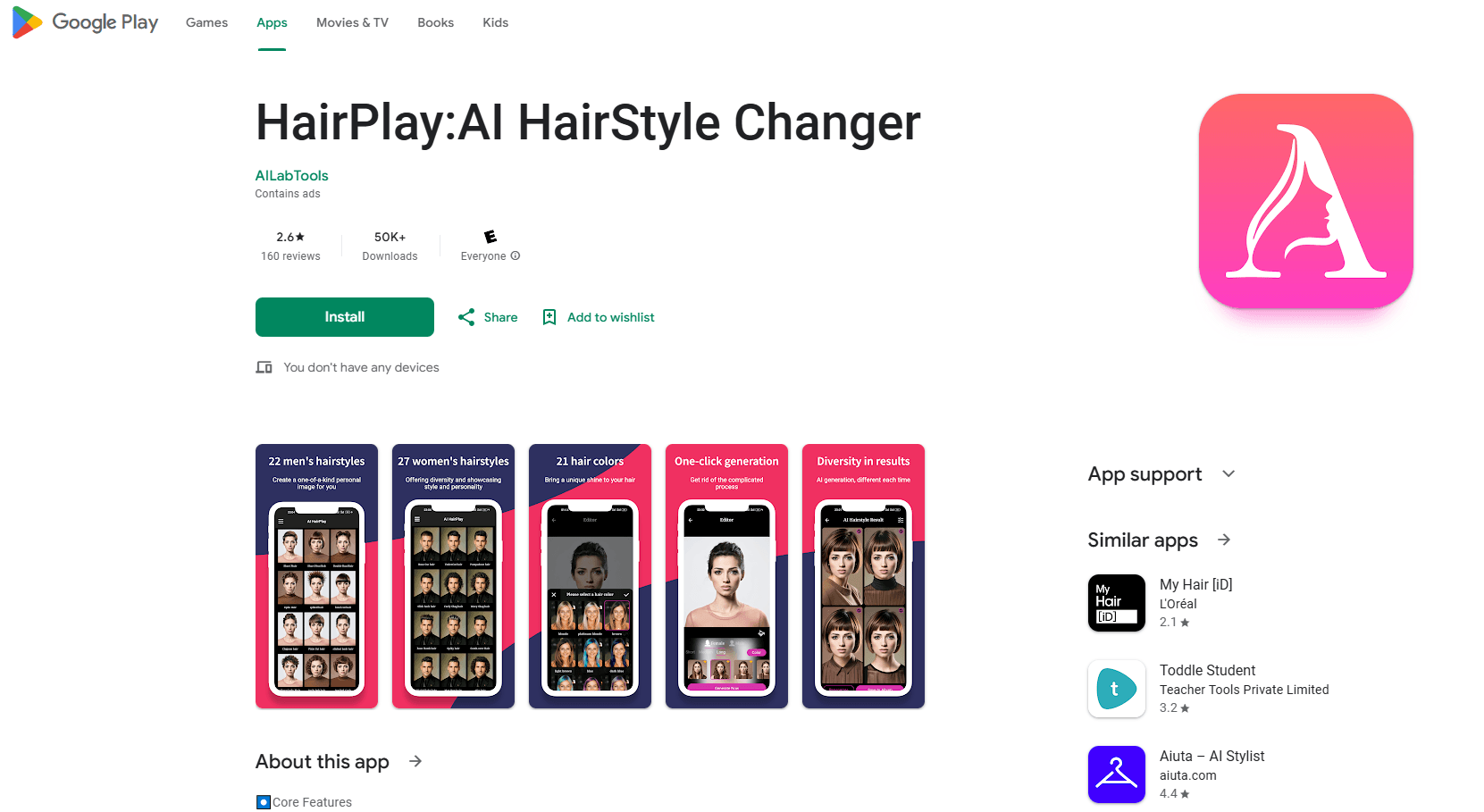
About HairPlay:AI HairStyle Changer
What Is HairPlay:AI HairStyle Changer
HairPlay:AI HairStyle Changer is a mobile app for anyone who wants to see a new look before committing to scissors or dye. It runs on AI image generation, so the whole process happens on your phone with a photo instead of a salon visit. You pick a style, pick a color, and let the app do the rest.
The app carries two libraries of looks: 22 men's hairstyles and 27 women's hairstyles. Add the AI hair color changer on top of that, and the combinations run into the hundreds, from short crops and fades to long layers and waves. You can change hairstyle from photo alone. No mirror required.
That range is the point. Most people can't picture how a fringe or a copper dye will actually sit on their own face, and a bad guess costs months of growing it out. HairPlay removes the guesswork for the cost of a few minutes. The tradeoff is that results are AI renderings, not photos, so lighting and fine detail can look a bit off up close.
Getting Started
- Install HairPlay:AI HairStyle Changer from Google Play and open the app.
- Upload a clear, front-facing selfie with your hair fully visible.
- Browse the men's or women's hairstyle menu and tap the style you want to try.
- Pick one of the 21 hair colors, then run the transformation.
- Review the four result images and save the one you like best.
Product Information
A quick look at HairPlay:AI HairStyle Changer's pricing, supported platforms, and performance.
Best for
The users, tasks, and scenarios where this tool fits best.
Users
- People considering a haircut or dye job
- Anyone curious about a bold color
- Men exploring a new cut
Tasks
- Trying on hairstyles before a real appointment
- Changing hair color in a photo
- Picking a style for an event
Scenarios
- Deciding whether to go short
- Planning a drastic change with a stylist
- Killing time before a salon visit
Key features
AI one-tap transformation
The core of the app is a single action. Upload a photo, choose a style and color, and HairPlay generates a new version of your hair without manual editing. No masking. No brush tool. No layer work. That's what separates it from a general photo editor.
22 men's and 27 women's styles
HairPlay splits its library by gender, with 22 men's cuts and 27 women's cuts. The men's set leans on short and structured looks, while the women's set runs from classic bobs to longer layered styles. You browse a visual menu and tap, which makes the choice feel more like a catalog than a settings panel.
21 hair color options
Beyond cutting, the app works as a full AI hair color changer. The 21 shades cover natural browns and blondes, plus gradient and multi-tone blends for anyone who wants something less conventional. Will this actually suit me? That's the question everyone asks before a dye job, and this is the fastest way to answer it.
Four results per transformation
Each run returns four result images rather than one. That matters because AI output varies, and having a few options means you're more likely to find a frame that looks natural. You pick the best and discard the rest.
Real-time preview
Before you commit, the app shows a preview of how the new style sits on your face. It's a rough guide rather than a guarantee, but it gives you a sense of proportion and shape without waiting for a full render.
Pros and cons
Pros
- No editing skill needed, since the transformation is one tap from a photo.
- Wide style range across men's and women's looks, so most users find something close to what they want.
- Free to use, supported by ads, so you can test the idea without paying first.
- Generates four images per run, which raises the odds of a usable result.
- Works entirely on your phone, so there's no desktop or editing software involved.
Cons
- Results are AI renders, and fine hair texture or lighting can look artificial, so treat them as a guide rather than a photo.
- Ads sit between you and the results, which slows down quick sessions.
- There's no API, so developers can't hook the transformation into their own apps.
- The app's most recent update is from 2024, so newer style trends may not appear yet.
Frequently asked questions
It's a virtual hair makeover app. You upload a photo and the AI shows you how you'd look with a different hairstyle or hair color, so you can test a look before changing the real thing.
Related content
Explore related tools, skills, and articles for HairPlay:AI HairStyle Changer.
HairPlay:AI HairStyle Changer Alternatives

Google EmbeddingGemma 2
Google DeepMind · Writing · Image · CodingGoogle EmbeddingGemma 2 is a 740M-parameter open model that turns text, code, images, audio, and video frames into vectors in one 768-dimension space, running on phones and laptops.

Tractionwave
TractionWave · Image · MarketingTractionWave is an AI attention heatmap tool for static ads. Upload a PNG or JPG and it returns predicted attention, ranked hotspots, and fixes before you spend budget.

Imejis.io
Imejis.io · Image · MarketingImejis.io is an AI design studio for agents and marketing teams. Describe an image in plain words, and it writes the copy, builds the layout, reflows it to every size, then exports a finished file.