

Headshottr
Headshottr · Image
Headshottr is an AI headshot generator that trains a model on your own photos, then returns 30 to 230 professional headshots, usually within an hour, on one-time plans from $19 to $59.
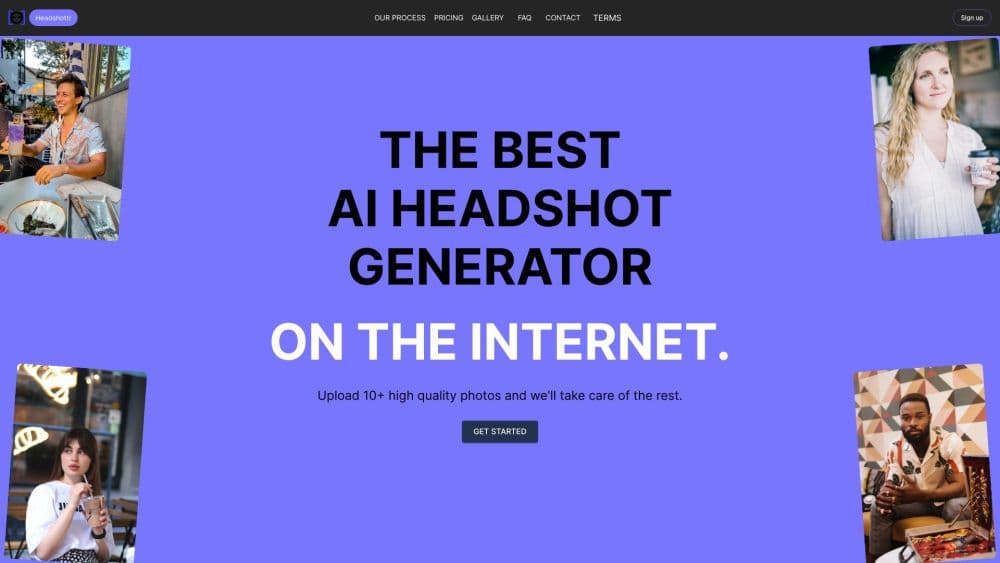
About Headshottr
What Is Headshottr
Headshottr is a web app with a single job: get you a usable professional headshot without booking a studio. You upload at least 10 photos of yourself, the service trains a model on your face, and it generates new portraits in about 45 minutes to an hour depending on the plan you buy.
The company makes a point about method. There are no face swaps here. Instead of pasting your face onto a stock body, Headshottr says it regenerates you from the ground up, which is why the outfit and pose change while the person stays the same. That distinction matters if you've seen AI headshots that look like a stranger wearing your features.
Three plans cover the range: Entry Level at $19, Manager at $39, and Executive at $59. Each one is a one-time payment, not a subscription. You get more photos, more outfit changes, and a longer generation window as you move up.
The limits are worth knowing before you pay. There's no free trial and no cheap sample, so the first money you spend is the real test. Results depend on what you feed the model. Ten blurry phone shots in bad light won't turn into a corporate portrait, and the site says so in its refund terms: follow the photo guidelines and you can get your money back if you're unhappy, otherwise support may offer a single coupon to redo the order.
Getting Started
- Choose a plan on the Headshottr site and pay by card through Stripe.
- Upload at least 10 photos of yourself, then crop each one in the browser tool so your face fills the frame.
- Wait for training and generation, roughly 45 minutes on the Entry Level plan and about an hour on Manager.
- Open the gallery, download the headshots you want to keep, and set them on LinkedIn, a resume, or a company page.
Product Information
A quick look at Headshottr's pricing, supported platforms, and performance.
Best for
The users, tasks, and scenarios where this tool fits best.
Users
- Job seekers and recent graduates
- Freelancers and consultants
- Small teams and startups
Tasks
- Refreshing a LinkedIn headshot
- Adding a photo to a resume or CV
- Filling an about page or team directory
- Replacing an old profile picture across accounts
Scenarios
- A job search that starts this week
- No budget for a photographer
- A remote team spread across time zones
Key features
A Model Trained on Your Photos
Headshottr doesn't run a filter over your uploads. It trains a model on the 10 or more photos you provide, then generates new images from that model. The practical effect is that hair, skin tone, and facial structure stay yours, while lighting and wardrobe change per shot. That trained model is what makes it an AI portrait generator rather than a filter.
No Face Swaps
Many cheap headshot services paste a cutout face onto a stock body, and the seam shows around the jaw and neck. Headshottr builds each portrait around your face instead. The company's own framing is that it regenerates you from scratch, and that claim is the main reason to pick it over a swap based tool.
Generation in Under an Hour
Turnaround is the second selling point. The Entry Level plan quotes 45 minutes, Manager quotes an hour, and both are quick enough to order the night before an interview. Executive trades speed for volume and a longer window, which the site describes only as lengthy generation.
Outfit and Pose Variety
Plans scale the number of looks, from 5 outfit and pose combinations at Entry Level to 20 at Executive. That range is what separates a single usable shot from a folder you can rotate across platforms, seasons, and dress codes.
Volume That Scales With Price
Photo counts climb steeply: 30 to 60 images for $19, 90 to 120 for $39, and 200 to 230 for $59. The top plan is aimed at people who want to hunt for the one perfect frame, and the price per image drops as you move up.
Teams Ordering
A separate Teams entry covers groups rather than individuals. It suits HR and marketing teams that need a batch of consistent business headshots without coordinating a photo day, and it keeps every portrait on the same visual footing.
Pros and cons
Pros
- One-time pricing from $19 to $59, well below a studio sitting, with no subscription to cancel.
- Fast delivery, quoted at 45 minutes to an hour for the two cheaper plans.
- No face swaps, so the result reads as you rather than a composite.
- Photo counts scale up to 230 images, which gives room to reject the weak ones.
- Teams ordering keeps a staff page visually consistent.
Cons
- No free trial or single sample photo, so you find out whether it works after paying.
- You need at least 10 decent photos already. Bad lighting or a single angle drags the whole batch down.
- Delivery for the Executive plan is described as lengthy with no fixed estimate, which is awkward if you have a deadline.
- Refunds depend on following the photo guidelines. If you don't, support's fallback is one coupon for a redo rather than money back.
Frequently asked questions
AI headshot pricing runs $19 for Entry Level, $39 for Manager, and $59 for Executive. Each is a one-time charge, and the difference is the number of photos, outfit changes, and generation time.
Related content
Explore related tools, skills, and articles for Headshottr.
Headshottr Alternatives

Google EmbeddingGemma 2
Google DeepMind · Writing · Image · CodingGoogle EmbeddingGemma 2 is a 740M-parameter open model that turns text, code, images, audio, and video frames into vectors in one 768-dimension space, running on phones and laptops.

Tractionwave
TractionWave · Image · MarketingTractionWave is an AI attention heatmap tool for static ads. Upload a PNG or JPG and it returns predicted attention, ranked hotspots, and fixes before you spend budget.

Imejis.io
Imejis.io · Image · MarketingImejis.io is an AI design studio for agents and marketing teams. Describe an image in plain words, and it writes the copy, builds the layout, reflows it to every size, then exports a finished file.