

Heuristica
Heuristi.ca · Productivity · Leaning
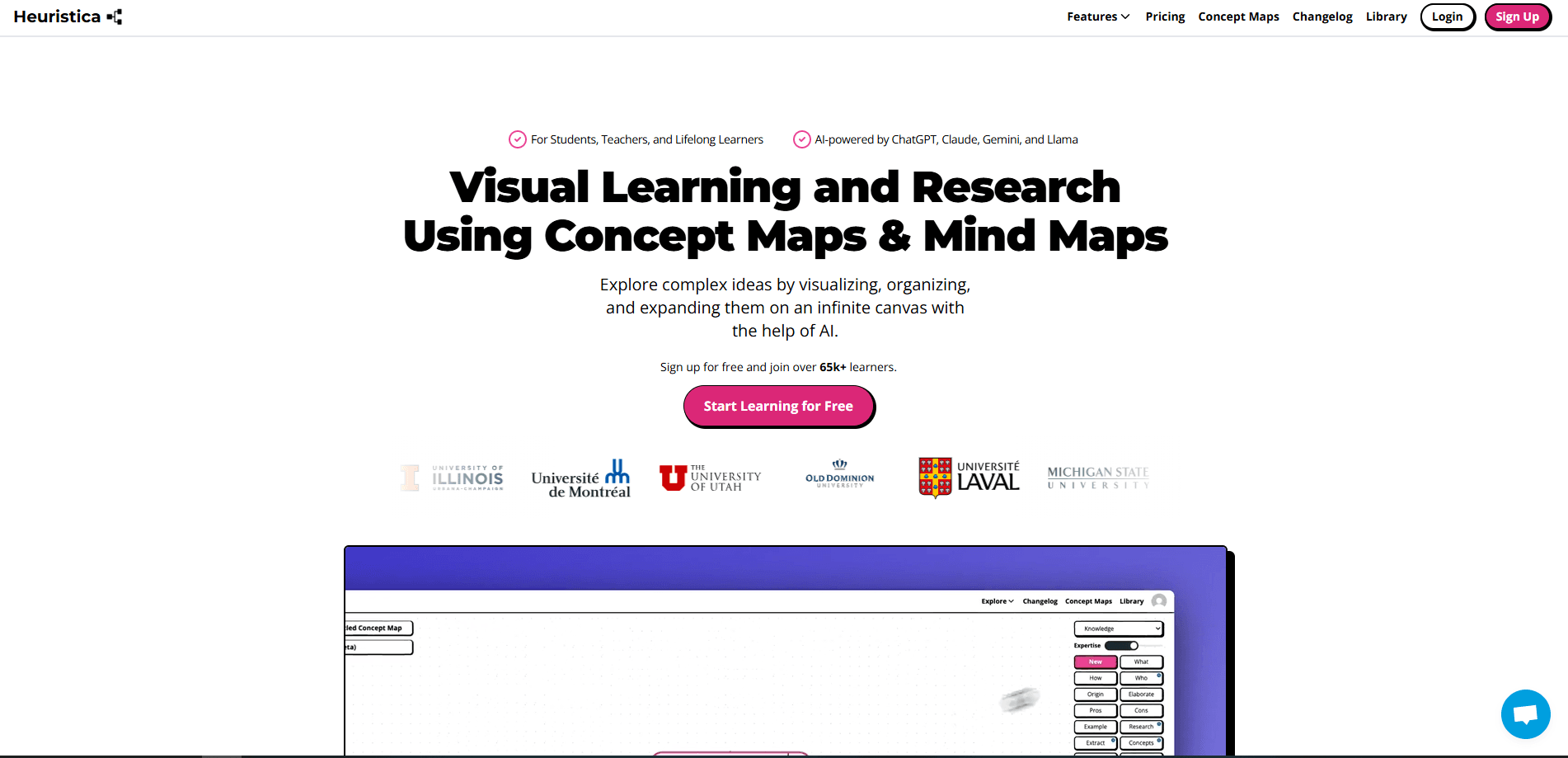
Heuristica is an AI study tool that turns PDFs, YouTube videos, and web pages into concept maps, flashcards, quizzes, and study notes you can use right away.
About Heuristica
What Is Heuristica
Heuristica is a web-based learning platform that takes whatever you're studying and reshapes it into materials you can actually review. You drop in a source, and it builds the study aids for you. That covers concept maps, mind maps, flashcards, multiple-choice and short-answer quizzes, summaries, and structured study notes. The pitch is simple: you click buttons instead of writing prompts.
The tool fills a gap for students, teachers, and researchers who already use AI for learning but want more than a chat box. Instead of dumping a wall of text on you, it outputs formats built for active recall and spaced repetition. You can also convert one format into another, so a lecture video can become a quiz, or a concept map can turn into a flashcard deck.
The biggest caveat is the free tier. It caps you at three saved concept maps and runs on a single smaller model, so heavier users will need the paid plan to unlock the full toolkit. If you mostly want quick access to one strong AI chat, a general assistant may cover you, but Heuristica is built for structured studying from more than one model.
Getting Started
- Create an account at heuristi.ca with an email address or a third-party login.
- Pick a source: upload a PDF, paste a YouTube link, add a website or article, or start from a topic you want to learn.
- Choose an output format such as a concept map, flashcards, a quiz, or study notes.
- Review the generated material, edit it if needed, and switch to spaced repetition to lock in what you have learned.
- Convert the result into another format, like turning a concept map into a quiz, and share decks with classmates.
Product Information
A quick look at Heuristica's pricing, supported platforms, and performance.
Best for
The users, tasks, and scenarios where this tool fits best.
Users
- Students
- Teachers
- Researchers and PhD candidates
- Lifelong learners
Tasks
- Turning a YouTube lecture into study material
- Chatting with a PDF
- Building a concept map for a complex topic
- Prepping for an exam
Scenarios
- Revising in the days before a test
- Starting a literature review
- Studying on the move
- Teaching a class on an unfamiliar topic
Key features
Concept Map Maker
The concept map maker is the core of the product. You feed in a document, a video, or a topic, and Heuristica lays out a visual map where nodes connect related ideas. You can expand any node with AI, choosing related subtopics, fresh angles, or open questions. It doubles as a mind map maker when you want a single topic branched out rather than a web of linked concepts. Once a map is built, you turn it into flashcards, quizzes, or an essay outline without starting over.
Multi-Model AI Chat
Heuristica lets you chat with several models in one place, including GPT-5.4, Claude Sonnet 4.6, Gemini 2.5 Pro, and Qwen 3 on the paid plan. You can save custom instructions and reuse prompts, then convert a conversation into study materials. For anyone juggling three separate AI subscriptions for school, this consolidation is a real draw.
Flashcards and Quiz Generator
Reviewing is where memorization actually happens, and Heuristica leans into that. It works as an AI flashcard generator with spaced repetition and an AI quiz generator that produces multiple formats, from multiple-choice to short answer. Deck stats track how many cards you have reviewed and what still needs work, so you know where to spend your time. You can share decks with classmates.
Import from Any Source
You can bring in material from PDFs, YouTube videos, websites, and academic sources like PubMed and arXiv. Heuristica generates transcripts, summaries, and key takeaways from each one, which makes it a practical YouTube video summarizer and study notes generator. Every resource stays linked to its original source, so you gather reliable references in one library instead of hopping between tabs.
Cross-Format Conversion
One of the more useful tricks is turning an output into a different output. A concept map becomes a quiz, a video becomes study notes, a chat becomes flashcards. You never rewrite the source or prompt from scratch, which saves the busywork that usually comes with switching study methods.
Web Clips and Bookmarklet
A bookmarklet lets you save any webpage into your Heuristica library in one click, and YouTube videos work too. Saved clips stay readable, and you can generate flashcards, quizzes, summaries, or a concept map from a clip without leaving it. It is a small feature that removes the copy-and-paste step from building a study set.
Pros and cons
Pros
- Turns sources into study-ready formats instead of leaving you with a wall of chat text.
- Runs on several strong models, so paid users can pick the best fit for a task.
- Cross-format conversion lets you move from a map to a quiz without rewriting anything.
- Spaced repetition and deck stats support real memorization, not just generation.
Cons
- The free tier caps you at three saved concept maps and one smaller model, so it is more a trial than a working plan.
- There is no mobile app, so you rely on the browser even when studying away from a desk.
- Advanced integrations and editing sit behind the Professional subscription, which can surprise users who expect them in the free version.
Frequently asked questions
Heuristica is an AI study tool that turns PDFs, YouTube videos, web pages, and topics into concept maps, mind maps, flashcards, quizzes, summaries, and study notes. It is built for learning and research rather than general chatting.
Related content
Explore related tools, skills, and articles for Heuristica.
Heuristica Alternatives

Base Code
Base44 (Wix) · Coding · ProductivityBase Code is a shared cloud development environment from Base44. Teammates describe changes to an existing GitHub codebase in chat, preview them live and send them back as pull requests.

Knocket
Knocket (Tencent RTC team) · Productivity · Business · ChatbotKnocket is a free live chat and contact page tool that lets visitors message you from your website, app, or a shareable link, with every reply handled from Telegram or one inbox.

FloorGen
Vinit Kumar (FloorGen) · Productivity · China AIFloorGen is a browser-based floor plan maker that turns a sentence or a sketch into an editable 2D plan and a 3D walkthrough. Export to PDF, DXF or video, and draw without an account.