

AI Video Generator-HiCut
Songzan · Image
AI Video Generator-HiCut is an Android app that turns photos into anime, cartoons, game characters and AI hugging videos using built-in filters.
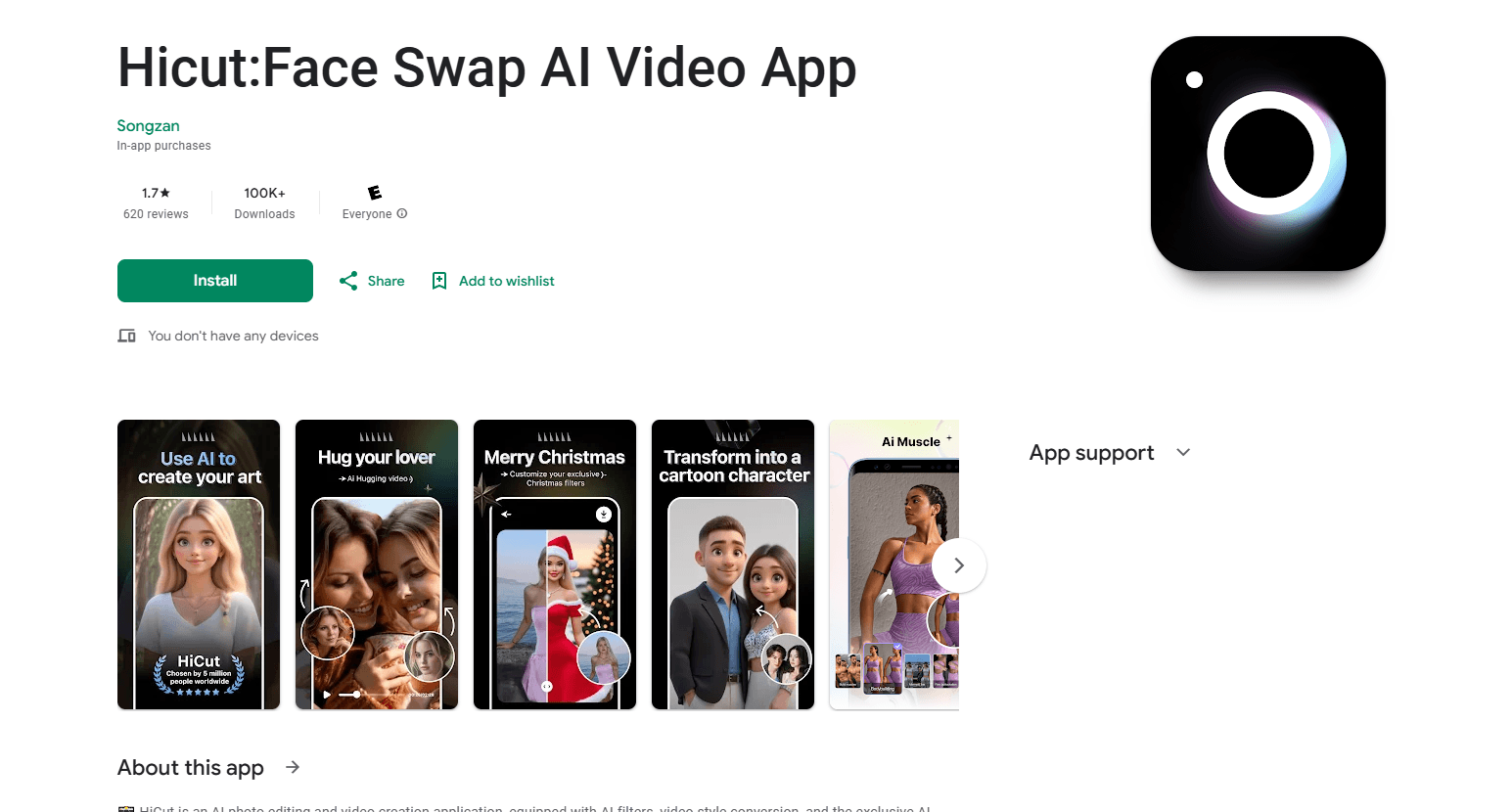
About AI Video Generator-HiCut
What Is AI Video Generator-HiCut
AI Video Generator-HiCut is an AI photo editor and video creation app for Android. It bundles face swap, style transfer and short video effects into one place, so you don't need a desktop editor or a stack of separate tools to make something shareable.
The pitch is simple: you upload a photo or a short clip, pick a style from the library, and the app does the heavy lifting while you wait a few seconds for the render to land. Anime filters, cartoon avatars, game character makers and the headline "hugging video" feature all run through the same flow. That last one takes two single-person photos and merges them into a clip of the two people embracing, which is the feature people most often come for.
It's built for casual creators rather than professionals, so the output is sized for social feeds instead of print or broadcast work, which means you should expect phone-screen quality and nothing more. The bigger catch is the pricing model: the app is free to install, but the good stuff runs on coins, and coins refill slowly or cost extra. Several users report paying for a lifetime tier and still hitting coin walls later. Go in knowing that.
Getting Started
- Install AI Video Generator-HiCut from Google Play and open it. You can start without an account.
- Pick a tool from the home screen, such as AI Hugging Video, Anime Photo Editor, or Cartoon Filters.
- Upload one or two photos, or a short video clip, from your gallery.
- Choose a style or template and let the app process. Most renders finish in seconds.
- Save the result to your gallery, then share it straight to social apps.
Product Information
A quick look at AI Video Generator-HiCut's pricing, supported platforms, and performance.
Best for
The users, tasks, and scenarios where this tool fits best.
Users
- Casual social media creators who want quick filter-driven edits without learning a full editor. Works best if you don't mind coin limits.
- People making tribute or keepsake videos, since the hugging feature can pair photos of loved ones, including those who've passed. Handle that feature with care and expect AI-generated results.
- Anime and cartoon fans who want avatar-style renders of their own photos. Best for phone-screen sharing, not large prints.
Tasks
- Turning a plain selfie into an anime or comic-style avatar for a profile picture.
- Merging two separate photos into a hugging video clip for a gift or post.
- Applying cartoon or game character filters to group photos for a themed post.
Scenarios
- Building a personal avatar for social profiles and chat apps in a few taps.
- Creating a short themed video for a birthday, anniversary or memorial post.
- Quick photo experiments when you want a funny or stylized version of a picture you already have.
Key features
AI Hugging Video
This is the app's signature feature. You upload two single-person photos and the app blends them into a clip where the two subjects appear to embrace. It's aimed at emotional use cases, like pairing a recent photo with one of someone who's no longer around, so the appeal comes as much from the moment as from what the tech can do. The results are AI-generated, so faces can look a little off up close.
Anime Photo Editor
The anime filters convert a regular photo into a two-dimensional anime-style image. There are hundreds of styles to pick from, which is more variety than most single-filter apps offer. It's the fastest way to get a stylized avatar without any drawing skill, and you can rerun the same photo through several styles until one clicks.
Cartoon Filters and Cartoon Avatars
Cartoon filters push photos toward comic-book and superhero looks. You apply one, and the app redraws your image in that style. It's good for playful profile pictures and group shots where a consistent look matters more than accuracy. Expect fine details like hair strands or glasses to get redrawn in ways that don't always match the original.
Game Character Maker
This mode turns your photo into game-style characters across genres like retro, film noir, cyberpunk, pixel art and blocky world, giving you more distinct looks than the usual filter pack that just recolors the same face. If you've ever wanted to see yourself as an NPC, this is the tool for it. Style variety is the main draw here.
Face Swap and Video Effects
Beyond still photos, the app handles face swap and short video effects, including realtime morph. That means you can animate a style change rather than just export a static image. Useful for short clips where a single frame wouldn't land.
AI Filters and Style Conversion
A broad filter library sits underneath everything else. AI filters and video style conversion let you restyle existing content, not just new uploads. It's the catch-all option when you want a different look without picking a specific named tool.
Pros and cons
Pros
- Free to download and try, with no account needed to start.
- Several distinct tools in one app, so face swap, anime, cartoon and video effects don't require separate installs.
- The hugging video feature has few direct free competitors, which is why most users find the app in the first place.
- Hundreds of anime and game styles give more variety than single-style filter apps.
- Output saves straight to your gallery for fast sharing to social apps.
Cons
- The coin system is the biggest complaint. You start with around 3,000 coins, they run out fast on real projects, and heavy features cost more. Many users say the free allowance doesn't go far.
- Some reviewers paid for a lifetime plan and later found features locked behind new coin charges. That's a real risk if you're budgeting for one-time payment.
- Results are AI renders, so faces and hands can look distorted, especially in hugging videos. Fine for casual posts, weak for anything you need to look precise.
- No trial and thin in-app guidance, so beginners often burn coins just figuring out how the tools work.
Frequently asked questions
It's an Android AI photo and video editor. Ever wanted to see yourself as an anime character or an NPC in a game? That's the kind of thing this app handles. The main tools are face swap, anime and cartoon filters, game character makers, video effects and the AI hugging video generator.
Related content
Explore related tools, skills, and articles for AI Video Generator-HiCut.
AI Video Generator-HiCut Alternatives

Google EmbeddingGemma 2
Google DeepMind · Writing · Image · CodingGoogle EmbeddingGemma 2 is a 740M-parameter open model that turns text, code, images, audio, and video frames into vectors in one 768-dimension space, running on phones and laptops.

Tractionwave
TractionWave · Image · MarketingTractionWave is an AI attention heatmap tool for static ads. Upload a PNG or JPG and it returns predicted attention, ranked hotspots, and fixes before you spend budget.

Imejis.io
Imejis.io · Image · MarketingImejis.io is an AI design studio for agents and marketing teams. Describe an image in plain words, and it writes the copy, builds the layout, reflows it to every size, then exports a finished file.