

Highlyt
Highlyt · Productivity · Leaning
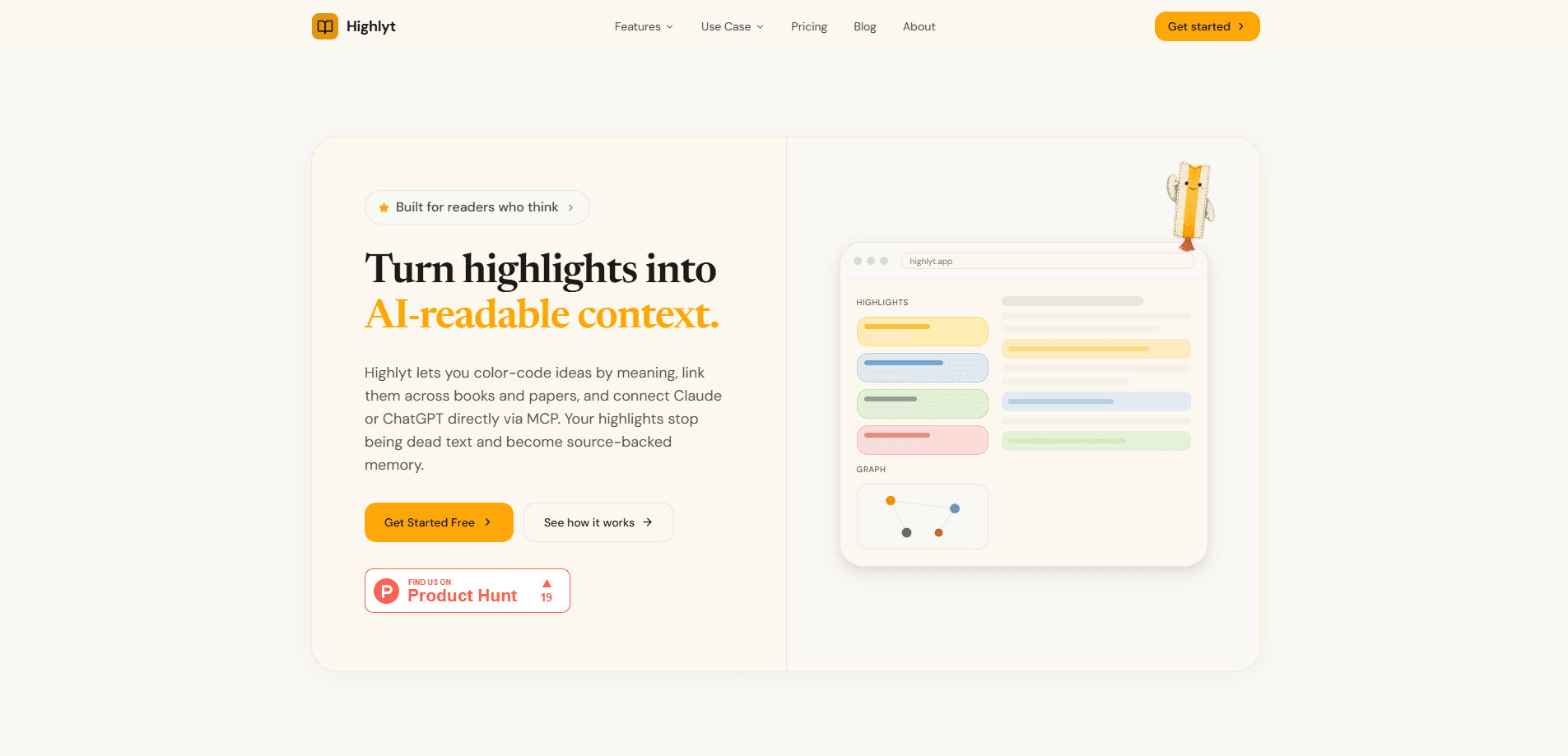
Highlyt is a reading and research app that treats your highlights as data instead of dead text. You open PDFs and DRM-free EPUBs, mark passages with colors that carry meaning, and link related ideas across everything you read. Those links turn into a knowledge graph you can search, and an MCP server lets Claude or ChatGPT read it directly. Your annotations become context an AI can actually work with.
About Highlyt
What Is Highlyt
Highlyt is a knowledge workspace built for people who read closely and want the thinking to survive past the last page. Every highlight gets a color, and every color carries an intent you define: key concept, evidence, question, method, or whatever labels match how you work. That's the core idea. Everything else follows from it.
The problem it solves is familiar to anyone who annotates as they read. Highlights pile up across books, PDFs, and web pages, then disappear into separate files you never revisit. As a PDF highlighting tool, Highlyt keeps them in one library, lets you link highlights to each other, and exposes the whole set to an AI assistant through an MCP server. Ask Claude about a topic and it can pull from what you marked, not just from its training data.
There's a catch worth knowing up front. Highlyt is a research tool for individual readers, not a shared team workspace. It also doesn't try to replace every reader you already use. It works alongside them.
Getting Started
- Create a free account on the Highlyt site and sign in.
- Upload a PDF, open a DRM-free EPUB, import your Kindle highlights, or capture a web page.
- Set up a color system that matches how you think, and assign a meaning to each color.
- Read and highlight passages, then link related highlights to build out your knowledge graph.
- Connect Claude or ChatGPT through the MCP server so your highlights are available as source-backed context.
Product Information
A quick look at Highlyt's pricing, supported platforms, and performance.
Best for
The users, tasks, and scenarios where this tool fits best.
Users
- Graduate students and researchers
- Non-fiction readers who annotate heavily
- Writers and analysts doing background research
Tasks
- Turning scattered highlights into a searchable, linked knowledge graph
- Feeding reading material to an AI assistant
- Managing a mixed reading queue
Scenarios
- Working through a literature review across many papers and needing to cross-reference claims.
- Reading a technical book over several weeks and wanting earlier highlights to resurface when they're relevant.
- Drafting an article or report where quoted evidence has to stay attached to its source.
Key features
Semantic color coding for highlights
Most highlighters give you a color and call it done. That's lazy. Highlyt asks you to decide what each color means first, so a yellow mark is evidence, a blue one is a question, and so on. You set the rules. The result is that a page of highlights reads back as a map of your thinking, not just decoration. You can build a different color system for each project if your work calls for it.
Knowledge graph that links ideas across sources
Individual highlights can be linked to each other, even when they come from completely different books or papers. Over time those links form a knowledge graph for readers, where an argument buried in one long PDF ends up connecting to the supporting evidence you saved from a paper you read months earlier and had completely forgotten about. Search runs across the whole graph. Finding a half-remembered passage stops depending on which file it lived in.
MCP server for Claude and ChatGPT
Highlyt runs an MCP server, which is the standard way AI assistants connect to outside tools. Point Claude or ChatGPT at it and your highlights become readable context instead of a document you have to paste in. It's a small setup step with a big payoff. This matters for research work, because the assistant can ground its answers in what you actually marked rather than guessing.
Multiple source types in one library
The app pulls in more than PDFs. It doubles as an EPUB reader for DRM-free books, imports Kindle highlights, and captures web pages into the same collection. Keeping sources together is what makes the linking useful, since the connections you want often run across formats. It saves you from stitching together exports by hand.
Search across your whole reading library
Search covers sources, highlights, and links in one place. When you're hunting for a specific claim months after you read it, you search the graph rather than the file system. The app leans on linking and search together, so a found highlight usually leads to the related ones around it. Good for AI note taking, it keeps the trail intact.
Export built into the reading flow
Export isn't an afterthought here. Highlights and their connections can move out into other tools when you need them, which keeps the workflow from dead-ending inside the app. No lock-in. That's useful when a highlight has to become part of a draft, a slide, or a citation list.
Pros and cons
Pros
- Color-coded highlights carry real meaning, so your annotations stay interpretable months later.
- The knowledge graph connects ideas across books and papers, which plain highlighters can't do.
- An MCP server makes highlights directly usable by Claude and ChatGPT, closing the gap between reading and AI assistance.
- It handles PDFs, DRM-free EPUBs, Kindle imports, and web captures in one library.
- The free tier makes it easy to test the workflow before paying.
Cons
- It's a web app, so there's no native desktop or mobile client, which means you can't do much offline reading on a plane or anywhere without a connection.
- DRM-protected EPUBs aren't supported, which rules out books bought through some stores.
- It won't replace your favorite reader, so heavy readers still juggle two tools.
- The graph gets more useful the more you put into it, which means the payoff is slow at first.
Frequently asked questions
It turns your reading highlights into a searchable, linked knowledge graph. You mark passages with meaning-coded colors, connect related ideas across sources, and optionally let Claude or ChatGPT read the result through an MCP server.
Related content
Explore related tools, skills, and articles for Highlyt.
Highlyt Alternatives

Base Code
Base44 (Wix) · Coding · ProductivityBase Code is a shared cloud development environment from Base44. Teammates describe changes to an existing GitHub codebase in chat, preview them live and send them back as pull requests.

Knocket
Knocket (Tencent RTC team) · Productivity · Business · ChatbotKnocket is a free live chat and contact page tool that lets visitors message you from your website, app, or a shareable link, with every reply handled from Telegram or one inbox.

FloorGen
Vinit Kumar (FloorGen) · Productivity · China AIFloorGen is a browser-based floor plan maker that turns a sentence or a sketch into an editable 2D plan and a 3D walkthrough. Export to PDF, DXF or video, and draw without an account.