

Home AI - AI Interior Design
HubX · Image
Home AI is an AI interior design app by HubX that doubles as a home decor app. It turns a photo of your room, garden, or home exterior into a redesigned space in seconds.
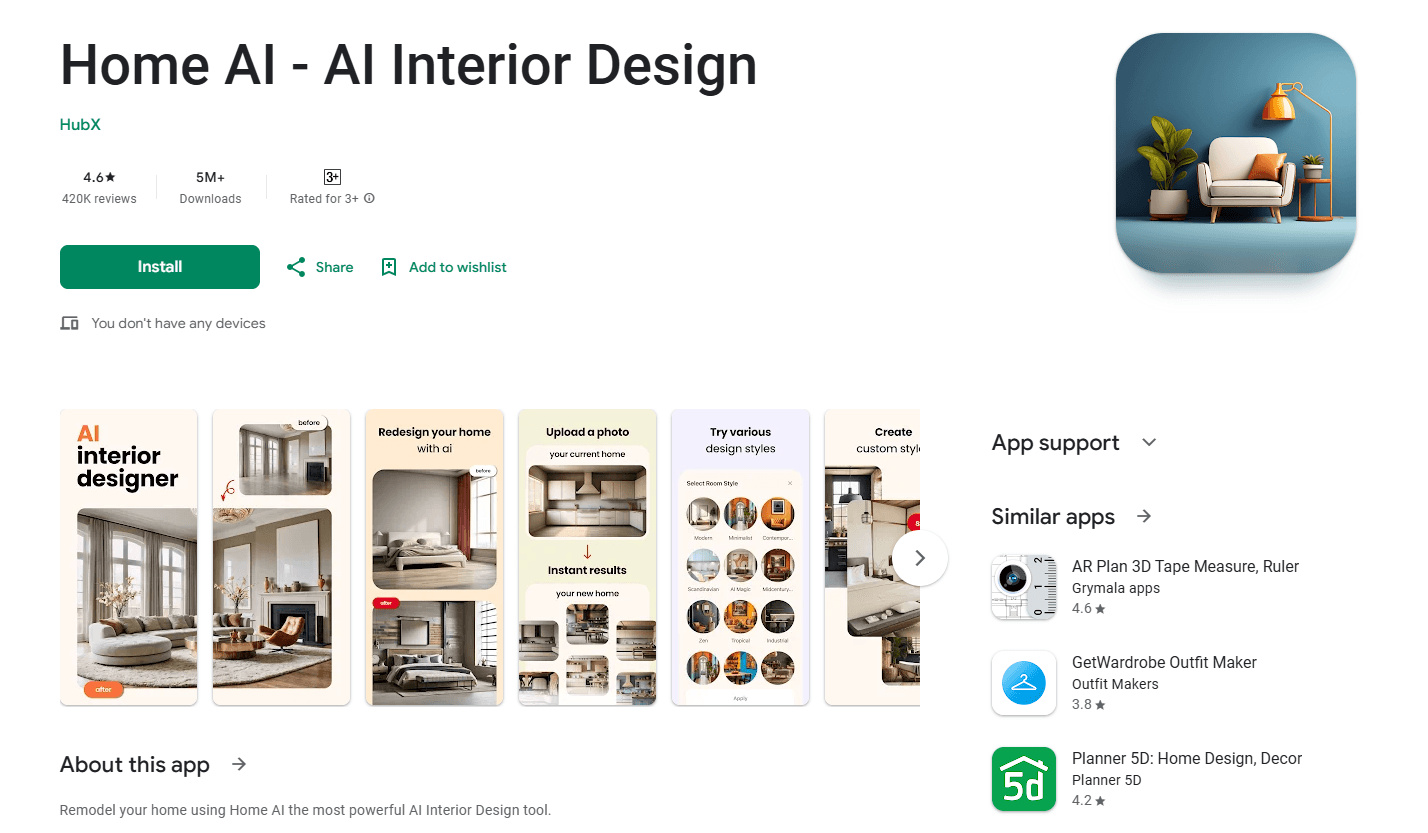
About Home AI - AI Interior Design
What Is Home AI
Home AI is a mobile app that redesigns rooms, gardens, and building exteriors from photos you already have. It works as an AI room design tool too: you upload a shot of a space, pick a style, and generate a new version of it. HubX, a studio based in İzmir, Turkey, built it for people who want design ideas without hiring anyone.
The app covers more ground than most virtual room makeover tools. Along with living rooms, bedrooms, and kitchens, it handles outdoor areas, wall paint, flooring, and furniture swaps. That range is why it has passed ten million downloads on Google Play, with roughly 990,000 reviews averaging 4.5 stars.
The catch is billing, not ability. The app is free to install, but the redesign features sit behind a subscription, and reviewers on the store regularly complain about unclear pricing and hard-to-cancel renewals. Treat it as a paid tool you can test first, not a free one.
Getting Started
- Download Home AI for Android from Google Play, or for iPhone from the App Store.
- Open the app and upload a photo of the room, garden, or exterior you want to change. A clear, well-lit shot gives the best results.
- Pick a style from the catalog, or choose a specific task such as a wall repaint or a furniture swap.
- Review the generated design, then save it or generate another version.
Product Information
A quick look at Home AI - AI Interior Design's pricing, supported platforms, and performance.
Best for
The users, tasks, and scenarios where this tool fits best.
Users
- Homeowners planning a renovation
- Renters who can't remodel
- Real estate agents staging listings
Tasks
- Restyling a single room
- Outdoor and garden planning
- Testing furniture and decor
Scenarios
- Weekend planning before a paint job
- Preparing a property for sale
- Fresh inspiration for a tired room
Key features
Photo-to-Design Generation
This is what most people mean by an interior design generator, and it's the core of the app. You upload a single photo of a space and the AI returns a redesigned version of it, keeping the room's basic shape while changing the furniture, colors, and details. There's no measuring or floor plan to draw, which is what makes it quick to use on a phone.
Interior Room Makeovers
Home AI handles the full set of indoor spaces: living rooms, bedrooms, kitchens, bathrooms, dining rooms, and home offices. You pick the room type and a style, and the app generates a furnished concept. It's aimed at people with no design background, so the choices are guided rather than open-ended.
Exterior and Garden Design
Beyond the indoors, the app redesigns house exteriors, yards, gardens, and patios. You can preview how a repaint or new siding would look, or plan a full AI garden design and outdoor living area. Few mobile tools stretch this far, and it's the feature that separates Home AI from room-only apps.
Style Catalog
The app ships with a large library of design styles, spanning modern, minimalist, Scandinavian, industrial, bohemian, and luxury looks, among others. Styles act as presets, so you get a coherent result without writing a design brief. For people who don't know the name of the look they want, browsing the catalog is the fastest way in.
Color, Wall, and Flooring Tools
You can isolate parts of a room and change just those: try wall paint colors, wallpaper, and textures, or test different flooring materials. This matters when you already like the space and only want to tweak one element instead of redesigning everything.
Object and Furniture Replacement
Home AI can replace specific items in a photo, such as a sofa, table, cabinet, or light fixture, without regenerating the whole room. It's useful for visualizing a single upgrade, and it keeps the rest of the space intact so the comparison stays honest.
Pros and cons
Pros
- Handles interiors, exteriors, and gardens in one app, so you don't need separate tools for each.
- Works from a plain phone photo, with no design skills or floor plans required.
- Wide style library that suits both modern and traditional tastes.
- Fast results, with concepts generated in seconds rather than hours.
- Strong install base, with over ten million downloads on Google Play alone.
Cons
- The redesign features need a subscription, and store reviews often flag pricing as unclear.
- Renewal and cancellation complaints are common, so check the terms before subscribing.
- Output quality depends on your photo; dim or cluttered shots give weaker results.
- No public API, so it can't be wired into a design workflow or another app.
Frequently asked questions
Home AI redesigns a space from a photo. You upload a picture of a room, garden, or home exterior, choose a style, and the app generates a new design of that same space. It covers indoor rooms, outdoor areas, and exterior paint or siding ideas.
Related content
Explore related tools, skills, and articles for Home AI - AI Interior Design.
Home AI - AI Interior Design Alternatives

Google EmbeddingGemma 2
Google DeepMind · Writing · Image · CodingGoogle EmbeddingGemma 2 is a 740M-parameter open model that turns text, code, images, audio, and video frames into vectors in one 768-dimension space, running on phones and laptops.

Tractionwave
TractionWave · Image · MarketingTractionWave is an AI attention heatmap tool for static ads. Upload a PNG or JPG and it returns predicted attention, ranked hotspots, and fixes before you spend budget.

Imejis.io
Imejis.io · Image · MarketingImejis.io is an AI design studio for agents and marketing teams. Describe an image in plain words, and it writes the copy, builds the layout, reflows it to every size, then exports a finished file.