
Homework AI
Appy · Leaning
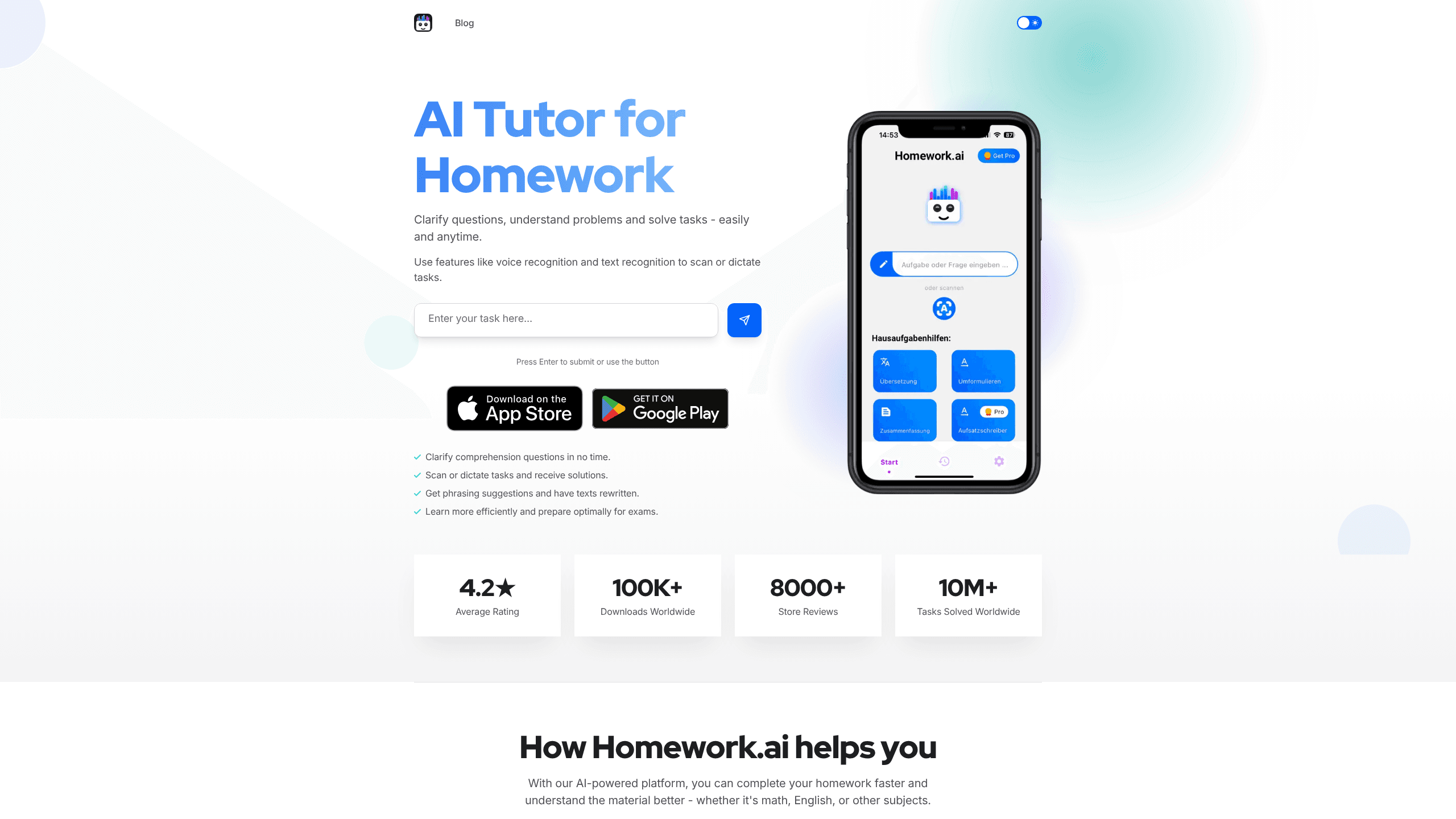
Homework AI is an AI study companion that helps students work through homework problems across subjects like math, English, and science. You scan a task with your camera, dictate it with your voice, or type it out. The app returns a solution with a plain-language explanation. It's built for learners who want to understand the reasoning behind an answer rather than just copy it. It runs on Android and the web.
About Homework AI
What Is Homework AI
Homework AI is a study tool that turns a photo or spoken question into a worked-out answer. Its purpose is narrower than a general chatbot: it targets schoolwork, so it reads the language of textbooks and worksheets. Then it explains the steps in a way a student can follow.
The app leans on two input methods that matter for real homework. Camera scanning handles printed problems and handwritten notes on paper. Voice recognition lets you read a question out loud when typing feels slow. According to the developer, the platform has passed 10 million tasks solved. That suggests people use it for daily coursework, not one-off experiments.
The main limit is the same one every AI tutor shares: it's a helper, not a replacement for learning. So how reliable are the answers? The explanations are only as good as the model behind them. Answers to advanced or unusual problems still deserve a sanity check against your class materials. Homework AI also can't sit an exam for you or build a long-term study plan on its own.
Getting Started
- Download Homework AI from Google Play or open the web app and create an account.
- Take a photo of your homework, upload an image, or dictate the question with the voice tool.
- Let the app recognize the task and generate a solution.
- Read the step-by-step explanation and ask follow-up questions if something isn't clear.
- Use the exam question generator to test yourself on the same topic before a test.
Product Information
A quick look at Homework AI's pricing, supported platforms, and performance.
Best for
The users, tasks, and scenarios where this tool fits best.
Users
- Students in middle school through college
- Parents helping with homework
- Self-learners brushing up on basics
Tasks
- Solving a math problem step by step
- Checking comprehension of a reading or grammar question
- Rewriting or improving a text
- Generating practice questions
Scenarios
- The night before a test, when you need fast explanations of topics you're shaky on
- Working through a stack of worksheets without a teacher or tutor on hand
- Studying on a phone during a commute, using voice input instead of typing
- Catching up after missing a class, when you need a second pass at the material
Key features
Photo and Scan Solving
The core of the app is its scanner. You point your camera at a printed or handwritten problem, and Homework AI recognizes the text and works out a solution. This matters for math and science homework, because typing an equation by hand is slow and error-prone. Uploading an existing image works the same way when the problem already lives on your phone.
Voice Recognition Input
Instead of typing, you can speak a question and get a response. Voice input makes the app usable hands-free, like when you're reading from a textbook or moving around. It's a practical shortcut for language and conceptual questions, where the exact wording matters less than getting a fast explanation.
Step-by-Step Explanations
The app doesn't stop at the answer. It shows the reasoning so you can follow how the solution was reached. That matters. For students, it's the difference between finishing tonight's homework and being able to solve a similar problem on a test. The explanations are plain, not dense.
Text Rewriting and Phrasing Help
Beyond solving problems, Homework AI can suggest phrasing and rewrite text. This suits writing-heavy homework, like drafting or cleaning up an essay. It's a helper for structure and wording. Use it as a starting point you edit yourself, not a finished submission.
Exam Question Generator
You can ask the app to create practice questions on a topic, which turns it from a one-off answer machine into a light study tool. Generating your own questions is a known way to test recall and find gaps in your understanding of the material. So this feature fits the app's wider goal: preparing for exams rather than only clearing tonight's assignment.
Pros and cons
Pros
- Handles both photos and voice input, so you can start a question the way that's fastest in the moment
- Explains the steps rather than only giving an answer, which helps with actual understanding
- Covers everyday subjects like math, English, and science in one app
- Available on Android and the web, with a free tier to try before paying
- Strong adoption numbers reported by the developer, suggesting it's stable enough for daily use
Cons
- Subscriptions billed weekly can add up quickly if you keep them running
- It's a study helper, not a teacher, so answers on advanced topics may need checking against class materials
- Heavy reliance on the app can undercut the point of homework if you skip the reasoning
- The free tier limits how much you can use before hitting a paywall
Frequently asked questions
It's used to solve and explain homework across subjects like math, English, and science. You scan, dictate, or type a task and get a worked solution with an explanation.
Related content
Explore related tools, skills, and articles for Homework AI.
Homework AI Alternatives

Kaggle AI
Google · Coding · LeaningKaggle AI is a community platform where people build, test, and compare machine learning models against shared data. It combines data science competitions, tens of thousands of public datasets, and free cloud notebooks with GPU and TPU access, so anyone with a browser can train a model without buying hardware. Google owns the platform, and joining costs nothing.

Bunch
Bunch AI · Leaning · BusinessBunch is an AI leadership coaching app that turns a few spare minutes a day into real management practice. It hands you one short, personalized tip each day, tracks how you respond, and lets you compare notes with peers inside private groups. The pitch is simple: you lead better by practicing a little, often, instead of sitting through a weekend seminar. Think of it as a leadership training app you actually open.

AI Mock Interview
SQLPad · Coding · LeaningAI Mock Interview is a practice tool built into SQLPad that simulates real job interviews and gives you instant feedback on both what you say and how you say it. You pick a role template or upload a job description, answer questions out loud in real time, and then review a transcript with notes on structure, clarity, and grammar. It's aimed at data professionals prepping for SQL, Python, data engineering, machine learning, and system design roles, and it works entirely in the browser. No install needed.