

Huddles
Huddles (Huddles.app) · Productivity
Huddles is an AI meeting assistant that takes notes, transcribes discussion and turns each conversation into a shareable summary, so teams can follow up without assigning a note taker.
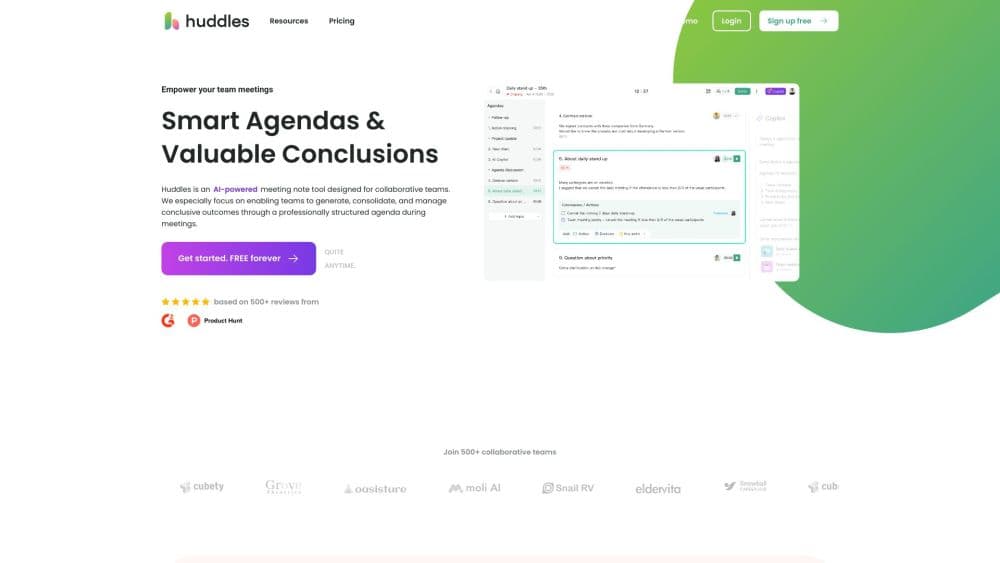
About Huddles
What Is Huddles
Huddles is a meeting workspace that watches over the boring part of a call: writing things down. It listens to the conversation, produces a live transcript, and hands back a summary with the decisions and follow up items pulled out. The point is that nobody on the call has to be the person typing.
The idea solves a familiar annoyance. Meetings produce a lot of speech and very little structure, and the notes that do get written usually land in one person's laptop and never reach the rest of the team. Huddles puts that output in a shared space where colleagues can read it, comment on it and build on it after the call ends.
Two limits matter before you commit. The product is young, and its public website currently does not load a product page, so pricing, platform support and availability details are hard to confirm from the vendor right now. Anything beyond the features described in the product listing should be treated as unverified until you hear it from the company directly.
Getting Started
- Check the official website for a working sign up link and account requirements before promising the tool to a team.
- Connect the calendar or meeting platform your team already uses so the assistant knows which calls to attend.
- Turn on live notes at the start of a call, or let the assistant join automatically if your plan supports that.
- Review the transcript and summary after the call and fix any speaker labels or names that came out wrong.
- Share the summary with people who missed the meeting and assign follow up items to their owners.
Product Information
A quick look at Huddles's pricing, supported platforms, and performance.
Best for
The users, tasks, and scenarios where this tool fits best.
Users
- Remote team leads
- Project coordinators
- New hires and stakeholders who miss meetings
Tasks
- Writing meeting minutes
- Capturing action items
- Making calls searchable
Scenarios
- A weekly team sync where decisions get made quickly
- Client calls where the details matter later
- Long workshops with several speakers
Key features
Real Time Note Taking
The assistant writes notes while the conversation is happening, so the record exists before anyone remembers to open a document. Notes update as people talk, which means a late joiner can read the first half of the meeting instead of interrupting to ask what was decided.
Automatic Transcription
Every call becomes text you can search, quote and copy, and that meeting transcription runs without anyone opening a second app. It matters most for the small details, such as an exact figure, a product name or a date someone said once and moved on from. Without it, those details survive only in memory.
AI Summaries With Follow Ups
After the call, this AI meeting summarizer condenses the discussion into the decisions and next steps that matter. That is the part that saves real time, because reading four paragraphs beats scrubbing through forty minutes of audio. The output still needs a quick human check for names and task owners.
Shared Collaboration Space
Team collaboration stalls when the only copy of the notes lives on one laptop. Summaries and notes sit in a shared workspace rather than in one person's inbox. Teammates can comment, correct a misunderstanding or add something the assistant missed, which turns the notes from a private artifact into a team reference.
Works Alongside Your Meeting Tools
Huddles is built to sit next to the video tools a team already uses rather than replace them. That keeps adoption simple: people join calls the way they always have, and the notes appear in the background.
Pros and cons
Pros
- Removes the note taking duty from the call, so whoever usually types can finally participate in the discussion.
- Produces a summary and follow up items together, which shortens the gap between a meeting and actual work.
- Shared notes reach the whole team, so people who missed a call are not dependent on a colleague's memory.
- Searchable transcripts make it easy to settle later questions about what was said.
Cons
- The public website did not load a product page during our check, so pricing and platform support cannot be confirmed right now. Budget planning should wait until you have a direct answer from the vendor.
- AI summaries can mislabel speakers or miss a subtle decision, so someone still needs to skim the output before it goes to a client.
- Teams need to agree on when recording is allowed, because an always on assistant raises consent questions in many workplaces.
- For a small team on a tight budget, the cost only pays off if calls are frequent enough to justify a monthly subscription.
Frequently asked questions
Huddles is an AI meeting assistant that transcribes calls, takes live notes and returns a summary with follow up items. It is aimed at teams who want a written record without assigning note taking to a participant.
Related content
Explore related tools, skills, and articles for Huddles.
Huddles Alternatives

Udon
Udon · Coding · ProductivityUdon turns an Apple Silicon Mac into a home server you run from a browser, with container controls, file shares, and an optional AI sysadmin.

offstage
offstage cloud · Coding · Productivityoffstage gives AI coding agents and CI jobs a real Mac: a fresh macOS account on Apple silicon, driven over an API and billed by the second.

BotBus
Chengdu Tuyang Tusen Technology Co., Ltd. · Coding · ProductivityBotBus lets you control AI coding agents from your phone and watch: approve commands, start tasks and read results while the code stays on your desktop.