

I Fix It
iFixit · AI Assistant
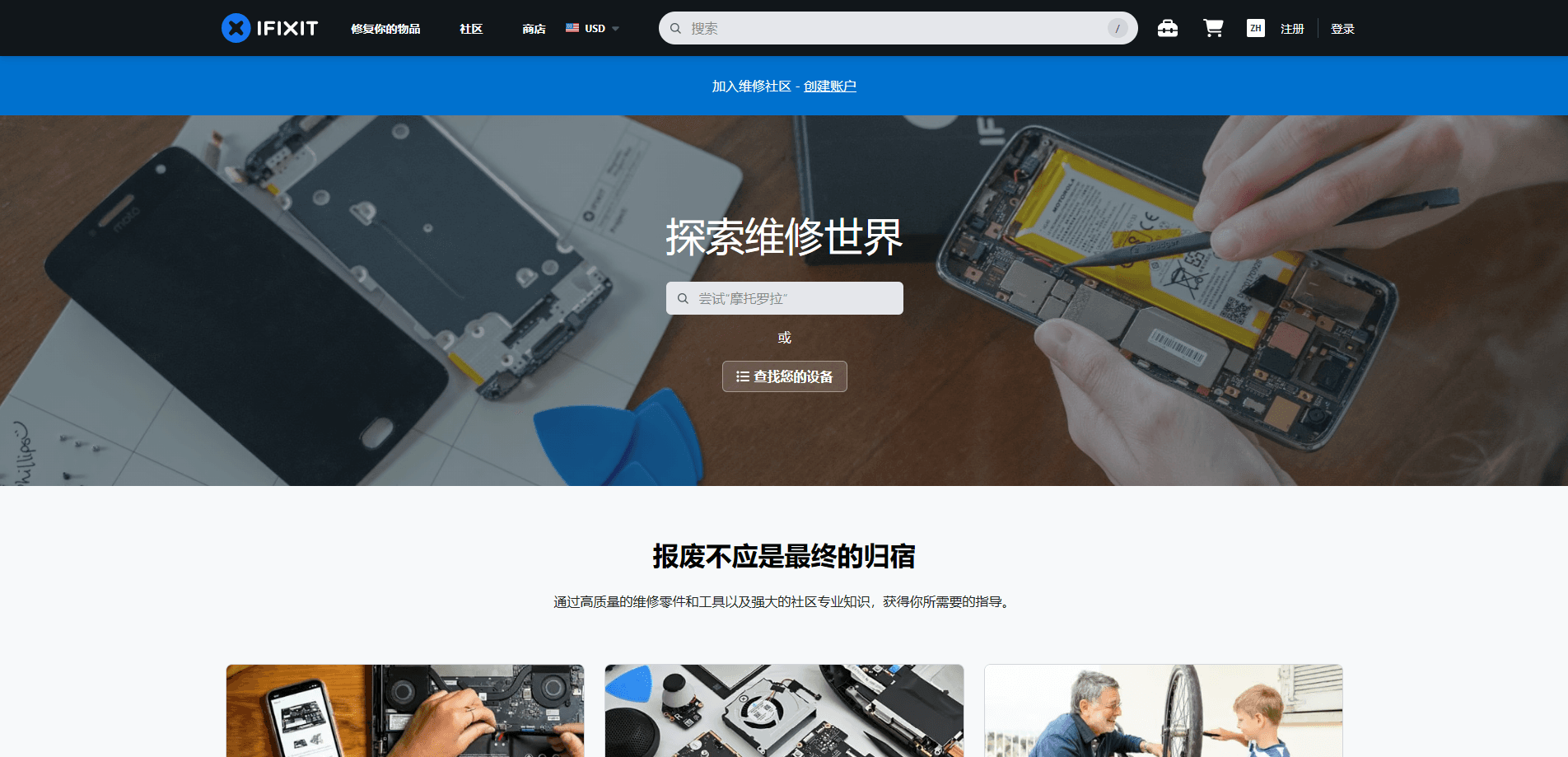
iFixit is a repair guide platform and parts marketplace that helps you fix the electronics you already own. It pairs free, step-by-step repair guides for thousands of devices with an online store selling the tools, fix kits, and replacement parts those guides call for. The company also runs the loudest voice in the right to repair movement, pushing manufacturers to publish service manuals and sell spare parts. Ever cracked a phone screen? This is where most people start.
About I Fix It
What Is iFixit
iFixit is a community-driven repair resource, not a traditional tech company. Its core is a searchable library of repair guides written by staff and volunteers, covering phones, tablets, laptops, game consoles, cameras, and even home appliances. Each guide walks through a teardown or repair with photos and parts lists, so a beginner can follow along on a kitchen table. No jargon barrier, no paywall.
The site makes money by selling what those guides tell you to buy. Replacement parts, precision toolkits, and bundled fix kits ship from regional stores, and a Pro subscription serves repair shops that want wholesale pricing and business tools. The free guides stay free. That's the point: iFixit wants repair to be easier than replacement, and it keeps the guides open even for devices whose makers would rather you buy a new one every two years.
The biggest limit is device coverage. New gadgets sometimes land with limited parts or none at all, because manufacturers control supply. iFixit can't stock a battery a company refuses to sell, so you'll occasionally find a guide but no matching part. That's the frustrating part. Worth knowing before you buy a device you plan to keep for years.
Getting Started
- Create an account on iFixit so you can save guides and post questions to the community.
- Search your device by model name or number to find its repair guides and available parts.
- Read the guide's difficulty rating and tool list, then buy only the tools and parts your repair needs.
- Follow the step-by-step guide, pausing at photos to keep screws and connectors organized.
- Reassemble, power up, and post to the Answers forum if something doesn't work on the first try.
Product Information
A quick look at I Fix It's pricing, supported platforms, and performance.
Best for
The users, tasks, and scenarios where this tool fits best.
Users
- DIY fixers
- Repair shops and technicians
- Right to repair advocates
Tasks
- Phone repair and screen or battery swaps
- Laptop repair and console teardowns
- Buying the right precision tools
Scenarios
- Your out-of-warranty phone won't hold a charge
- A laptop fan sounds like a jet engine
- You run a small repair counter
Key features
Free Repair Guides for Thousands of Devices
iFixit's guide library covers phones, laptops, tablets, consoles, and appliances, with photo-by-photo steps and a difficulty rating for each. The guides stay free to read, which is why they rank as one of the largest public repair references on the web. You can follow one end to end or jump to the step you're stuck on.
Replacement Parts and Fix Kits
The store stocks batteries, screens, cameras, and other components matched to specific models, plus all-in-one kits that bundle every tool and part a job needs. Kits ship with the relevant guide, so you don't have to hunt for the right instructions. That pairing cuts the guesswork that ruins most first-time repairs.
Precision Tools and Toolkits
iFixit builds its own line of precision drivers, picks, and the flagship Pro Tech Toolkit, engineered from data gathered across hundreds of teardowns. The tools are aimed at people who fix things often, not one-off jobs, and carry a lifetime guarantee on many pieces. For hobbyists, decent tools are the difference between a clean repair and a stripped screw. Good tools pay for themselves.
iFixit Pro for Repair Businesses
Pro is a paid tier built for shops, adding wholesale parts pricing, business account management, and priority support. It's priced for people who repair for a living, so a casual fixer won't get much from it. If your counter handles steady volume, the parts discount can offset the monthly fee.
Teardowns and Repairability Scores
iFixit publishes teardowns of new devices and scores them on how easy they're to repair, usually on a scale of 0 to 10. These scores have become a reference point that manufacturers actually respond to when designing the next model, because nobody wants a flagship phone that reviewers publicly score as essentially unrepairable. For buyers, they're a quiet way to check whether a device will be serviceable years down the line.
Developer API
iFixit exposes a public API that lets developers pull guide data, device info, and repair metadata into their own apps and tools. That's useful if you're building a repair shop system or a parts lookup. Most casual users will never touch it. Documentation lives on the site for anyone who wants to dig in.
Pros and cons
Pros
- Free, deeply detailed repair guides that cover far more devices than any single manufacturer's manuals.
- Parts and tools are matched to specific guides, so you order the right components the first time.
- Pro tier gives repair businesses wholesale pricing that can beat retail parts channels.
- The repairability scores give shoppers a real signal about long-term device ownership.
Cons
- Some newer devices launch with sparse or missing parts because manufacturers won't supply them, so a guide might exist without a part to buy.
- Real repairs still carry risk. Break one connector and the cost can exceed a shop visit.
- Pro pricing is hard to justify unless you repair often enough to make the discount pay off.
Frequently asked questions
It's used to repair electronics yourself. You look up your device, read a free step-by-step guide, and buy any parts or tools you need from the same site.
Related content
Explore related tools, skills, and articles for I Fix It.
I Fix It Alternatives

Iplan AI
Iplan AI · Productivity · AI AssistantIplan AI is an AI travel planner that turns a few trip details into a full day-by-day itinerary in seconds. You answer questions about your destination, interests, budget, and travel companions, and the tool builds a plan you can edit, share, and carry with you on any device. It targets travelers who want a solid draft without spending hours in spreadsheets and browser tabs. Think of it as an itinerary generator that does the tedious part for you.

Screenhelp
Screenhelp · Productivity · AI AssistantScreenhelp is an AI screen assistant that turns a single keyboard shortcut into real-time help. You press Ctrl+Shift+Space, it captures what's on your screen, and it streams an answer into a private panel in about two seconds. Think of it as an AI screenshot helper you trigger on demand. It runs on Mac, Windows, and the web, starts free with 30 answers a month, and stays invisible during screen sharing on Zoom, Teams, and Google Meet.

Rainbow
Rainbow · AI AssistantRainbow is an AI weather forecast app built around short-term precipitation nowcasting. Its engine pushes min-by-min rain and snow predictions up to four hours ahead, blending live satellite and radar feeds into hyperlocal forecasts. The app adds live rain radar, a seven-day outlook, precipitation alerts, home-screen widgets, and a hurricane tracker, and it runs on both Android and iOS with a free tier plus paid upgrades.