

IconCraft AI
IconCraft · Image
IconCraft AI is an AI app icon generator that turns a written app concept or an uploaded logo into production-ready iOS and Android icons in seconds, with credit-based pricing and no subscription.
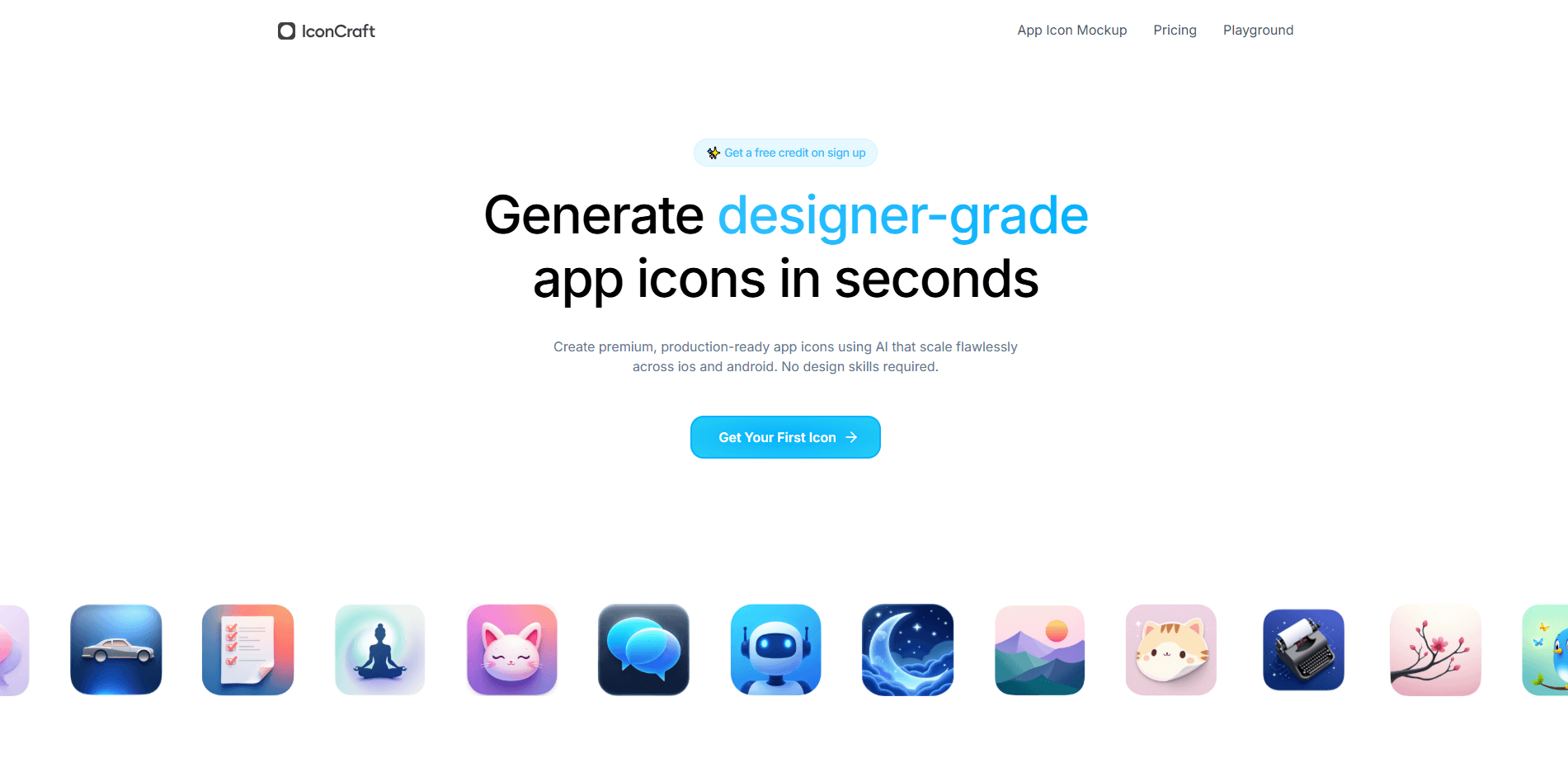
About IconCraft AI
What Is IconCraft AI
IconCraft AI is a web-based AI icon design tool that produces app icons from a short text description. You describe your app, the tool suggests a few visual directions, and it renders finished icons sized for both iOS and Android. The pitch is simple: skip the design back-and-forth and get an icon you can ship.
The problem it targets is familiar to indie developers and small teams. Hiring a designer for a single icon is slow and pricey, and generic templates tend to look like everyone else's. IconCraft AI aims to close that gap by generating custom compositions that scale cleanly from a store listing down to a home-screen thumbnail.
The main limits are scope and control. This is an icon tool, not a full brand suite, so you won't get logos, splash screens, or marketing assets here. And because output is AI-generated, fine details and small text inside an icon can come out messy, which matters when you need exact brand fidelity.
Getting Started
- Sign up at iconcraft.app to claim the free credit offered on registration.
- Describe your app concept in plain language, or upload an existing logo to keep the icon on brand.
- Browse the AI suggestions and pick a visual direction that fits your app's tone.
- Optionally add a style reference to steer the look toward a design trend you like.
- Export the icons and drop the assets into your iOS and Android project.
Product Information
A quick look at IconCraft AI's pricing, supported platforms, and performance.
Best for
The users, tasks, and scenarios where this tool fits best.
Users
- Indie app developers
- Startup founders shipping an MVP
- No-code builders
Tasks
- Generating a first app icon
- Extending an existing logo into an icon
- Matching a design trend
Scenarios
- Publishing to the App Store
- Updating an Android listing
- Testing several icon directions before launch
Key features
Text-to-Icon Generation
Type a description of your app and IconCraft AI renders finished icon options within seconds. It works like a plain-language app icon maker that you point at your idea, with no design file required to begin, and the output is sized for real store and home-screen use. It's the feature most users will touch first.
AI Suggestions
When you enter your app description, the tool proposes several visual directions with different concepts and compositions. This gives you a starting point to react to rather than an empty prompt box, which shortens the gap between an idea and a usable icon.
Custom Logo Upload
If you already have a logo, you can upload it and let the AI generate icons that stay true to your brand. The tool reads cues from your design and produces consistent, fresh variations, so an existing identity carries into the app icon instead of being replaced.
Style Reference
You can point the generator at a specific design trend or an example icon you like. The output aligns with that aesthetic, which helps when you want an icon that sits naturally next to a particular family of apps or a current visual style.
iOS and Android Ready Output
Icons come out formatted for both major mobile platforms. Instead of exporting one image and resizing it by hand for every required dimension, you get assets that fit iOS and Android store and launcher requirements from a single run.
Credit-Based, No-Subscription Pricing
IconCraft AI charges per icon through credits rather than a recurring subscription. You sign up with a free credit, then top up when you need more. For a one-off icon or an occasional refresh, that avoids paying a monthly fee for a tool you rarely open.
Pros and cons
Pros
- Generates app icons from a plain text description, no design file needed
- Output is sized for both iOS and Android
- Custom logo upload keeps icons on brand
- Style reference steers the look toward a trend you like
- Credit-based pricing with a free credit on signup, no subscription
Cons
- It covers app icons only, so logos, splash screens, and other brand assets need separate tools
- AI output can render fine detail and small text inside an icon imperfectly, which matters for strict brand fidelity
- Icons are generated through the web interface, with no app or plugin for desktop design tools
Frequently asked questions
IconCraft AI is an AI app icon generator. You describe your app or upload a logo, and it produces custom icons sized for iOS and Android. It's built for getting from a concept to a shippable icon without a designer or design software. The free credit on signup lets you try your first icon at no cost, and you buy more credits as needed.
Related content
Explore related tools, skills, and articles for IconCraft AI.
IconCraft AI Alternatives

Google EmbeddingGemma 2
Google DeepMind · Writing · Image · CodingGoogle EmbeddingGemma 2 is a 740M-parameter open model that turns text, code, images, audio, and video frames into vectors in one 768-dimension space, running on phones and laptops.

Tractionwave
TractionWave · Image · MarketingTractionWave is an AI attention heatmap tool for static ads. Upload a PNG or JPG and it returns predicted attention, ranked hotspots, and fixes before you spend budget.

Imejis.io
Imejis.io · Image · MarketingImejis.io is an AI design studio for agents and marketing teams. Describe an image in plain words, and it writes the copy, builds the layout, reflows it to every size, then exports a finished file.