
Ideamap
Ideamap · Productivity
Ideamap is a visual brainstorming workspace where teams arrange ideas on an infinite canvas and use AI to generate, expand, and group them during live sessions.
About Ideamap
What Is Ideamap
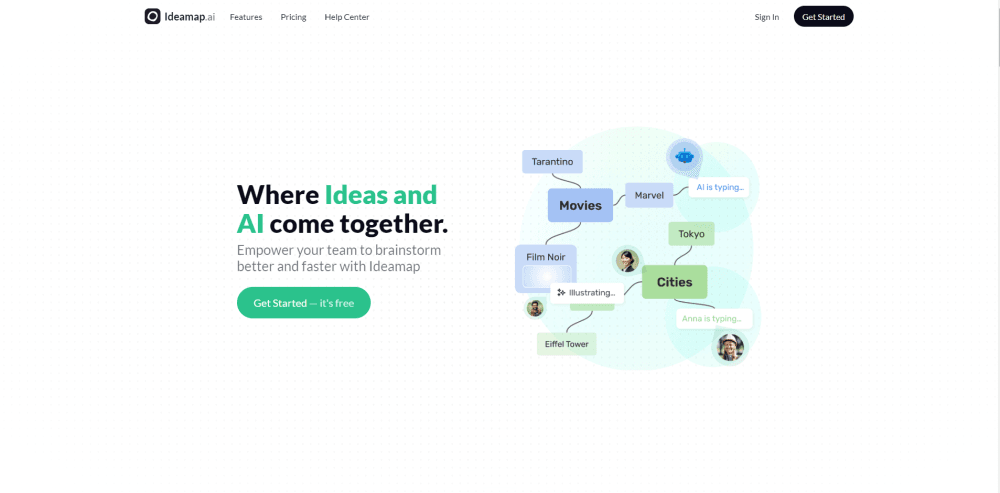
Ideamap is a browser-based workspace for team brainstorming, made by the company of the same name. You open a room, drop a topic on the canvas, and everyone adds connected nodes around it. The layout stays loose on purpose. A branch can grow into a mind map, a cluster of sticky notes, or a rough decision tree without anyone switching tools mid-session.
The problem it targets is the gap between a meeting and a document. Whiteboards capture energy but lose structure. Docs hold structure but kill momentum. Ideamap keeps the canvas and adds an AI brainstorming tool on top. As team brainstorming software, its job is to turn a blank room into forty connected ideas, then into a shortlist, before the call ends.
Two limits matter before you commit. AI output depends on how clearly the room prompt names the topic, and vague prompts return generic lists you have to prune. The paid tiers also bill per person, so inviting a large audience gets expensive quickly, which is why many teams share a view-only link with guests instead.
Getting Started
- Create an account at ideamap.ai, or add the Ideamap app inside Microsoft Teams and connect it for your tenant.
- Make a workspace for your team, then open a room for the session you're running.
- Type the topic into the canvas prompt, invite the people who need to contribute, and let the AI generate a first set of branches.
- Vote on the strongest ideas, group the rest, and export the board or share a link when the session ends.
Product Information
A quick look at Ideamap's pricing, supported platforms, and performance.
Best for
The users, tasks, and scenarios where this tool fits best.
Users
- Product teams
- Workshop facilitators
- Marketing and content groups
- Consultants and agencies
Tasks
- Running a structured brainstorm
- Turning scattered notes into an AI mind map
- Pressure-testing a plan
- Writing a session recap
Scenarios
- A weekly team ideation hour
- A remote workshop with a client
- Early project research
Key features
Infinite Canvas with Connected Idea Nodes
The canvas has no fixed edge, so a session can expand from one topic into several clusters without running out of room. Nodes connect with lines that show how one thought led to another, and you can drag a branch apart when it grows too dense. Teams that think in pictures get an AI mind map they can keep editing rather than a static export.
AI Idea Generation and Expansion
Type a topic and the AI brainstorming tool returns a set of starting branches within seconds. Select any node and ask for more, and it grows that branch with related angles instead of filling the whole board. This is the part that saves the most time in a cold start, because nobody has to stare at an empty canvas waiting for a first thought.
AI Copilots and Personas in the Room
Ideamap lets you bring AI assistants into a session as participants rather than as a sidebar chat. Each copilot can hold a different role, so one pushes for customer objections while another looks for technical risks. The room reads their suggestions next to human notes, which makes disagreement visible instead of hidden in a private chat window.
Framework Templates and Challenge Suggestions
Templates cover familiar structures such as SWOT analysis and Six Thinking Hats, and the AI fills them with content tied to your topic instead of leaving blank boxes. A separate challenge tool scans the board for gaps and names the risks a team tends to skip when everyone is excited. Both features shorten the setup work that usually eats the first twenty minutes of a workshop.
Facilitation Tools: Timer, Voting, and Session Summary
A countdown timer keeps each round bounded, voting lets the room rank ideas without a debate, and the summary collects the winners and open questions at the end. These are small controls, but they decide whether a session produces a decision or just a busy canvas. Facilitators can run the whole arc from one screen.
Workspaces, Sharing, and Microsoft Teams
Workspaces keep separate teams and clients apart, and rooms can be shared by link or embedded in another platform. The Microsoft Teams app puts the canvas in a channel tab, so a team brainstorming session starts where the conversation already happens. Import and export cover the step between a session and the tools your team uses afterward.
Pros and cons
Pros
- The canvas and the AI sit in the same place, so generated ideas land as editable nodes rather than a chat transcript you have to copy.
- Framework templates with AI filling give a structured session a running start, which helps teams that freeze at the blank-board stage.
- Facilitation controls are built in, including timer, voting, and a written summary, so a facilitator doesn't need a second tool.
- Guest access through a shared link keeps client workshops and large all-hands sessions from inflating the per-seat bill.
- The Microsoft Teams integration puts visual brainstorming inside a channel, which lowers the friction for teams already working there.
Cons
- Pricing is per user on paid tiers, so a team that brainstorms with many occasional participants pays for seats that sit idle most of the month.
- AI suggestions lean generic when the prompt is short, and you'll spend time deleting weak branches before the board gets useful.
- There's no public API, which blocks teams that want to push ideas into their own project tracker automatically.
- The web app is the main surface, so anyone who wants a native desktop or mobile editor has to work through a browser.
Frequently asked questions
Ideamap is used to run visual brainstorming sessions where a team maps ideas on a shared canvas and uses AI to generate and organize them. Typical uses are product feature planning, campaign ideation, workshop facilitation, and early project research.
Related content
Explore related tools, skills, and articles for Ideamap.
Ideamap Alternatives

Base Code
Base44 (Wix) · Coding · ProductivityBase Code is a shared cloud development environment from Base44. Teammates describe changes to an existing GitHub codebase in chat, preview them live and send them back as pull requests.

Knocket
Knocket (Tencent RTC team) · Productivity · Business · ChatbotKnocket is a free live chat and contact page tool that lets visitors message you from your website, app, or a shareable link, with every reply handled from Telegram or one inbox.

FloorGen
Vinit Kumar (FloorGen) · Productivity · China AIFloorGen is a browser-based floor plan maker that turns a sentence or a sketch into an editable 2D plan and a 3D walkthrough. Export to PDF, DXF or video, and draw without an account.