

IFTTT Mobile Apps
IFTTT · Productivity
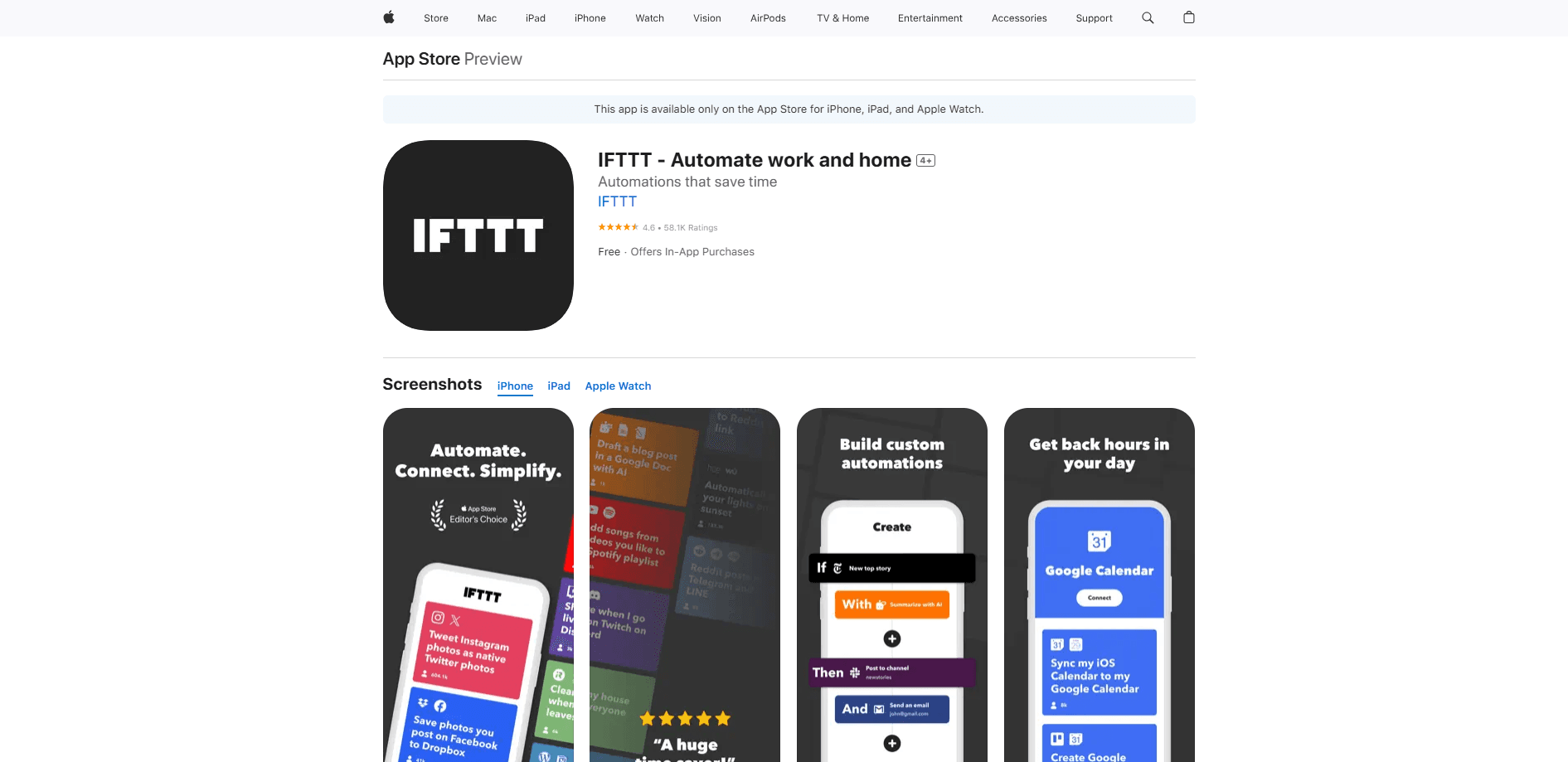
IFTTT is a no-code automation app that links 1,000+ apps and smart home devices through Applets. Set a trigger, pick an action, and it runs in the cloud on iOS or Android.
About IFTTT Mobile Apps
What Is IFTTT Mobile Apps
IFTTT stands for "If This Then That." It's a mobile automation app that connects the apps, services, and smart home devices you already own so they work together without you touching anything. You build a rule once, and it keeps running in the background.
The idea is simple. Pick a trigger ("this"), pick an action ("that"), and IFTTT handles the rest. A new email lands in Gmail, so it adds a row to a Google Sheet. You leave the office, so your thermostat drops a few degrees. You never write code for any of it.
The catch is that IFTTT lives in the cloud. Automations fire on IFTTT's servers, so they keep running when your phone is off, but they don't work offline and can lag a few seconds behind real time. Free accounts also cap you at 2 Applets and check triggers about once an hour, which is slow for anything time-sensitive.
Getting Started
- Download the IFTTT app on iOS or Android, or use the website, and create a free account.
- Connect the services you use, like Gmail, Spotify, Philips Hue, or Slack, and sign in to each one.
- Browse thousands of ready-made Applets or tap Create to build your own from a trigger and an action.
- Turn the Applet on and let it run, then check the Activity feed to confirm it fired.
Product Information
A quick look at IFTTT Mobile Apps's pricing, supported platforms, and performance.
Best for
The users, tasks, and scenarios where this tool fits best.
Users
- Smart home owners
- Busy professionals
- Content creators
- Small business owners
Tasks
- Cross-posting content
- Syncing cloud files
- Smart home routines
- Personal notifications
- Logging and tracking
Scenarios
- Waking up to a prepared home
- Leaving for work
- Managing social media on autopilot
- Keeping a paper trail
Key features
Applets for one-tap automation
An Applet is a single automation that pairs a trigger with an action. Instead of coding, you pick from dropdowns. IFTTT ships with hundreds of thousands of ready-made Applets from its community, so most common jobs already have a template waiting.
Connections across 1,000+ services
IFTTT reaches Gmail, Slack, Notion, Spotify, Philips Hue, Ring, and hundreds more. That breadth is the main draw: it links apps and devices that have no native way to talk to each other, including Android-only and iOS-only tools in the same workflow.
Location and notification triggers
The mobile app adds phone-specific triggers like arriving at or leaving a place, connecting to Wi-Fi or Bluetooth, or pressing a widget button. You can also fire actions that push rich notifications back to your device.
Webhooks for custom devices
Webhooks automation lets any device or app that can send a web request join an IFTTT workflow. That opens the door to DIY projects and gear without an official IFTTT channel, and it's a Pro feature rather than a free one.
AI-assisted Applet building
IFTTT's AI tools generate, refine, and launch automations from a plain prompt. You describe what you want in everyday language, and it drafts the trigger and action for you, which lowers the barrier for first-time users.
Cloud-based execution
Applets run on IFTTT's servers, not on your phone. That means automations keep firing when your device is off or offline. The trade-off is that everything depends on an internet connection and a live service.
Pros and cons
Pros
- Connects 1,000+ apps and devices through a no-code interface, so you don't need any programming background.
- Free tier covers basic automation with 2 Applets and unlimited runs, which is enough to test the waters.
- Huge library of published Applets means you can often activate a working automation in under a minute.
- Handles both smart home hardware and productivity software, so one app covers several parts of your day.
- Cloud execution keeps automations running even when your phone is powered down.
Cons
- The free plan limits you to 2 Applets and checks triggers roughly once an hour, so fast or high-volume automations need a paid tier.
- No offline support, since every Applet depends on IFTTT's servers and a working internet connection.
- Polling triggers can lag behind real-time events by a few minutes, which matters for time-sensitive tasks.
- Some advanced features like webhooks and multi-action Applets sit behind the Pro and Pro+ subscriptions.
Frequently asked questions
It connects the apps and devices you use so one event automatically triggers another. You pick a trigger and an action, and IFTTT runs the rule for you without any coding.
Related content
Explore related tools, skills, and articles for IFTTT Mobile Apps.
IFTTT Mobile Apps Alternatives

Udon
Udon · Coding · ProductivityUdon turns an Apple Silicon Mac into a home server you run from a browser, with container controls, file shares, and an optional AI sysadmin.

offstage
offstage cloud · Coding · Productivityoffstage gives AI coding agents and CI jobs a real Mac: a fresh macOS account on Apple silicon, driven over an API and billed by the second.

BotBus
Chengdu Tuyang Tusen Technology Co., Ltd. · Coding · ProductivityBotBus lets you control AI coding agents from your phone and watch: approve commands, start tasks and read results while the code stays on your desktop.