

iglu
Rafael Guimarães · Productivity · Leaning
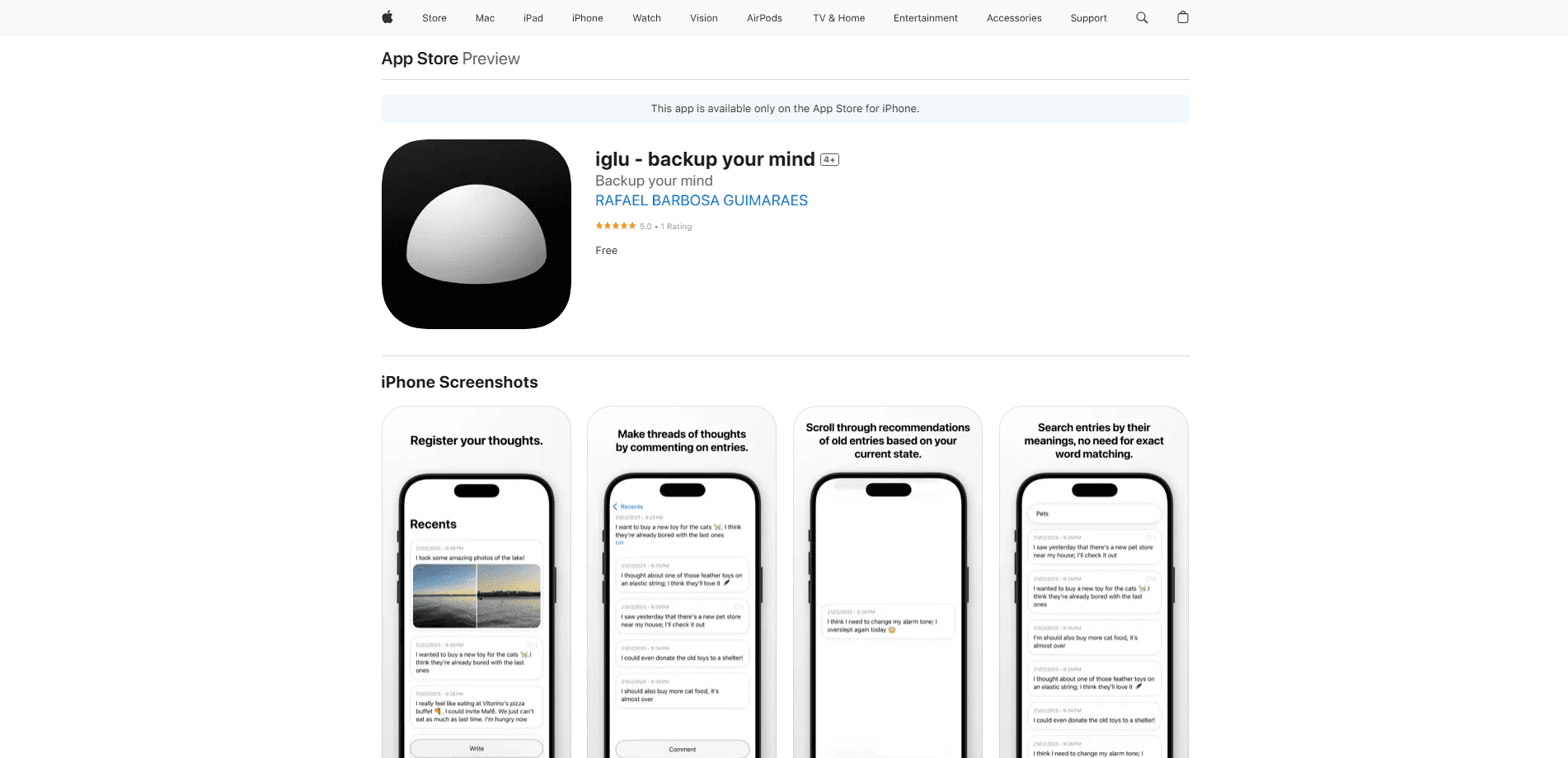
iglu is a private micro-journaling app for iPhone that turns short entries into a searchable daily log. On-device AI adds semantic search and recommendations, and your data stays on your phone.
About iglu
What Is iglu
iglu is an AI journaling app built around a habit most people can actually keep: writing a few lines at a time instead of one long nightly entry. Its developer, Rafael Guimarães, calls the approach micro-journaling. You drop short notes as your day moves, and iglu later resurfaces them.
The app solves a common journaling problem. Full-page entries feel like homework, so people quit within a week. By lowering each entry to a tweet's worth of effort, iglu keeps the habit alive. Its AI looks after the other half: finding old moments again, whether or not you remember the words you used.
Everything runs on privacy. iglu's AI models run directly on the phone, so entries are not sent to a server. The App Store privacy label reads "Data Not Collected," and backups go to your own iCloud account.
The main catch is reach. iglu is iPhone only, requires iOS 18 or later, and has no Android or web version. The AI features also sit behind a one-time Full Access purchase, so this semantic search journal keeps its smart tools paid. Journaling reminders and Face ID locking are part of that same paid unlock.
Getting Started
- Download iglu from the App Store, then open it and start a new entry.
- Type a short note, or attach a photo or video, as your day goes on.
- Link related entries into a thread when a thought grows past one line.
- Unlock Full Access inside the app to switch on recommendations, semantic search and Face ID.
- Let iCloud back up your entries, and set reminders in the time slots you prefer.
Product Information
A quick look at iglu's pricing, supported platforms, and performance.
Best for
The users, tasks, and scenarios where this tool fits best.
Users
- People who quit long-form journals
- Privacy-minded writers
- Note-takers who hoard ideas
Tasks
- Capturing a thought mid-day
- Finding an old memory
- Tracking a project or mood over time
- Rediscovering forgotten entries
Scenarios
- Commuting or waiting in line
- Evening reflection on the phone
- Travel and daily life logging
Key features
Micro-Journaling
iglu is built around short entries rather than long sessions. You write a line or two as things happen, the way you would post a tweet. The format lowers the effort enough that a daily habit sticks, and it makes past entries quick to scan.
Threads
When one thought runs long, you nest entries into a thread instead of forcing everything into a single block. Nested entries stay linked, so a chain of reasoning or a running project keeps its shape across days. There is no cap on how deep a thread goes.
Semantic Search
iglu's search understands meaning, not just keywords. If you remember the gist of an entry but not your exact wording, the app still finds it. That solves the usual journaling dead end where a memory is locked behind words you have forgotten.
AI Recommendations
Recommendations resurface older entries based on what you have written lately. The AI picks the notes it thinks will interest you now, which turns a growing archive into something you actually revisit. It works as a light way to reflect without searching for anything.
On-Device Privacy
The AI models run on your phone, so entries are never sent to iglu's servers. The developer states that nothing is collected, and the App Store privacy label confirms it. Backups land in your personal iCloud account, not in someone else's database.
One-Tap Entry Shortcut
A new entry is one tap away from the Action button, the Lock Screen or the Control Center. Removing that bit of friction matters most for catching a thought before it slips. The shortcut keeps writing close to whatever you were already doing.
Face ID Lock
You can lock iglu behind Face ID so a handed-over phone does not expose your journal. It is a small feature that matters a lot for a private diary, since phones get passed around. Anyone who picks up the device hits a wall.
Activity Widget
The activity widget tracks how much you have written over recent weeks in a heat-map layout on your Home Screen. Seeing a busy grid is its own nudge to keep going, and the design stays out of the way the rest of the time.
Pros and cons
Pros
- Short-entry format makes a journaling habit realistic for people who have quit before.
- On-device AI and an iCloud-only backup path keep entries genuinely private.
- Semantic search finds entries you cannot recall the wording of.
- Threads organize related thoughts without cramming them into one entry.
Cons
- iPhone only, with no Android or web version, so it is a non-starter off Apple hardware.
- Requires iOS 18 or later, which leaves out older iPhones.
- The most useful AI features sit behind a one-time Full Access purchase.
- No public API, so you cannot sync entries into other tools or build on top of them.
Frequently asked questions
iglu is a private iPhone journal app that uses a format its developer calls micro-journaling. Instead of one long nightly entry, you jot short, tweet-length notes through the day. On-device AI then powers semantic search and recommendations to help you revisit them.
Related content
Explore related tools, skills, and articles for iglu.
iglu Alternatives

Udon
Udon · Coding · ProductivityUdon turns an Apple Silicon Mac into a home server you run from a browser, with container controls, file shares, and an optional AI sysadmin.

offstage
offstage cloud · Coding · Productivityoffstage gives AI coding agents and CI jobs a real Mac: a fresh macOS account on Apple silicon, driven over an API and billed by the second.

BotBus
Chengdu Tuyang Tusen Technology Co., Ltd. · Coding · ProductivityBotBus lets you control AI coding agents from your phone and watch: approve commands, start tasks and read results while the code stays on your desktop.