
Image Bear AI
Image Bear AI · Image
Image Bear AI is a browser based AI image generator and editor. Upload a photo, draw over the part you want to change, describe the result, and the tool rebuilds that area.
About Image Bear AI
What Is Image Bear AI
Image Bear AI is a web app for people who need a specific part of a picture changed and don't want to open Photoshop. You load an image, paint over the area that should go, type what belongs there instead, and the tool redraws that patch. The rest of the photo stays as it was. The same page also doubles as a plain AI image generator when you start from a blank canvas.
The workflow is short on purpose. Upload, mark, describe, export. There are no layers, no masking panel, no brush settings to learn, which is why the tool suits quick fixes more than full retouching jobs. Background removal, gradient and solid backdrops sit next to the AI replacement tools, so a product shot can go from raw phone photo to clean listing image in one tab.
Limits show up fast. You need an account before the generate button does anything, every run costs AI credits, and the free allowance runs out. There is no public pricing page, no mobile app, no batch upload, and no developer API, so teams that need volume or automation should look at a heavier tool. This page describes the live web app as of October 2026.
Getting Started
- Open imagebear.ai in a desktop browser and sign in. The generator stays locked until you do.
- Upload the photo you want to edit, or stay on the empty canvas to make a new picture from a prompt.
- Draw over the region you want to change, then type the replacement. Press Generate with AI. For a fresh image, skip the drawing and describe the whole scene.
- Export the result as a PNG. When the credit counter empties, upgrade to keep using the app.
Product Information
A quick look at Image Bear AI's pricing, supported platforms, and performance.
Best for
The users, tasks, and scenarios where this tool fits best.
Users
- Social media creators who need one object swapped in a photo without a full editing session
- Small shop owners cleaning up product shots for listings and ads
- Designers who want a fast concept image before building the real asset
- Casual users making cards, invitations, or joke images from a phone photo
Tasks
- Replacing a distracting object, sign, or person in an otherwise good shot
- Removing a background and dropping the subject on a clean color
- Generating a complete picture from a written description when no photo exists
- Adding a gradient background behind a product so it looks shot in a studio
Scenarios
- Fixing a listing photo the night before a sale, with no designer available
- Testing several visual directions for a campaign in a few minutes
- Producing a quick social post from a single photo and one sentence
Key features
Draw to Replace Any Region
The core tool is AI replacement. You paint a rough shape over the area that should change, type what you want there, and the model fills that patch while matching the light and texture around it. Rough edges are fine, which matters because most people can't draw a clean mask. This is AI inpainting without the usual controls, and it handles object swaps, cleanup, and small additions in one pass.
Generate Images From Text
With nothing uploaded, the same prompt box works as a standard AI image generator. Type a scene, press Generate with AI, and you get a picture built from the description. The app ships an example prompt about a well known figure drinking tea in space, which tells you the intended use: fast, playful visuals rather than art direction.
One Click Background Removal
The background remover strips the background from an uploaded photo in a single action. The subject lands on a transparent canvas, ready for export or for a new backdrop. It works best on clear subjects with distinct edges, such as products, pets, and people against a plain wall.
Gradient and Solid Backdrops
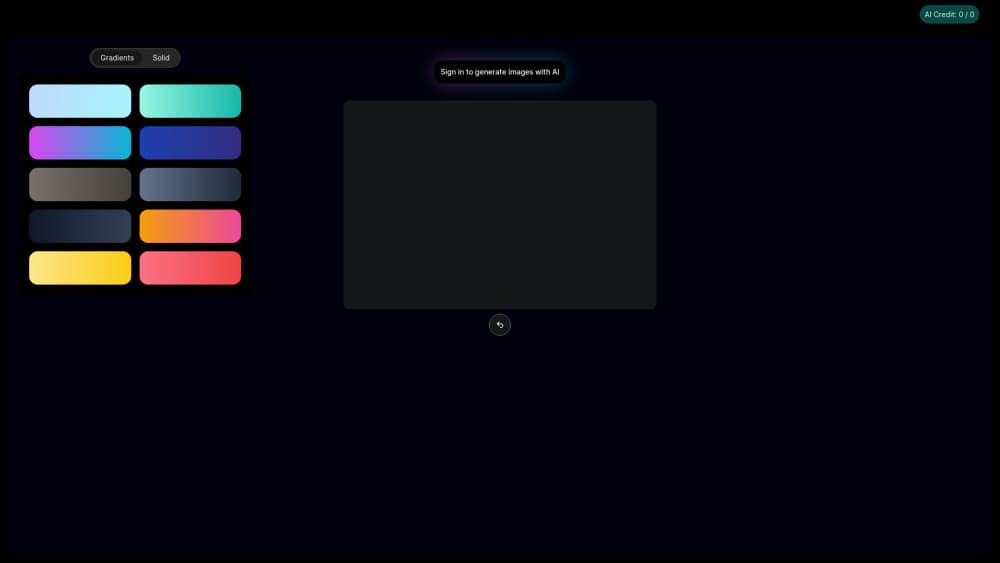
Two backdrop modes sit beside the cutout tools: a gradient background built from blended colors, and flat solid fills. Both fill the space behind a subject without opening a separate design app. For marketplace images that need a plain white or soft color field, this covers the whole job inside the browser.
Credit Counter and In App Upgrade
Every generation draws from a credit balance shown in the interface. When the balance hits zero, the app stops and points you to an upgrade instead of failing silently. Plans are sold inside the app through a subscription checkout, so there's no public price list to compare before you sign up. Budget minded users should watch the counter during the first session.
Browser Only Workflow With PNG Export
The whole product runs in a browser based photo editor, so there's nothing to install and no platform lock in. Finished images leave as PNG files, which keeps transparency from background removal intact. There's no batch queue, no project library, and no team workspace, so each image is a single pass you save yourself.
Pros and cons
Pros
- The draw and replace loop takes seconds to learn, with no masking tools or layer stack in the way
- AI replacement and text to image live on the same page, so one session covers edits and new images
- Background removal plus gradient and solid fills handle most product photo cleanup in one tab
- No install and no account requirement until you actually generate, so trying it costs one sign in
- Transparent PNG export preserves cutouts for use in other design tools
Cons
- Credits run out quickly on the free allowance, and the upgrade prompt arrives mid task
- No public pricing page means you can't compare plan costs before creating an account
- No mobile app, batch upload, or project history, so volume work means repeating every step
- No documented API or help center, and a weak prompt produces a weak result with little guidance
Frequently asked questions
Image Bear AI edits a defined part of an existing photo and generates new images from text. You draw over the area to change, describe what should appear, and the model rebuilds that region while leaving the rest of the picture untouched.
Related content
Explore related tools, skills, and articles for Image Bear AI.
Image Bear AI Alternatives

Google EmbeddingGemma 2
Google DeepMind · Writing · Image · CodingGoogle EmbeddingGemma 2 is a 740M-parameter open model that turns text, code, images, audio, and video frames into vectors in one 768-dimension space, running on phones and laptops.

Tractionwave
TractionWave · Image · MarketingTractionWave is an AI attention heatmap tool for static ads. Upload a PNG or JPG and it returns predicted attention, ranked hotspots, and fixes before you spend budget.

Imejis.io
Imejis.io · Image · MarketingImejis.io is an AI design studio for agents and marketing teams. Describe an image in plain words, and it writes the copy, builds the layout, reflows it to every size, then exports a finished file.