

Image Prompt
ImagePrompt.org · Image · Prompts
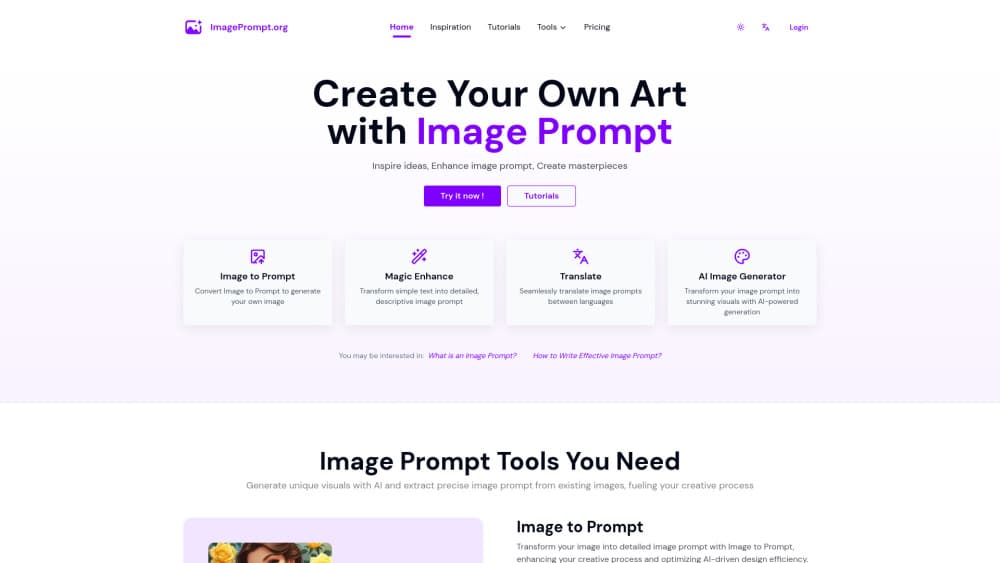
Image Prompt is an AI image prompt tool suite from ImagePrompt.org. It turns a photo into a detailed text prompt, expands a loose idea into an optimized prompt, and can generate the image itself.
About Image Prompt
What Is Image Prompt
Image Prompt is the AI image prompt tool built by ImagePrompt.org. It covers four jobs in one place: reading an image and writing a prompt back out, turning a short idea into a richer prompt, describing any image in words, and generating an image from a prompt. The site positions itself as a bridge between an idea and a finished picture, and the prompt tools carry most of the weight.
The design assumes most people can't describe what they want in the language image models expect. Point the Reverse Image tool at a reference photo and it returns a prompt that spells out subject, style, colors, and mood, which you can then paste into Midjourney, Flux, or Stable Diffusion. The Prompt Generator does the reverse for people who have a thought but not the vocabulary: a plain sentence goes in, an optimized prompt comes out.
The limits are worth stating up front. Text-to-prompt tools are free, but the image-to-text tools run on a daily credit allowance for free accounts, and image generation eats a separate credit pool. Anything beyond the free allowance needs a paid plan or a top-up pack. The output is also a description, not a replication, so a generated image will resemble a reference without matching it exactly.
Getting Started
- Open imageprompt.org and pick a tool: Reverse Image, Prompt Generator, AI Image Generator, or AI Image Describer.
- For image to prompt, upload a picture and choose the target model, such as Flux, Midjourney, or Stable Diffusion, plus the output language.
- For prompt generation, type a short idea and let the tool expand it into a detailed prompt.
- Copy the result into any AI image generator, or generate the image inside Image Prompt.
- Adjust wording and regenerate if the first prompt misses the mark.
Product Information
A quick look at Image Prompt's pricing, supported platforms, and performance.
Best for
The users, tasks, and scenarios where this tool fits best.
Users
- Prompt beginners
- Designers and illustrators
- Non-native English speakers
Tasks
- Image to prompt
- Prompt expansion
- Image description
- Image generation
Scenarios
- Recreating a style you found online
- Learning prompt structure
- Quick idea testing
- Captioning and analysis
Key features
Reverse Image to Prompt
This is the tool the site is named for. You upload an image, choose a target model like Flux, Midjourney, or Stable Diffusion, and the AI returns a detailed prompt describing what's in it. The point of the model selector is that different generators respond to different prompt conventions, so the output is shaped for the tool you actually use.
Prompt Generator
The Prompt Generator takes a plain idea and rewrites it as a detailed, AI-optimized prompt. The site is explicit that this works whether or not you're fluent in English, which matters because most image models handle English phrasing best. It's the tool to reach for when you have a concept but the prompt you'd write yourself keeps producing flat results.
AI Image Generator
Alongside the prompt tools, Image Prompt runs its own image generator. You can take the prompt you just generated and render it on the spot rather than exporting to another platform. That keeps the whole loop, idea to prompt to image, inside one site, which is convenient for testing but means generation draws on a separate credit pack.
AI Image Describer
The describer produces a factual description of any image, recognizes the objects in it, and answers your own questions about what it shows. It overlaps with the prompt tools but leans toward understanding rather than generation, useful when you need to know what an image contains rather than reproduce its style.
Multi-model and multi-language output
Because prompts carry across platforms differently, the tools let you target a specific generator and choose an output language. Prompts can come back in more than one language, with English recommended for the final pastes into Midjourney and similar tools. It's a small setting that saves a manual translation step.
Pros and cons
Pros
- The text-to-prompt tools are free, so you can test the workflow before spending anything.
- Output is tuned per model, which cuts the trial and error of reshaping a prompt for Midjourney versus Flux.
- Uploaded images are processed and deleted rather than stored, which the site states as a privacy commitment.
- The prompt, describers, and generator sit together, so the full loop runs in one tab.
Cons
- Free accounts get only a daily allowance of prompt credits, and image generation uses a separate pool, so heavy use needs payment.
- The result is a description, not a copy, and recreating a reference image exactly is not realistic.
- First attempts often miss, and refining the prompt means another generation, which spends credits.
- Whether you get the most out of it depends on the model you target, since prompt conventions vary by platform.
Frequently asked questions
It converts images into text prompts and expands text ideas into detailed prompts, then can generate images from those prompts. It's aimed at anyone feeding Midjourney, Flux, Stable Diffusion, or similar tools.
Related content
Explore related tools, skills, and articles for Image Prompt.
Image Prompt Alternatives

Google EmbeddingGemma 2
Google DeepMind · Writing · Image · CodingGoogle EmbeddingGemma 2 is a 740M-parameter open model that turns text, code, images, audio, and video frames into vectors in one 768-dimension space, running on phones and laptops.

Tractionwave
TractionWave · Image · MarketingTractionWave is an AI attention heatmap tool for static ads. Upload a PNG or JPG and it returns predicted attention, ranked hotspots, and fixes before you spend budget.

Imejis.io
Imejis.io · Image · MarketingImejis.io is an AI design studio for agents and marketing teams. Describe an image in plain words, and it writes the copy, builds the layout, reflows it to every size, then exports a finished file.