

Image to 3D AI
Image to 3D AI · Image
Image to 3D AI is a free web tool that converts a single image or a short text prompt into an editable 3D model. It runs in your browser, needs no download, and outputs GLB files you can bring into Blender, Unity, or Unreal Engine. If you need quick game assets, print-ready meshes, or product mockups, it handles the rough modeling pass so you can focus on refining the result.
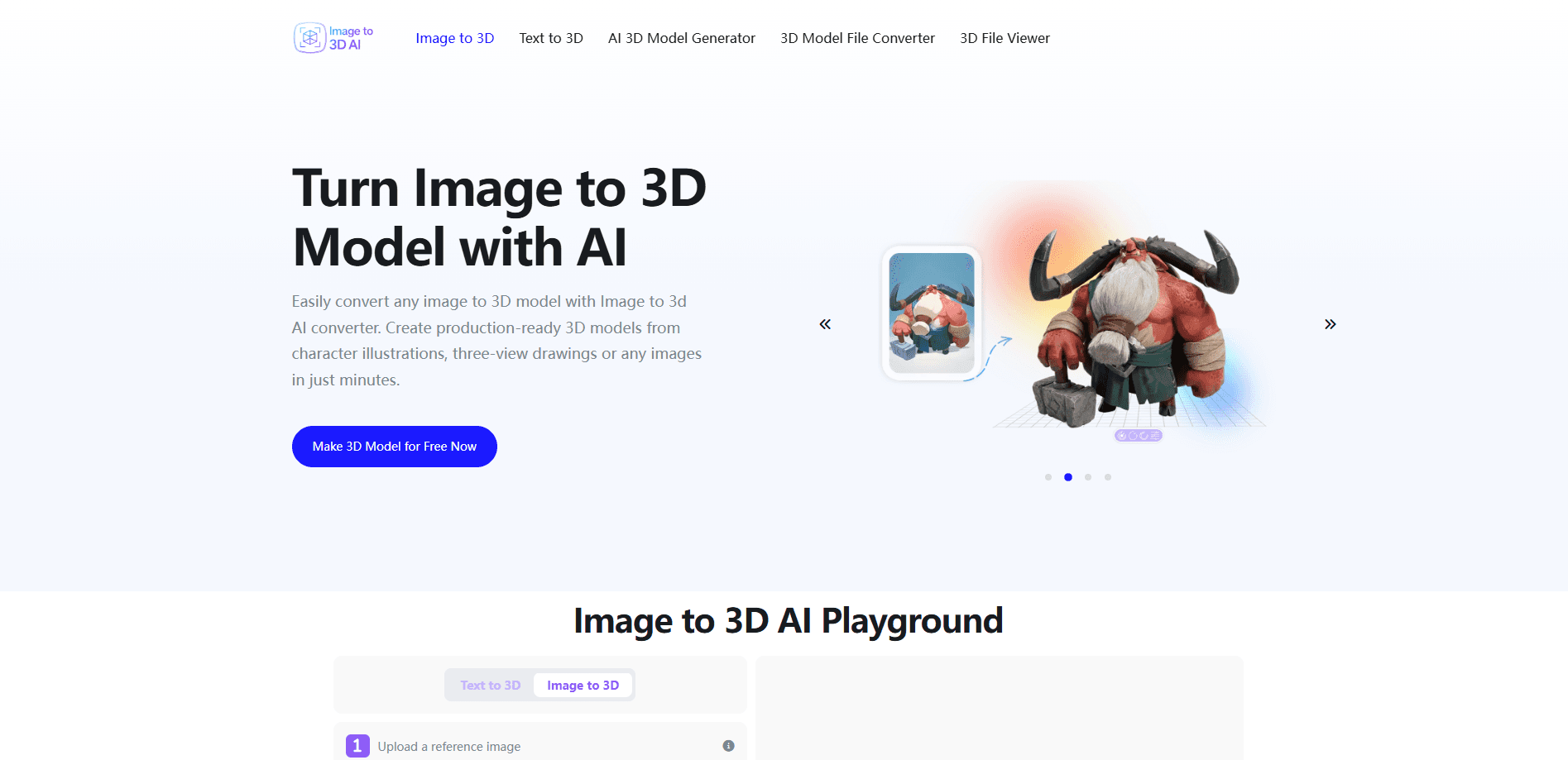
About Image to 3D AI
What Is Image to 3D AI
Image to 3D AI is an online image to 3D model converter and photo to 3D model maker built for people who don't want to learn modeling software just to get a usable 3D asset. You upload a picture, or describe an object in words, and the platform's neural network builds the mesh and applies textures for you. Think of it as a 2D to 3D converter that skips the tedious part of 3D work. You still get an edit-friendly result you can build on.
The tool fits a few specific jobs well. Game developers use it to turn reference art into props and characters they can iterate on. Hobbyists use it to prepare models for 3D printing. Designers use it to mock up furniture or spaces for client presentations. In each case, the value isn't perfection. It's a fast starting point that saves hours of manual topology work, and that head start often matters more than any single feature the platform advertises to win new users.
There are real limits worth knowing before you commit. The output is GLB only, so if your pipeline needs OBJ, STL, or FBX you'll have to convert it after export. Generation typically takes a couple of minutes, and highly detailed prompts or images can take longer. The models also tend to need cleanup for production use, especially thin geometry and hard edges, since an AI reconstruction rarely matches the clean topology of a mesh a skilled artist would build by hand over several hours. Annoying, yes. But none of these limits make the tool useless, as long as you treat it as a first pass rather than a finished asset.
Getting Started
- Open the site in any modern browser. No download, account, or credit card is required to start.
- Choose your input type: upload a square image, or type a text prompt describing the object you want.
- Generate the model and wait roughly two to three minutes while the network builds the geometry and textures.
- Preview the result in the online viewer, then refine your prompt or input image if the shape is off.
- Export the finished model as a GLB file and import it into Blender, Unity, Unreal Engine, or your slicer.
Product Information
A quick look at Image to 3D AI's pricing, supported platforms, and performance.
Best for
The users, tasks, and scenarios where this tool fits best.
Users
- Indie game developers
- 3D printing hobbyists
- Product and interior designers
Tasks
- Converting concept art into game-ready assets
- Creating printable objects from an idea
- Generating models from text descriptions
Scenarios
- Early project prototyping
- Client design reviews
- Classroom and demo material
Key features
Image to 3D Conversion
Upload a single 2D image and the platform reconstructs it as a textured 3D model. Character illustrations, product shots, and three-view drawings all work, so you don't need multiple camera angles to get started. The result comes out editable, which matters if you plan to adjust proportions later. A clean silhouette against a plain background gives the network far less to guess at, and guessing is where reconstruction usually goes wrong.
Text to 3D Generation
No reference image? Type a prompt instead. The generator builds a mesh from your description and applies textures, which makes it a practical way to explore ideas before you commit to a specific reference. Detailed prompts about shape, material, and style tend to produce better results than vague ones, especially when you name the exact finish you want, such as matte wood or polished steel.
Textured PBR and Geometry-Only Outputs
You can request textured models with PBR materials for realistic surface rendering, or geometry-only meshes when you'd rather handle texturing yourself. That second option is useful for teams with an existing material library who just need the shape. It also keeps the file lighter and easier to retexture later, since you're not inheriting a baked appearance you'll have to strip out first.
GLB Export for Game Engines
Exports come out as GLB, a format built for web use, AR, and direct import into Blender, Unity, and Unreal Engine. It's a sensible default for anyone working in a modern game pipeline. Need another format? Plan for a conversion step after download. That extra step is minor if you already own a converter, but if your team standardizes on FBX or OBJ across every project, it adds a routine chore you'll repeat on each asset you generate here.
Online Preview and Fast Turnaround
Models render in the browser so you can check the shape before downloading. A typical generation runs two to three minutes. Complex prompts take longer. That rhythm suits quick iteration, not final asset production.
Free Access Without an Account
The core tool runs free and doesn't demand signup or a credit card. You can test the workflow on real inputs before deciding whether it fits your process.
A Fast Path From Reference to Rough Model
Because it accepts a single image, a text prompt, or a multi-view set, the platform covers the most common ways people start a 3D project, which means you rarely have to hunt for a second reference just to get a first mesh you can actually edit.
Pros and cons
Pros
- Free to use with no account or credit card required.
- Turns a single image into a textured 3D model, so you don't need multi-angle photo sets.
- Supports both image-to-3D and text-to-3D input in one place.
- Exports GLB files that import cleanly into Blender, Unity, and Unreal Engine.
Cons
- GLB is the only export format, so other pipelines need a conversion step.
- Generated meshes usually need cleanup for production work, especially thin or sharp geometry.
- Generation takes a couple of minutes, which rules out anything close to real-time.
- Textured output quality depends heavily on how clear and well-lit your source image is.
Frequently asked questions
Yes. The core converter runs free, and you don't need an account or credit card to generate models. That makes it easy to test on your own images before committing to any workflow.
Related content
Explore related tools, skills, and articles for Image to 3D AI.
Image to 3D AI Alternatives

Google EmbeddingGemma 2
Google DeepMind · Writing · Image · CodingGoogle EmbeddingGemma 2 is a 740M-parameter open model that turns text, code, images, audio, and video frames into vectors in one 768-dimension space, running on phones and laptops.

Tractionwave
TractionWave · Image · MarketingTractionWave is an AI attention heatmap tool for static ads. Upload a PNG or JPG and it returns predicted attention, ranked hotspots, and fixes before you spend budget.

Imejis.io
Imejis.io · Image · MarketingImejis.io is an AI design studio for agents and marketing teams. Describe an image in plain words, and it writes the copy, builds the layout, reflows it to every size, then exports a finished file.