

Image To Image AI
Image To Image AI · Image
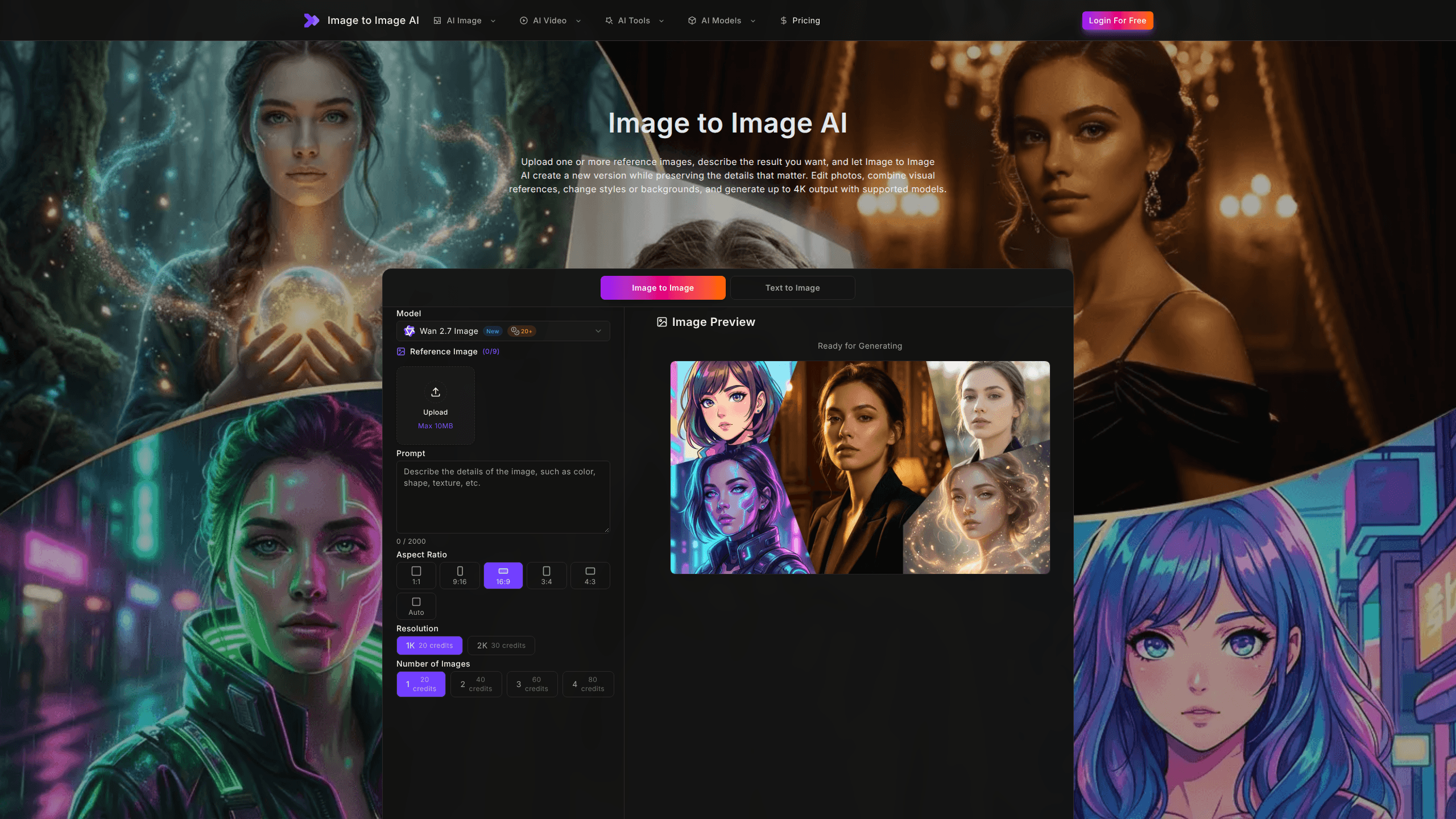
Image To Image AI is a browser-based image generator that takes one or more reference photos plus a text prompt and produces a new version of that image. You upload a picture, describe what you want changed, and it handles style conversion, restoration, background swaps, and portrait retouching while keeping the parts of the original you care about. It runs on several third-party models, and output can reach 4K on supported ones.
About Image To Image AI
What Is Image To Image AI
Image To Image AI is an online photo editor that works from an image instead of starting from scratch. You give it a reference photo and a written instruction, and it returns a redesigned version. That's the core of the image to image AI workflow: the original picture sets the composition and identity, while your prompt steers the style, lighting, or background.
The platform bundles several popular generative models, including Nano Banana 2, Nano Banana Pro, GPT-Image 2, and Flux 2 Pro. Each suits different jobs. Anime conversion and colorization lean on the Nano Banana models, restoration and object removal tend to use GPT-Image 2, and clean product shots often land on Flux 2 Pro. You pick the model in the editor rather than hopping between separate sites. So AI image editing stops being a scavenger hunt across five tabs.
The main limit is the credit system. Every generation costs credits, the exact amount depends on model and resolution, and the free tier runs out fast once you start experimenting. Output is also model-dependent, so a 4K result isn't guaranteed on every option. That's a real catch.
Getting Started
- Open the Image To Image AI site and create a free account with email or a Google/GitHub sign-in. You'll need to verify your email before using the editor.
- Upload up to nine reference images, or start with one for a straightforward edit.
- Pick a model and aspect ratio, then write your prompt in the text box (up to 2000 characters). Say what to change and what to keep.
- Set the resolution and the number of images you want, then check the credit cost shown before you generate.
- Hit generate, review the results, and download the ones you like.
Product Information
A quick look at Image To Image AI's pricing, supported platforms, and performance.
Best for
The users, tasks, and scenarios where this tool fits best.
Users
- Casual creators who want to restyle selfies or family photos
- Small business owners needing clean product images
- Hobbyists restoring old family photographs
Tasks
- Style transfer
- Photo restoration and colorization
- Object removal
- Background replacement
Scenarios
- Prepping social media posts
- Refreshing listings for a small shop
- Digitizing a shoebox of old prints
Key features
Multi-Model Generation
Image To Image AI isn't locked to a single engine. You can choose between Nano Banana 2, Nano Banana Pro, GPT-Image 2, and Flux 2 Pro inside the same editor. The site labels which model tends to suit a task, like colorization or product isolation, but those are recommendations rather than hard rules. Switching models is a dropdown, not a new account.
Up to 9 Reference Images
Instead of working from one picture, you can load as many as nine references. That's useful when you want a specific pose from one shot and a color scheme from another, or when a product needs to match several angles. The generator blends the inputs according to your prompt.
Text-Prompt Editing with 2000-Character Room
The prompt field accepts up to 2000 characters, which is plenty for describing what to change and what to preserve. Prompts that name both sides work best: "transform into anime art, but keep the facial structure and pose" gives the model clearer instructions than "make it anime." You get 2000 characters to be specific. Use them.
Resolution up to 4K
Supported models push output as high as 4K, with 1080p available across the board. Higher resolution costs more credits, so it's worth matching the setting to the job. A quick social post doesn't need 4K, but a print or a product listing does.
Background Removal and Swaps
The editor handles background replacement without a separate masking tool. You describe the new setting, and it rebuilds the space around your subject while trying to match perspective, shadows, and depth of field. What does that save you? A lot of cut-out work. It's the same job as manual masking, minus the pen tool.
Photo Restoration and Colorization
Scratches, tears, stains, and fading can be cleaned up, and the tool aims to keep each person's identity and period details intact. Separately, monochrome portraits can be colorized with realistic skin tones and clothing colors. Both are among the strongest uses of the platform. Old photos respond well. Newer phone shots, less predictable.
Pros and cons
Pros
- No install and no design background needed; the whole image to image AI workflow runs in the browser.
- Multiple strong models (Nano Banana 2, GPT-Image 2, Flux 2 Pro) sit under one login, so you don't juggle subscriptions.
- Reference-image uploads and clear prompts make style transfer and restoration approachable for beginners.
- Free tier lets you test the photo restoration and anime conversion features before paying.
- Output up to 4K on supported models covers print and high-res listings.
Cons
- Credits drain quickly. Each generation costs credits, and the free allowance won't survive much trial and error.
- Results vary a lot by model and prompt, so you'll often generate several versions to get one keeper.
- Quality depends on whichever third-party model you select; the platform itself doesn't add a layer of its own image processing.
- No public API documented, which means no way to script bulk jobs or plug the tool into an existing pipeline.
Frequently asked questions
It turns a reference photo into a new image based on a text prompt. Common uses include style transfer, restoring old photos, removing objects, replacing backgrounds, and retouching portraits, all driven by whatever you type into the prompt box.
Related content
Explore related tools, skills, and articles for Image To Image AI.
Image To Image AI Alternatives

X Ray Interpreter
X-ray Interpreter · ImageX Ray Interpreter is a web-based AI radiology tool that turns X-rays, CT scans, MRI, ultrasound, and PET images into plain-language reports. You upload a scan, get a preliminary X-ray interpretation in moments, then ask follow-up questions if something needs explaining. It works as a second opinion and a learning aid, not as a medical diagnosis.

Aieasypic
AIEasyPic · ImageAIEasyPic is an AI image generator that turns plain text prompts into finished artwork in seconds. You can also train custom models on your own photos, swap faces in existing images, and create short video clips from text, all from a browser. It suits casual creators who want quick visuals and hobbyists who want to build a personal model without touching any code.

Chargen
Chargen · ImageChargen is an AI character generator and worldbuilding toolkit built for Dungeons & Dragons and other tabletop RPGs. It turns a one-line idea into a painted character portrait, spins up NPCs, monsters, maps and encounters from the same session, and keeps every creature's details close at hand. The tabletop RPG art side runs on a credit system called Gold, while the text generators stay free for everyone.