
Image to Prompt
Image to Prompt · Image · Prompts
Image to Prompt is a free web tool that reads any picture and writes the text prompt behind it, ready to paste into Midjourney, Stable Diffusion, FLUX or DALL-E.
About Image to Prompt
What Is Image to Prompt
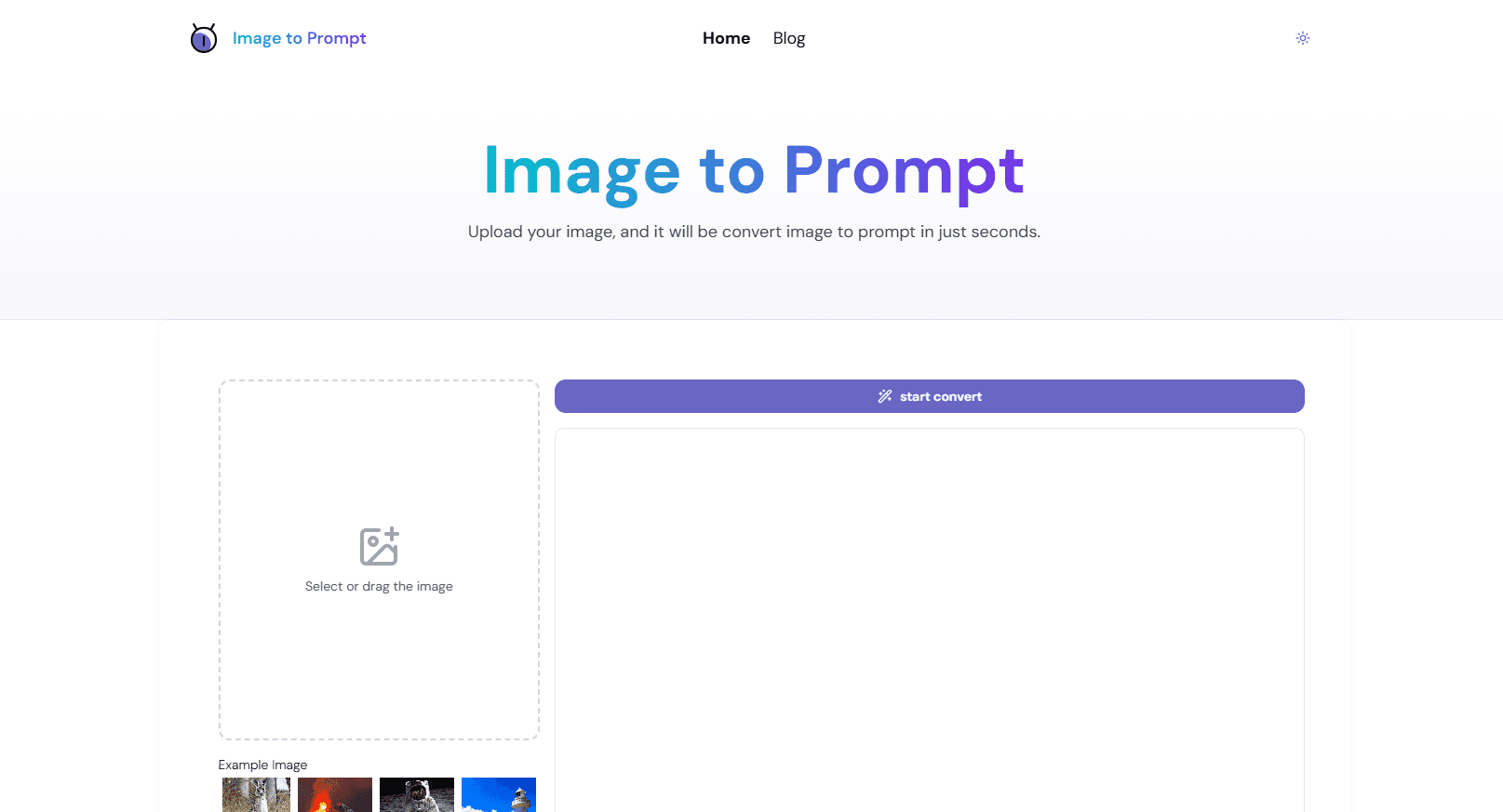
Image to Prompt is a browser tool that looks at a picture you upload and writes a text description of it that an AI image generator can understand. You find an image you like somewhere, drop it in, and get back a prompt you can reuse to make something in a similar style. No account, no software to install.
The whole point is to close the gap between seeing a look you want and being able to reproduce it. Most people can tell a good AI image when they see one, but freezing that into the right string of words is the hard part. An image to prompt generator does that translation for you, then hands over text you can edit before you ever spend a generation credit.
The tool leans on a multimodal AI model to pull out the visual details that matter: the subject, the art style, the lighting, the color palette, the camera angle. From those it builds a structured prompt rather than a loose caption. Support stretches across the big names in AI art, so the same picture can come back expressed for Midjourney, Stable Diffusion, FLUX or DALL-E.
Privacy is handled by deletion. Uploaded images are removed right after the prompt is generated, and the service says it does not keep them on its servers. Free access comes with limits and advertising rather than a subscription, so heavy users run into some friction.
Getting Started
- Open the tool in any browser and drop in an image, or paste one from your clipboard
- Pick a target model so the prompt is tuned to Midjourney, Stable Diffusion, FLUX or DALL-E
- Run the conversion and wait a few seconds while the model reads the picture
- Copy the prompt, edit anything that reads off, and paste it into your image generator
Product Information
A quick look at Image to Prompt's pricing, supported platforms, and performance.
Best for
The users, tasks, and scenarios where this tool fits best.
Users
- Designers
- AI art hobbyists
- Content creators
- Prompt beginners
Tasks
- Reverse prompt an image
- Match a style
- Build a prompt library
- Study prompt structure
Scenarios
- You find a poster or album cover whose look you want to borrow and need the words that recreate its mood
- A client hands over a photo and asks for something in the same visual vein
- You are learning AI art and want to see how a given image maps to concrete prompt terms
- You have a folder of saved references and want to turn them into a reusable prompt set over a lunch break
Key features
Instant Image to Prompt Conversion
Upload a picture and the tool returns a written prompt in seconds. It reads the image and produces a descriptive, structured line you can paste straight into an image model, so you skip the blank-page stage where most people stall. That speed is the main reason people reach for it over writing a prompt by hand.
Multi-Model Prompt Output
The same image can be expressed for different image generators. The tool covers the general case plus common platforms such as Midjourney, Stable Diffusion and FLUX, with DALL-E support as well. Because each model favors different prompt phrasing, matching the output to your target saves the guesswork of tuning a generic description yourself.
Visual Detail Breakdown
The prompt does not stop at naming the subject. It works through composition, lighting, color, materials and camera feel, which is the layer that makes a generated image look like the reference instead of a loose approximation. Seeing that breakdown is useful on its own when you are learning what actually moves the result.
Copy and Manual Editing
Every result lands in an output box you can select, copy and change. Automatic prompts rarely nail a picture on the first pass, so being able to cut a weight, swap a color or add a style word is part of the workflow rather than an afterthought. You stay in control of the final string.
Privacy-First Handling
Images are deleted as soon as the prompt is generated, and the service says it does not store uploads. For anyone dropping in client work, unreleased designs or personal photos, that matters more than an extra feature. It is the difference between trying the tool and avoiding it.
No Sign-Up, Ad-Supported Access
You can use the tool without creating an account, and it stays free. The trade is advertising and some per-day limits on free use. For a quick one-off conversion that is a fair exchange. Regular heavy use will push against the daily cap.
Pros and cons
Pros
- Free to use with no account, so you can try it on a single image without committing to anything
- Reads style, lighting and composition, not just the subject, which gives a more usable prompt
- Output is tuned for multiple models, including Midjourney, Stable Diffusion and FLUX
- Uploaded images are deleted after processing, which suits client and personal material
- Results are editable, so an imperfect prompt is still a starting point rather than a dead end
Cons
- Free use carries advertising and daily caps, so high-volume users hit limits and may need workarounds
- Automatic prompts can miss fine detail or pick the wrong style word, so results often need manual cleanup
- There is no API, which rules it out for anyone wanting to convert images in an automated pipeline
- Output quality depends on the underlying model, so complex or abstract images come back less accurately
Frequently asked questions
It reads an image you upload and writes a text prompt that describes it, so you can feed that prompt into an AI image generator like Midjourney, Stable Diffusion or FLUX to make something in a similar style. It turns a picture you can see into words you can generate from.
Related content
Explore related tools, skills, and articles for Image to Prompt.
Image to Prompt Alternatives

Google EmbeddingGemma 2
Google DeepMind · Writing · Image · CodingGoogle EmbeddingGemma 2 is a 740M-parameter open model that turns text, code, images, audio, and video frames into vectors in one 768-dimension space, running on phones and laptops.

Tractionwave
TractionWave · Image · MarketingTractionWave is an AI attention heatmap tool for static ads. Upload a PNG or JPG and it returns predicted attention, ranked hotspots, and fixes before you spend budget.

Imejis.io
Imejis.io · Image · MarketingImejis.io is an AI design studio for agents and marketing teams. Describe an image in plain words, and it writes the copy, builds the layout, reflows it to every size, then exports a finished file.