

ImageToPrompts AI
ImageToPrompts · Image · Prompts
ImageToPrompts AI turns an uploaded image into an editable text prompt you can reuse in Midjourney, Stable Diffusion, or Flux. Three free prompts a day, no login needed.
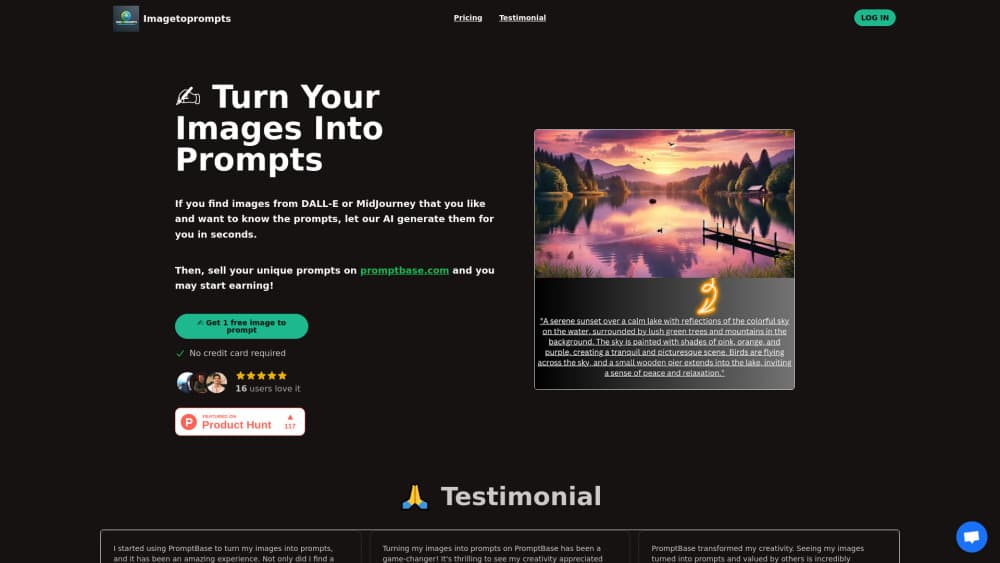
About ImageToPrompts AI
What Is ImageToPrompts AI
ImageToPrompts AI reads a picture and writes the words that would rebuild it. You upload a photo, a render, or a screenshot, and the vision model describes the subject, the composition, the lighting, and the art style in a paragraph you can paste into an image generator. The point isn't a caption for humans. It's a working prompt with camera language, color notes, and negative constraints folded in.
The tool sits at the front of a workflow most people already have. You find a look you like on a mood board or a social feed, drop it in, and get a starting prompt instead of guessing at adjectives. The tool behaves like a reverse image to prompt generator rather than a captioning toy. From there you edit the box yourself. Swap a lens, cut a color, or add a style tag.
What limits it is scope. ImageToPrompts AI is a web tool for converting images into prompts. It doesn't generate images on its own, and the free allowance is small by design. Anything past three prompts a day runs on credit packs, which you buy once and spend across reverse prompts or image generation.
Getting Started
- Open imagetoprompts.io in a browser. No account is required for the free allowance. Signing in does keep a small history you can revisit.
- Add an image by dragging it in, pasting from the clipboard, picking a file, or pasting a public image URL. PNG, JPG, and WEBP files up to 25MB are accepted.
- Set the prompt type and prompt language from the dropdowns before you run it, so the output comes back in the shape you plan to use.
- Read the result, then edit the keywords, reorder details, or change parameters inside the result box.
- Copy the prompt into your image generator and iterate from there. Signed-in users can pull earlier results from the history panel.
Product Information
A quick look at ImageToPrompts AI's pricing, supported platforms, and performance.
Best for
The users, tasks, and scenarios where this tool fits best.
Users
- Hobbyist AI artists who found a reference image and want a prompt to match it, provided they're fine with three free runs per day.
- Designers who need to describe a visual style in words for a client or a teammate, without writing the description from scratch.
- Prompt engineers who want a personal library of tested phrases for Midjourney, Flux, or Stable Diffusion. Build it one image to prompt generator run at a time.
Tasks
- Reverse engineering a look
- Writing descriptions for images that need alt text or catalog copy, then trimming the AI prompt generator output down to plain sentences.
- Testing whether a style is reproducible
Scenarios
- Recreating a competitor's ad visual for a mood board, where you need the prompt from image rather than the file itself.
- Keeping a brand's visual language consistent across a series of posts by reusing one tested prompt with small edits.
- Learning how prompts are structured, since every reverse prompt shows which details the model noticed and which ones it skipped.
Key features
Editable Prompt Output
Every result lands in a text box you can change before copying. Swap an adjective, delete a detail that doesn't fit, or add parameters your generator expects. The output is written in plain natural language, so it reads the same whether you paste it into Midjourney, Flux, or a Stable Diffusion front end.
Style and Composition Detection
The vision model identifies art styles on its own, from photorealism and anime to oil painting and 3D render. It also picks up composition, crop, texture, and lighting direction, then folds those observations into the prompt. That's the difference between a one line caption and something that reproduces the image.
Prompt Type and Language Controls
Two dropdowns sit above the upload box. One sets the prompt type, the other sets the prompt language, so a Spanish speaking designer can get the description in Spanish while the style tags stay usable. It helps when the prompt is going to a teammate rather than straight into a generator.
Free Daily Allowance Without an Account
Every visitor gets three image to prompt runs per UTC day, and the counter resets at midnight UTC. There's no email wall, no card, and no watermark on the text. It's enough to test the tool on real work before you decide whether the credit packs are worth it.
Uploads Handled for Analysis Only
Images go to the vision service for the single purpose of writing the prompt. Anonymous thumbnails stay in your browser, and the company says uploads aren't sold or used for training. Signed-in history may keep a small private thumbnail, which is worth knowing if you work with unreleased client material.
Prompt Gallery for Reference
A public gallery collects popular prompts next to the images they produced. You can copy any of them, remix the wording, and see how a specific phrase translates into a visual result. It doubles as a shortcut when you want a starting point without uploading anything.
Pros and cons
Pros
- Works without an account, so you can judge output quality in about a minute.
- The prompt comes back as editable text with style, lighting, and camera notes, not a single sentence summary.
- Credit packs are one time purchases and the credits don't expire, which suits occasional use better than a monthly subscription.
- Accepts files up to 25MB and public image URLs, so screenshots and web images both work.
Cons
- Three free prompts per day is tight if you're processing a batch of references, and paid usage is metered in credits that are easy to burn through.
- There's no published API, so teams that want to automate image to text prompt conversion have to do it by hand in the browser.
- Prompt quality depends on the source image. Flat illustrations and heavy filters tend to come back with vague style descriptions.
Frequently asked questions
Yes, with a daily cap. Every visitor gets three reverse prompts per UTC day without an account or a credit card. Past that, you buy credit packs starting at $4.99 for 110 credits, which works out to roughly 55 reverse prompts.
Related content
Explore related tools, skills, and articles for ImageToPrompts AI.
ImageToPrompts AI Alternatives

Google EmbeddingGemma 2
Google DeepMind · Writing · Image · CodingGoogle EmbeddingGemma 2 is a 740M-parameter open model that turns text, code, images, audio, and video frames into vectors in one 768-dimension space, running on phones and laptops.

Tractionwave
TractionWave · Image · MarketingTractionWave is an AI attention heatmap tool for static ads. Upload a PNG or JPG and it returns predicted attention, ranked hotspots, and fixes before you spend budget.

Imejis.io
Imejis.io · Image · MarketingImejis.io is an AI design studio for agents and marketing teams. Describe an image in plain words, and it writes the copy, builds the layout, reflows it to every size, then exports a finished file.