

ImageColorizer
ImageColorizer · Image
ImageColorizer is an AI photo colorizer and old photo restoration tool that brings black-and-white family photos back to life and repairs scratches, fading, and blur online.
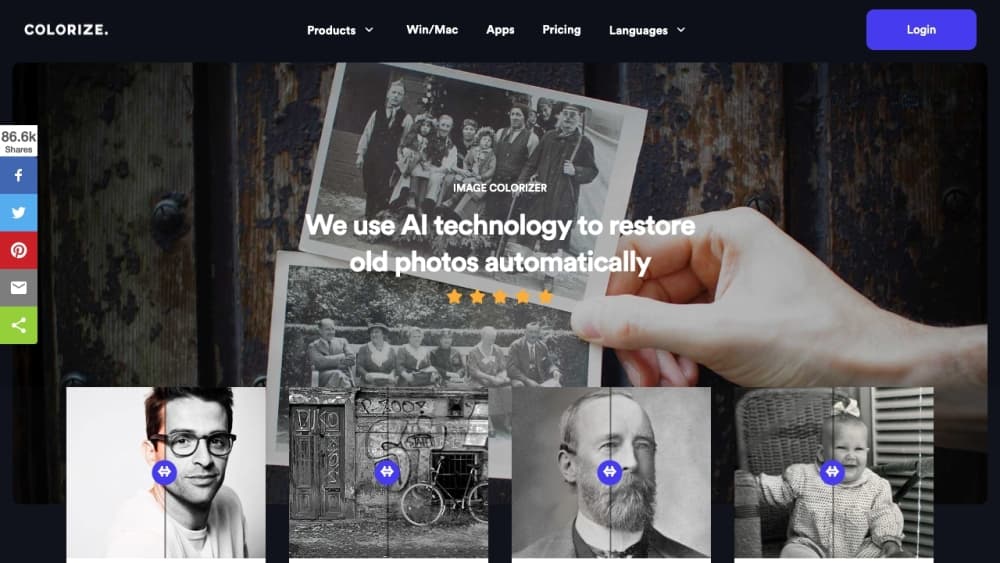
About ImageColorizer
What Is ImageColorizer
ImageColorizer is a browser-based photo restoration service built around AI. Upload a black-and-white portrait, a scanned family snapshot, or a historical image, and the platform adds realistic color while keeping the original mood of the shot. It also bundles a set of legacy repair tools for pictures that digitizing has left faded, blurry, or damaged.
The platform targets people who want old memories looking better, not professional retouchers. Historians preserve archive material, genealogy researchers colorize ancestor photos, and families clean up scans before printing. The workflow stays simple: pick a tool, mark what needs fixing, and let the model rebuild the image.
The main limits are credit-based processing and image size caps. Free users get a monthly credit allowance and see ads, and heavy volume requires a paid plan. The AI colorizer also struggles with unusual subjects, where results can look off, so it works best on clear portraits and standard scenes.
Getting Started
- Create a free account on the ImageColorizer website or install the iOS, iPad, Mac, or Android app.
- Choose a tool such as AI Image Colorizer, Restore Old Photos, or Photo Enhancer.
- Upload your photo with the marked areas you want repaired or colorized.
- Run the tool and review the result, then download the finished image.
Product Information
A quick look at ImageColorizer's pricing, supported platforms, and performance.
Best for
The users, tasks, and scenarios where this tool fits best.
Users
- Families restoring scanned photos
- Historians and archivists
- Genealogy researchers
Tasks
- Colorizing black-and-white portraits
- Repairing scratches and tears
- Enhancing blurry images
- Retouching old portraits
Scenarios
- Preparing a family photo album for a reunion
- Preserving a historical archive
- Documenting a genealogy project
Key features
AI Image Colorizer for Black-and-White Photos
This is the core tool, made to colorize black and white photos. It takes a portrait, family snapshot, or historical image and adds realistic color to skin, clothing, scenery, and backgrounds. The goal is a picture that feels vivid again without losing its original character. It works best on clear, well-lit photos rather than crowded or blurry scenes.
Old Photo Restoration
The restoration tool recovers faded details on time-worn images. It improves contrast, clarity, and facial definition while keeping the subject recognizable, which matters when you want to share, archive, or print a family picture. Results depend on how much detail survives in the original scan.
Blurry Photo Enhancement
This tool sharpens soft detail and lifts contrast on low-resolution photos. It suits family portraits, buildings, artwork, and vintage images that need a cleaner look. Think of it as a cleanup pass before you print or post.
Old Portrait Retouching
The retouch tool refreshes portraits by improving facial clarity, reducing noise, and smoothing minor imperfections. The aim is natural results, not a rebuilt face. It is a practical step for preparing scanned headshots and vintage family photos for modern use.
Scratched Photo Repair
This tool reduces scratches, tears, stains, creases, and water spots on scanned photos. A guided workflow lets beginners mark the damage and rebuild a more complete version of the image. It saves you from manual healing work in a desktop editor.
Object and Flaw Cleanup
Beyond damage repair, the cleanup tool removes creases, surface flaws, and unwanted distractions. You mark the area to fix and the model rebuilds a cleaner image while preserving what surrounds it.
Pros and cons
Pros
- Colorizes black-and-white photos automatically, so no manual coloring is needed.
- Combines colorization, restoration, enhancement, retouching, and repair in one place.
- Runs in a browser and has apps for iOS, iPad, Mac, and Android.
- Offers a free plan with monthly credits to test the tools before paying.
- Backs paid plans with a 7-day money-back guarantee.
Cons
- Processing is credit-based, so heavy use on the free plan runs out fast.
- Free users see ads, which slows a quick colorize session.
- Results vary on unusual subjects or crowded scenes, where colors can look off.
- No public API means you cannot automate colorization in your own workflow.
Frequently asked questions
It colorizes black-and-white photos and restores old ones. The platform adds realistic color, improves clarity, and repairs scratches and fading on scanned images.
Related content
Explore related tools, skills, and articles for ImageColorizer.
ImageColorizer Alternatives

Google EmbeddingGemma 2
Google DeepMind · Writing · Image · CodingGoogle EmbeddingGemma 2 is a 740M-parameter open model that turns text, code, images, audio, and video frames into vectors in one 768-dimension space, running on phones and laptops.

Tractionwave
TractionWave · Image · MarketingTractionWave is an AI attention heatmap tool for static ads. Upload a PNG or JPG and it returns predicted attention, ranked hotspots, and fixes before you spend budget.

Imejis.io
Imejis.io · Image · MarketingImejis.io is an AI design studio for agents and marketing teams. Describe an image in plain words, and it writes the copy, builds the layout, reflows it to every size, then exports a finished file.