
Imagga Image Recognition API
Imagga Technologies · Image
Imagga is an image recognition API that tags, categorizes, moderates, and searches visual content through REST endpoints, so teams can add computer vision without training models.
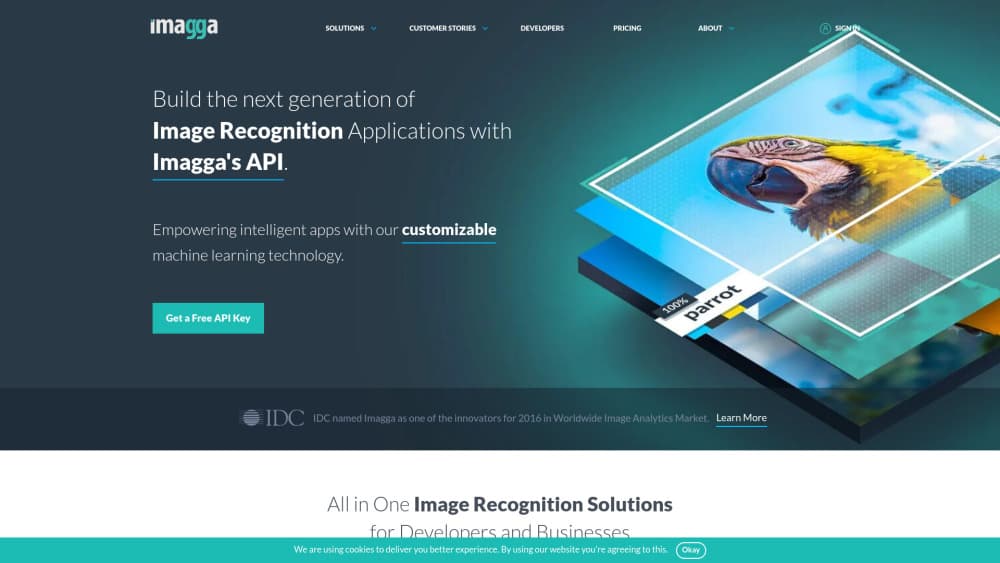
About Imagga Image Recognition API
What Is Imagga
Imagga is a cloud API from Imagga Technologies, a Bulgarian company that has sold computer vision as a service since 2011. Instead of shipping a model, it sells endpoints. You send an image URL or an upload ID, and you get back JSON: tags with confidence scores, category labels, extracted text, similar images, or a moderation verdict.
The appeal is speed of integration. One API key and secret pair covers tagging, categorization, OCR, background removal, cropping, visual search, and face detection, all through HTTP Basic auth. There's no model hosting, no GPU bill, and no training set to assemble. A small team can have a working image pipeline in an afternoon.
The limits matter too. Imagga's off-the-shelf models are trained on general photo content, so a specialist catalog (industrial parts, medical scans, rare plants) will need custom models, and those sit behind an Enterprise contract. Requests are metered one by one, which makes large backfills a budgeting question rather than a technical one.
Getting Started
- Create an account on imagga.com and open the profile dashboard.
- Copy your API key and API secret. The key works as the username, the secret as the password.
- Send a test call to the tagging endpoint with a public image URL, or upload the file first to get an image upload ID.
- Read the JSON response, check
status.type, then filter tags by the confidence threshold you need. - Wire the endpoint into your own pipeline, and keep the key on the server rather than in client code.
Product Information
A quick look at Imagga Image Recognition API's pricing, supported platforms, and performance.
Best for
The users, tasks, and scenarios where this tool fits best.
Users
- Backend developers
- Marketplace and ecommerce teams
- Trust and safety teams
- Digital asset managers
Tasks
- Auto-tagging a media library
- Filtering user-generated uploads
- Building visual search
- Extracting text from images
Scenarios
- A dating app that reviews profile photos at signup, where a moderation call per upload is cheaper than a human review queue.
- A resale marketplace onboarding thousands of listings a week, where tags and categories have to be assigned without a person opening each photo.
- A telecom or media archive migrating old assets, where batch tagging turns an unsearchable folder into a searchable library.
Key features
Image Tagging With Confidence Scores
The v2 image tagging API returns a flat list of descriptive tags, each with a score from 0 to 100. You set a threshold and keep only the tags you trust, which keeps noisy labels out of your search index. Tag labels can be requested in several languages, so a storefront can display keywords in the shopper's language without a second translation step.
Structured Tagging v3
The v3 endpoint returns a structured, hierarchical result built for automation rather than a flat keyword list. It suits decision logic and agent workflows where a downstream system needs to know what kind of object it's looking at, not just that a photo contains a "dog". The v3 model exists alongside v2, so older integrations keep working.
Content Moderation API
One call returns a judgement on whether an image contains adult content, and the same service can flag sensitive text found inside the picture. It's the endpoint most business customers buy first, because it replaces a manual review queue at the point of upload. Thresholds are yours to set, so you can decide how strict the filter is.
Visual Search
Upload a reference image, and the API returns visually similar images from a collection you've indexed. Retail teams use it for "find similar" buttons and for catching duplicate listings. Results come with distance metrics, so you can cut off weak matches instead of showing everything.
OCR and Text Recognition
The OCR endpoint extracts printed text and returns its position in the image. That covers receipts, packaging, signage, and screenshots. It's text extraction, not document understanding, so expect raw strings plus coordinates and do the parsing on your side.
Cropping, Background Removal, and Color Analysis
Smart cropping finds the subject and returns crop coordinates instead of a fixed center cut. Background removal returns a cutout, useful for catalog shots that need a clean white backdrop. A color endpoint returns dominant colors, which helps when you filter or group images by palette.
Pros and cons
Pros
- Broad endpoint coverage under one account: tagging, moderation, OCR, search, and editing all use the same key and the same JSON response pattern.
- The Indie plan at $79/mo includes 70,000 requests, which is enough volume for a small product to run real traffic before committing to a bigger contract.
- Documentation shows working curl and Python examples with sample responses, so you can verify output before writing integration code.
- Multilingual tag labels mean one tagging pass can feed several localized storefronts.
- Enterprise customers can deploy on-premise, which matters for companies that can't send user photos to a third party.
Cons
- Face recognition is locked to the $349 Pro plan, so a team that only needs face matching pays for a lot of extra volume to get it.
- Custom models require an Enterprise contract, which means niche catalogs may see weak tags on a self-serve plan and can't fix it without a sales conversation.
- The free tier asks for a "Powered by Imagga" link, so commercial use at zero cost comes with visible attribution.
- Every call is metered, so backfilling a library of a million images needs a cost estimate first. Test on a sample before you run the whole batch.
Frequently asked questions
Imagga adds image understanding to software: automatic tagging, categorization, content moderation, text extraction, visual search, and editing tasks like cropping or background removal. Teams call it when they need computer vision output but don't want to build or host a model.
Related content
Explore related tools, skills, and articles for Imagga Image Recognition API.
Imagga Image Recognition API Alternatives

Google EmbeddingGemma 2
Google DeepMind · Writing · Image · CodingGoogle EmbeddingGemma 2 is a 740M-parameter open model that turns text, code, images, audio, and video frames into vectors in one 768-dimension space, running on phones and laptops.

Tractionwave
TractionWave · Image · MarketingTractionWave is an AI attention heatmap tool for static ads. Upload a PNG or JPG and it returns predicted attention, ranked hotspots, and fixes before you spend budget.

Imejis.io
Imejis.io · Image · MarketingImejis.io is an AI design studio for agents and marketing teams. Describe an image in plain words, and it writes the copy, builds the layout, reflows it to every size, then exports a finished file.