

Imagine
Appwrite · Coding
Imagine is an AI-powered development platform that lets anyone build functional, production-ready applications by describing what they want in plain language. Instead of writing code, you talk to the platform, watch it assemble an app, and refine the result through follow-up prompts. It targets people who have a product idea but lack a programming background, and it sits alongside the backend infrastructure its parent company, Appwrite, already provides.
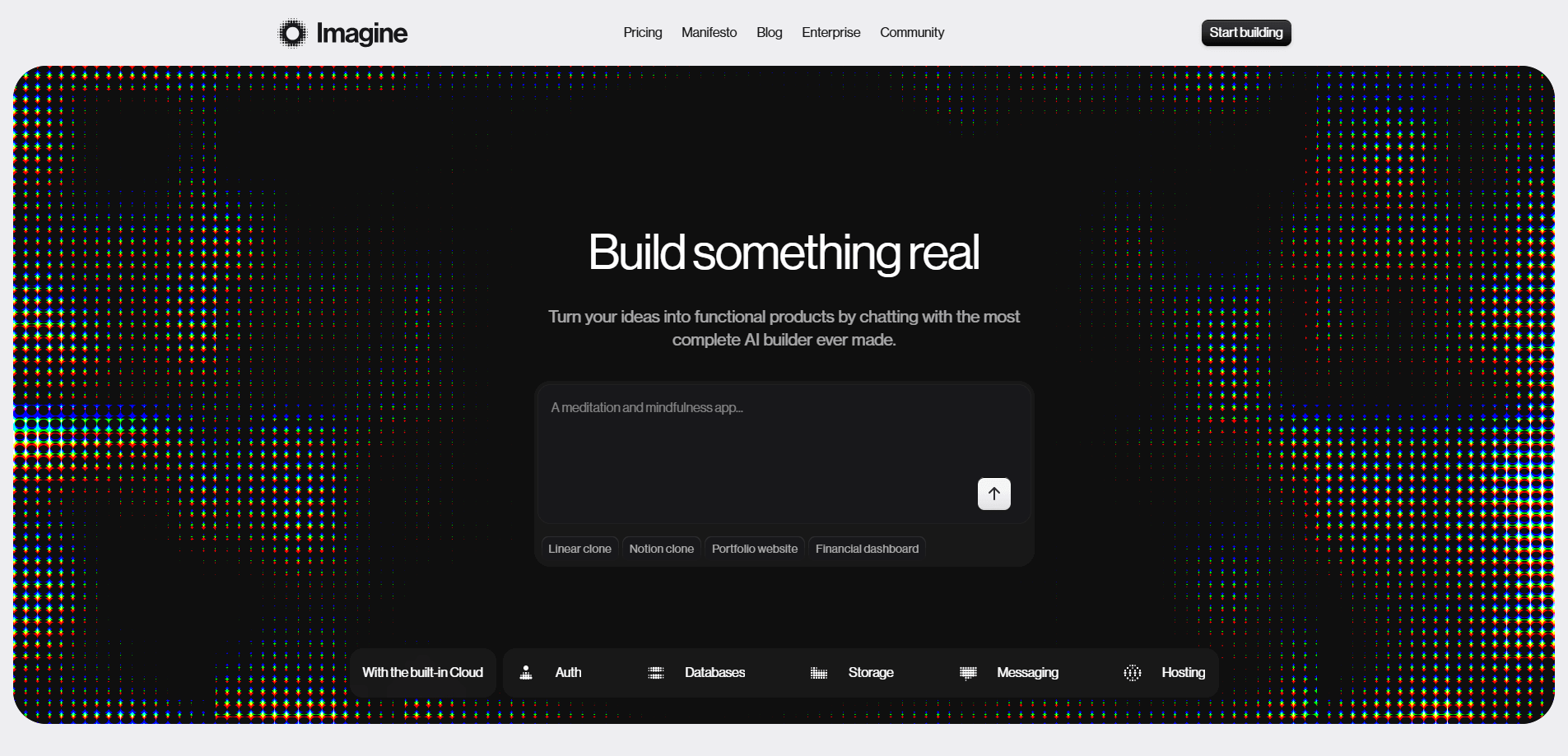
About Imagine
What Is Imagine
Imagine is a natural language app builder built around a single idea: the gap between a good idea and a working product should be a conversation, not a coding bootcamp. You describe the app you want, and the platform generates the structure, interface, and logic behind it. From there you keep iterating in plain English until the thing works the way you pictured it. Simple as that.
It belongs to Appwrite, the open-source backend platform, which matters for two reasons. Backend plumbing like authentication, databases, and storage is something Appwrite already handles, so Imagine isn't starting from zero when it needs to connect your app to real data. That also means the tool sits inside an established lineup of developer products rather than floating on its own.
The honest limitation is scope. Prompt-driven builders are strong at standard web apps, dashboards, and prototypes, but the further you push into unusual logic or heavy customization, the more you'll bump into the ceiling of what a conversation can express. Complex requirements need a developer. Imagine is best treated as a fast path to a working first version, not a replacement for one.
Getting Started
- Create an account and open the builder, where a prompt field is the main workspace.
- Describe your app in plain language: what it does, who uses it, and the screens you need.
- Review the generated app, then refine it with follow-up prompts to adjust features, layout, and behavior.
- Connect data or authentication if the app needs it through the linked backend services.
- Preview, test, and publish the app when it behaves the way you want.
Product Information
A quick look at Imagine's pricing, supported platforms, and performance.
Best for
The users, tasks, and scenarios where this tool fits best.
Users
- Founders and solo makers
- Product managers
- Non-technical creators
- Developers who want to move fast
Tasks
- Building a first working version of an app directly from a written idea, which cuts the usual setup time.
- Spinning up internal tools like dashboards or admin panels without a full build cycle.
- Prototyping a feature to test whether it's worth investing in before writing code.
- Creating small web apps that connect to data and authentication through the linked backend.
Scenarios
- A weekend project where the goal is a live, shareable app rather than a rough sketch.
- Pitching an idea to a team or investor with something they can actually click through.
- Replacing a spreadsheet or manual workflow with a simple app you can build and adjust yourself.
- Early-stage validation, where speed of iteration matters more than polish.
Key features
Prompt-to-App Generation
You start with a sentence and end with a structured application. Imagine reads your description and produces the interface and logic rather than making you assemble components by hand. For someone who's never opened an IDE, this is the whole point: the barrier is your ability to explain the idea, not your ability to code. That's the promise, anyway.
Conversational Iteration
Refining is the same as building. Instead of editing files, you tell the platform what's wrong or what to add, and it adjusts the app in place. That conversational loop keeps non-developers in control of the outcome without needing to understand what changed under the hood. Is that always a good thing? Not when you're debugging something subtle.
Production-Ready Output
The pitch isn't a throwaway mockup. Imagine aims at production-ready apps that actually run and can be shipped, which sets it apart from tools that stop at a static preview. Whether a given app is truly production-grade depends on how complex it gets, but the platform is built to close the gap between prototype and something real.
Backend Integration
Because Imagine sits under Appwrite, apps can tap into backend services like authentication, databases, and file storage. That's what turns a demo into something people can actually use: it can remember data, handle logins, and manage files without you wiring up a server yourself. No server setup. No credential juggling.
No-Code Web Apps
Everything runs in the browser. You don't want to install anything, configure a local environment, or babysit a build pipeline. You open the builder, describe the app, and work with it directly. That keeps the learning curve close to flat for first-time builders, and it's the simplest way to build apps without coding.
Developer Handoff
For teams that mix technical and non-technical people, the generated app can serve as a starting point rather than a dead end. You get something concrete to react to, and engineers can step in when the requirements outgrow what prompts can express.
Pros and cons
Pros
- Turns a written idea into a working web app without requiring coding knowledge.
- The conversational workflow is genuinely approachable for non-developers.
- Backend connections through Appwrite save the step of setting up auth and databases separately.
- Browser-based, so there's nothing to install or configure before you start.
- Good for fast prototypes and internal tools where speed beats polish.
Cons
- Complex or unusual app logic can hit the limits of what a prompt can describe, which means a developer may still be needed.
- The conversational model can make it hard to see exactly what changed under the hood, which gets frustrating as projects grow.
- It fits standard web apps well but is less suited to highly specific or non-web use cases.
- Pricing and plan details shift over time, so check the current terms before committing to a project.
Frequently asked questions
Imagine is an AI development platform for building web apps from plain-language descriptions. You describe what you want, and it generates a working app you can refine by chatting with it. It's aimed at people who want to ship software without writing code first.
Related content
Explore related tools, skills, and articles for Imagine.
Imagine Alternatives
Forefront
Forefront · CodingForefront is a web platform for building with open-source AI. It lets you fine-tune leading open-source language models on your own data, evaluate how they perform, and run them through an API or export them to host yourself. Developers who want the convenience of a closed-source platform but insist on owning their models and data are the target audience here.

Startkit
StartKit.AI · CodingStartkit is a boilerplate for building AI SaaS and AI wrapper products. Think of it as an AI startup boilerplate with the boring parts already wired up: authentication, Stripe and Lemon Squeezy payments, usage limits, transactional email, and an AI API starter that talks to OpenAI, Anthropic, Groq, or Llama. You clone the repo, set your price, and start on the part of your product that people actually pay for. It's Next.js under React and Tailwind, so most of the boilerplate code already feels familiar.
Testim
Tricentis · CodingTestim is an AI-powered test automation platform for building and running end-to-end tests across web, mobile, and Salesforce applications. It leans on machine learning to keep tests stable when an interface changes, so teams spend less time fixing broken selectors. Not bad for an automated testing tool you can start using today. You create tests by recording actions in a browser, then optionally add JavaScript when you need more control. It's a solid pick for busy QA teams.