

Imagine AI Art Generator
Vyro · Image
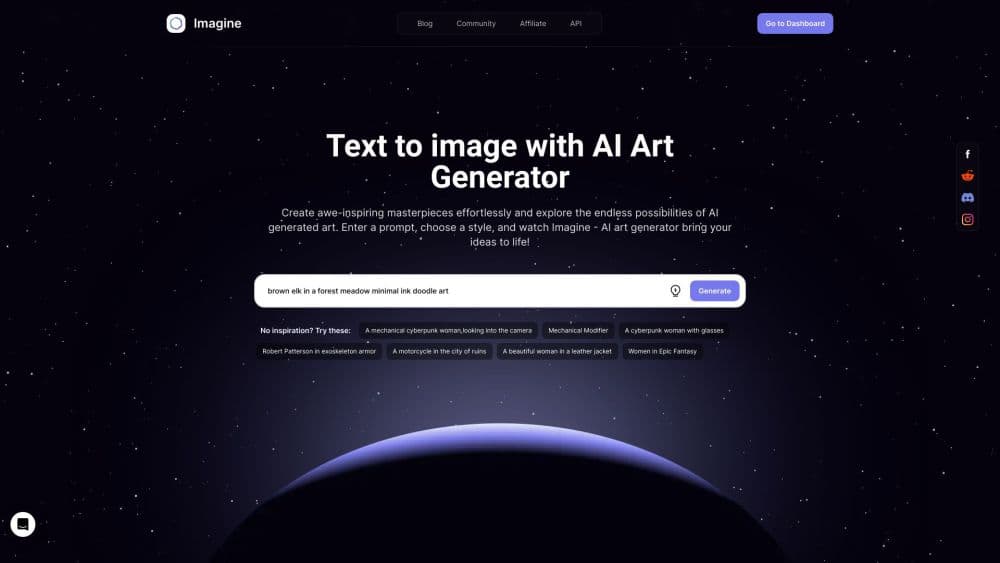
ImagineArt (Imagine AI Art Generator) is an AI creative platform that turns text prompts into images, videos, and audio. It bundles 50+ models plus an infinite canvas in one workspace.
About Imagine AI Art Generator
What Is ImagineArt
ImagineArt is an AI creative platform built by Vyro, which is what the original Imagine AI Art Generator has grown into. It started as a text to image generator and now covers three areas in one place: a chat workspace for briefing frontier models, a node-based workflow builder, and a full creative toolset for image, video, music, and audio. You describe what you want in plain language, pick from more than 50 models, and produce a finished asset without switching between apps.
The appeal is the range under one roof. Instead of paying for a separate image model, a video model, a voice tool, and an editing app, you work in a single canvas where every model can be reached mid-project. For teams, brand kits and reference locking keep a campaign's colors, faces, and products consistent across every output.
The limits matter too. Generation runs on credits, and heavier models burn through them faster, so cost scales with the models you choose rather than a flat fee. Most 4K video and premium image models sit behind paid plans, so the free tier is a real test rather than a full working setup. If you only need quick one-off images, the depth here is more than you'll use.
Getting Started
- Go to imagine.art and create a free account. The free plan lets you start generating images right away.
- Describe your idea in the prompt box, or upload a reference image, a product shot, or a face you want to keep consistent. Pick a model and a style.
- Generate the first set. Switch between models mid-workflow if the result isn't right, rather than rebuilding the prompt in another tool.
- Refine with the built-in editor. Inpaint, extend, relight, or change the camera angle on the exact frame you're working on.
- Save to a workspace or canvas, invite teammates for live edits, and export in the format and ratio you need.
Product Information
A quick look at Imagine AI Art Generator's pricing, supported platforms, and performance.
Best for
The users, tasks, and scenarios where this tool fits best.
Users
- Solo creators and hobbyists
- Designers and marketers
- Small studios and agencies
Tasks
- Generating images from text prompts
- Making short AI videos
- Producing ad and product visuals
- Cloning a voice and narrating
Scenarios
- Running a product campaign end to end
- Testing an idea before you commit
- Building a content pipeline
Key features
50+ Models in One Workspace
ImagineArt gives you access to more than 50 image, video, audio, and language models from providers including OpenAI, Google, Black Forest Labs, Kling, ByteDance, and MiniMax, alongside its own ImagineArt models. You switch between them mid-project, so a scene that needs realism can use one model and a stylized variant can use another without leaving the canvas. New models are added as they release, which keeps the selection current without you hunting for a new subscription each time.
Infinite Canvas with Realtime Collaboration
The creative surface is a shared infinite canvas where everyone sees the same file, with live cursors, comments, and versions. That means reviews happen where the work is, not in an exported screenshot. For a team, it removes the usual back-and-forth of exporting an image, marking it up, and sending it back for another pass.
Workflows and Node Canvas
Workflows chain models, tools, and connectors into pipelines that run on their own. You build the sequence once on a node canvas, connect your assets in and your results out, then schedule the runs. The point is repeatable output: a recurring social template or a monthly campaign becomes a pipeline you set and forget rather than a task you repeat by hand.
Precision Image and Video Editing
The editor works on the exact frame instead of rerolling the whole prompt. You can inpaint to remove, replace, or refine part of an image, extend a video clip beyond its original length, relight a scene, or change the camera angle. Captions, upscaling, and background edits sit in the same canvas, which cuts the number of tools in a typical edit.
Studios for Ads, Fashion, and Film
Dedicated studios package common workflows for specific jobs. Ad Studio produces performance-ready creative in every format and ratio. Fashion Studio turns apparel into on-model imagery and editorial-grade visuals. Film Studio carries characters, storyboards, and scenes from first concept to the final frame. For a small team, each studio replaces a freelance brief with a few structured steps.
Plugins and MCP
ImagineArt connects to the tools you already use. There are plugins for Photoshop, Premiere Pro, After Effects, Figma, Framer, and Shopify, plus an MCP server so your own agents can drive a workflow directly. You can also reach it from ChatGPT, Claude, Cursor, and similar assistants through MCP. The result is that AI creative work sits inside your existing stack instead of in a separate tab.
Pros and cons
Pros
- One subscription covers image, video, audio, and editing across 50+ models, so you're not stacking tools.
- Brand kits and reference locking keep a product or face consistent across an entire campaign, which most single-model tools don't do well.
- The shared infinite canvas makes team review happen on the asset itself, without exporting and re-importing between passes.
- A genuinely usable free plan means you can test real output before paying.
- Plugins and MCP let the platform live inside Photoshop, Figma, or your own agents rather than replacing them.
Cons
- Credits are model-dependent, so premium video and 4K image models spend your balance fast. Costs are hard to predict if you mix heavy models.
- The free tier is capped on generations and resolution, so it works as a trial rather than a permanent free setup.
- The breadth is a lot to learn. New users can end up circling the model list instead of finishing a project.
- Some models carry stricter content filters than competing platforms, which may block otherwise harmless prompts.
Frequently asked questions
Imagine AI Art Generator, now branded ImagineArt, makes images, videos, and audio from text prompts and reference images. You describe an idea, choose from 50+ models, refine the result in a built-in editor, and export it. It covers everything from a single piece of art to a full ad campaign.
Related content
Explore related tools, skills, and articles for Imagine AI Art Generator.
Imagine AI Art Generator Alternatives

Google EmbeddingGemma 2
Google DeepMind · Writing · Image · CodingGoogle EmbeddingGemma 2 is a 740M-parameter open model that turns text, code, images, audio, and video frames into vectors in one 768-dimension space, running on phones and laptops.

Tractionwave
TractionWave · Image · MarketingTractionWave is an AI attention heatmap tool for static ads. Upload a PNG or JPG and it returns predicted attention, ranked hotspots, and fixes before you spend budget.

Imejis.io
Imejis.io · Image · MarketingImejis.io is an AI design studio for agents and marketing teams. Describe an image in plain words, and it writes the copy, builds the layout, reflows it to every size, then exports a finished file.