

Imaginify
Imaginify · Image
Imaginify is an AI website builder that turns plain prompts into live, hosted websites, aimed at founders, freelancers, and small teams who need to ship a site fast.
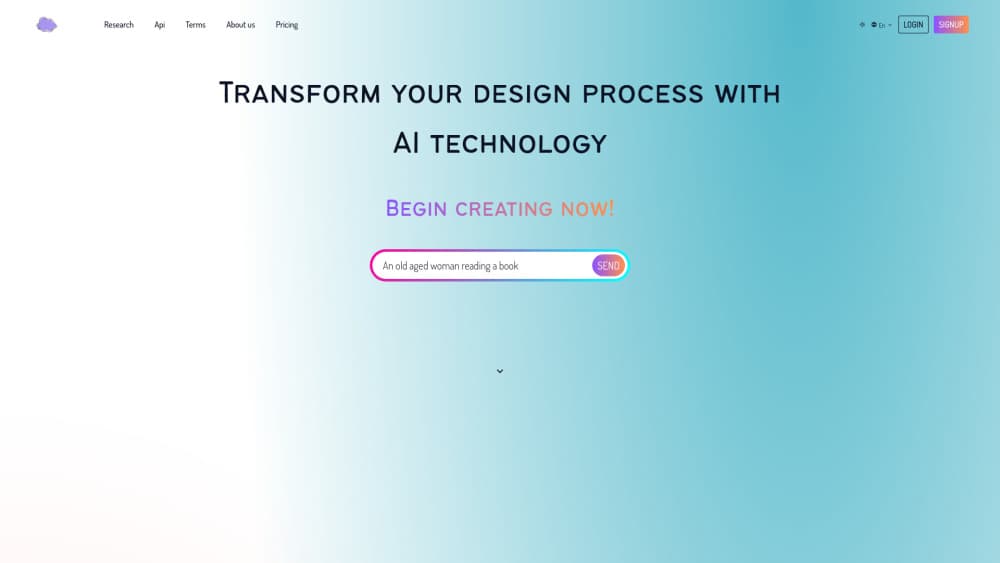
About Imaginify
What Is Imaginify
Imaginify is an AI website builder. You describe the site you want in everyday language and the platform generates the pages, layout, and structure for you, then puts the result online at a hosted address. It fits the long list of jobs where a full web project used to be the only option: a landing page for a new product, a portfolio for a freelancer, a simple site for a small business that just needs to exist on the web. Think of it as an AI site generator for people who'd rather write a brief than a stylesheet.
The pitch is speed and lower friction. Instead of picking a template, dragging blocks around, and tuning spacing, you start from a prompt. That matters most for people who know what they want the site to say but don't want to wrestle with a page builder to get there. So who is this actually for?
The honest limit is control and depth. Prompt-driven builders are great at getting a clean starting point up quickly. They're less suited to sites that need custom logic, complex integrations, or pixel-level design work. As of this writing Imaginify keeps its feature and pricing details behind the app itself, so specific plan numbers aren't public on the marketing site. Treat any figure you see elsewhere as unverified until the vendor publishes it.
Getting Started
- Go to the Imaginify website and create an account.
- Describe the site you want in plain language, including the purpose and the audience.
- Let the builder generate the pages and layout, then adjust the copy and sections.
- Review the result on desktop and mobile, refining the prompt where it misses.
- Publish to the hosted address and share the link.
Product Information
A quick look at Imaginify's pricing, supported platforms, and performance.
Best for
The users, tasks, and scenarios where this tool fits best.
Users
- Founders validating an idea
- Freelancers and consultants
- Small businesses
Tasks
- Turning a written product description into a publishable landing page.
- Drafting a portfolio or personal site from a short brief.
- Building a first-version site to test messaging before investing in custom design.
Scenarios
- Launching a campaign page on a tight deadline.
- Putting up a placeholder site while a full build is in progress.
- Creating a clean starting point that a designer later refines.
Key features
Prompt-to-Site Generation
You start with a text description and get a structured site back. The builder reads your brief and produces pages rather than a blank canvas, which cuts the setup time that usually eats the first hour of any web project. It's the core reason people pick a prompt to website workflow over a traditional builder.
AI-Assisted Layout and Copy
The generated site comes with more than empty sections. Layout and starter copy arrive alongside it, so you're editing something real instead of writing from scratch. For someone who knows the message but not the structure, that's the part that saves the most time.
Hosted Publishing
Imaginify publishes to a live address, so the site is shareable without a separate hosting setup. You skip the DNS-and-deploy steps that trip up non-developers, and the link stays put as you keep editing. Simple as that.
Web-Based Access
Everything runs in the browser, so there's nothing to install. You can start a site on a laptop and pick it up later without moving files around, which suits the quick-turnaround jobs this tool is built for. That's what website building with AI looks like here: no local toolchain, no setup checklist.
No-Code Editing
Changes happen through the interface and the prompt, not a code editor. Teams without an engineer can keep a site current themselves, and hand off only the parts that genuinely need a developer. For a no-code website builder, that balance between autonomy and limits is the whole point.
Pros and cons
Pros
- Fast path from an idea to a live site, which matters when a deadline is close.
- Low setup cost for people without web development experience.
- Generated starter copy and layout reduce the blank-page problem.
- Hosted output means less infrastructure to manage.
Cons
- Deep customization is limited compared with a hand-built site or a full framework.
- Public pricing and feature details are thin, so budgeting is harder up front.
- Complex integrations and custom logic likely need outside development.
Frequently asked questions
It's an AI website builder for turning a written brief into a live, hosted site. People use it for landing pages, portfolios, and simple business sites when they want a fast result without a custom build.
Related content
Explore related tools, skills, and articles for Imaginify.
Imaginify Alternatives

Google EmbeddingGemma 2
Google DeepMind · Writing · Image · CodingGoogle EmbeddingGemma 2 is a 740M-parameter open model that turns text, code, images, audio, and video frames into vectors in one 768-dimension space, running on phones and laptops.

Tractionwave
TractionWave · Image · MarketingTractionWave is an AI attention heatmap tool for static ads. Upload a PNG or JPG and it returns predicted attention, ranked hotspots, and fixes before you spend budget.

Imejis.io
Imejis.io · Image · MarketingImejis.io is an AI design studio for agents and marketing teams. Describe an image in plain words, and it writes the copy, builds the layout, reflows it to every size, then exports a finished file.