
IMG Processing
Rolando Andrade · Image
IMG Processing is a REST API that uploads, transforms, and watermarks images through simple HTTP calls, and handles background removal, format conversion, and AI image generation in one service.
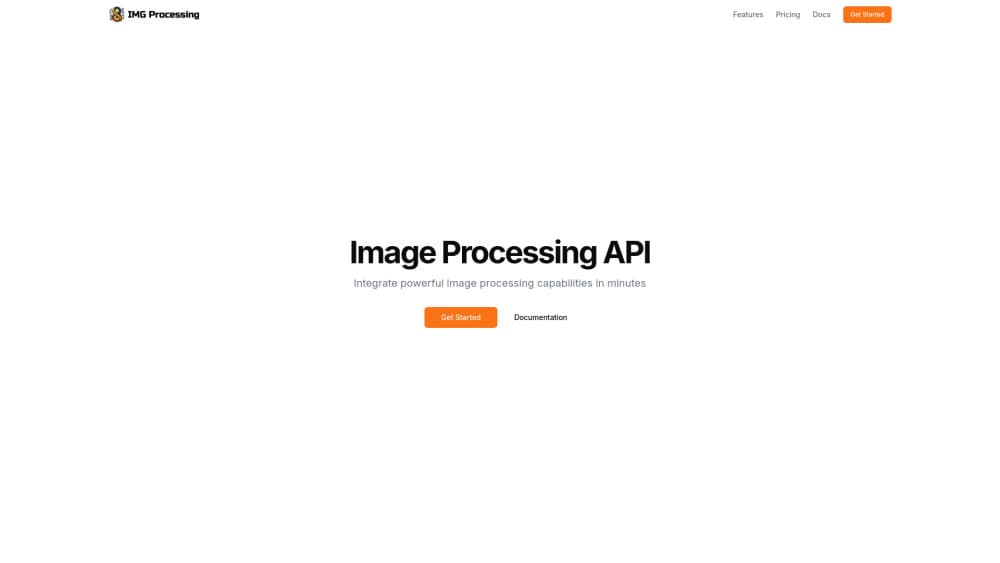
About IMG Processing
What Is IMG Processing
IMG Processing is an image processing API built by developer Rolando Andrade. You send it an image, either a URL or a file from your app, and you get back a processed version along with a JSON record that describes it. The service runs on REST principles, accepts JSON bodies, uses standard HTTP methods, and returns standard status codes, so it slots into whatever stack you already run.
The point is to skip image work you'd otherwise build yourself. Instead of standing up your own resizing service or wiring a background removal model, you call one endpoint and move on. It works as a resize image API, a conversion layer, and a watermark tool in one. It covers the everyday jobs: resize, crop, rotate and flip, convert between PNG, JPEG and WebP, adjust brightness and saturation, blur, and stamp custom watermarks onto images. A few AI endpoints go further, generating images from text and reading text off a photo.
Three things shape whether it fits. The service processes files up to 20MB and images up to 10,000 by 10,000 pixels, and it strips metadata during processing, which matters if you rely on EXIF data later. The free test key adds a watermark and won't store images past 90 days. And everything runs against a monthly image quota, so heavy use pushes you toward a paid plan.
Getting Started
- Create an account at dashboard.img-processing.com and copy the test API key it hands you
- Send requests to https://api.img-processing.com/v1/images with your key in the x-api-key header
- Upload an image by URL or file, then call transformation, edition, or analysis endpoints on it
- Generate a live API key in the dashboard when you're ready to ship, which removes the watermark and raises your rate limits
Product Information
A quick look at IMG Processing's pricing, supported platforms, and performance.
Best for
The users, tasks, and scenarios where this tool fits best.
Users
- App developers who handle images
- Small product teams on a budget
- AI agent builders
Tasks
- Resizing and cropping uploads
- Converting across formats
- Removing backgrounds
- Watermarking
- Reading text from images
Scenarios
- Prepping user-generated content before it reaches your app, where consistent sizes and formats keep layouts from breaking
- Building a media pipeline for a small store, where every product photo needs the same treatment
- Automating image chores inside an AI workflow, where an agent resizes or converts files as part of a longer task
- Cleaning up a photo library at the end of a week, where bulk conversion and compression save storage
Key features
Upload by URL or File
You can upload and transform images in two ways: point the API at an existing URL or send a file straight from your application. Both return the same image object with an id, dimensions, format, and size, so downstream calls work the same no matter how the image arrived.
Resize, Crop, Rotate and Flip
The transformation endpoints cover the standard edits you'd expect. Resize to a target dimension for thumbnails, crop to a fixed aspect ratio, rotate by degrees, and mirror horizontally or vertically. Each one returns a new image and leaves the original untouched.
Format Conversion
Convert images between PNG, JPEG, and WebP. Swapping to WebP is the common move for web pages, since it trims file size without a visible drop in quality. That makes the endpoint do double duty as an image optimization API, and the pass strips metadata too, so files come out lighter than the originals.
Background Removal
An AI-powered endpoint strips the background from an image and returns a transparent cutout. It suits product photos, headshots, and any asset that needs to sit on a different backdrop without a manual masking job.
Image Adjustments and Blur
Modulate brightness, saturation, and hue on an existing image, or apply a blur effect. These are the small fixes that normally send you into an editor, and here they're a single call.
Watermarking
Apply one or several custom watermarks to an image through a multi-image endpoint. You control placement and can layer more than one mark, which helps when content passes through several hands.
AI Generation and Analysis
Beyond editing, the API generates images from text, classifies an image into labels with probabilities, extracts formatted text, and answers a prompt about what's in a picture. These pull a general editing service closer to a small AI toolkit.
Python SDK and MCP Server
A Python SDK wraps the API in simple client methods, so you write less boilerplate. An MCP server connects AI agents to the platform and handles authentication for them, which keeps your API key out of the agent's reach.
Pros and cons
Pros
- One service covers storage, transformation, adjustments, watermarking, and several AI tasks, so you avoid stitching together separate tools
- REST design with JSON bodies and the x-api-key header keeps integration short
- Free test key never touches your monthly quota, so you can test endpoints without a credit card
- A Python SDK and MCP server cut setup work for developers and agent builders
Cons
- The 20MB file limit and the 10,000 by 10,000 pixel ceiling rule out very large originals, such as high-resolution scans or raw photo files
- Metadata is stripped during processing, so you lose EXIF details like camera settings and capture dates
- Free test images carry a watermark and are deleted after 90 days, which means the free tier can't support a live app
- Monthly image quotas ($8 for 200, $25 for 2,500, $99 for 20,000) cap high-volume use unless you arrange a custom plan
Frequently asked questions
It handles image work inside your application through an API. You upload or link an image, then resize it, convert its format, adjust colors, add watermarks, remove the background, or run AI tasks like generating an image from text.
Related content
Explore related tools, skills, and articles for IMG Processing.
IMG Processing Alternatives

Google EmbeddingGemma 2
Google DeepMind · Writing · Image · CodingGoogle EmbeddingGemma 2 is a 740M-parameter open model that turns text, code, images, audio, and video frames into vectors in one 768-dimension space, running on phones and laptops.

Tractionwave
TractionWave · Image · MarketingTractionWave is an AI attention heatmap tool for static ads. Upload a PNG or JPG and it returns predicted attention, ranked hotspots, and fixes before you spend budget.

Imejis.io
Imejis.io · Image · MarketingImejis.io is an AI design studio for agents and marketing teams. Describe an image in plain words, and it writes the copy, builds the layout, reflows it to every size, then exports a finished file.