
Img2.ai
img2.ai · Image · Video
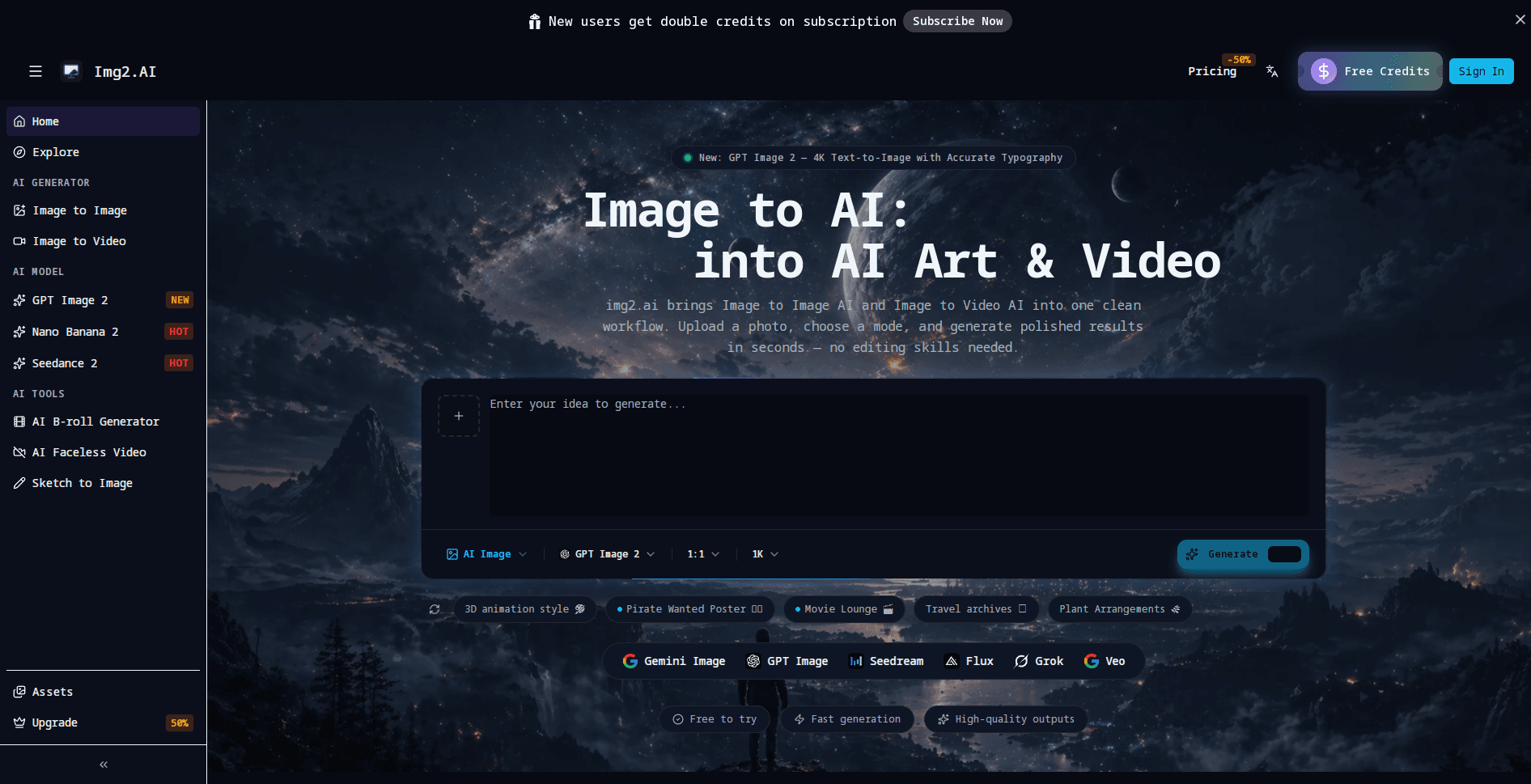
Img2.ai is a browser-based AI image and video generator that turns a photo or a text prompt into finished visuals. It bundles image-to-image editing, text-to-image creation, short video clips, and upscaling into one workspace, and every tool shares a single credit balance. You pick a model, such as GPT Image 2 or Seedance 2, then generate from a simple mode-based flow, which makes it a practical pick for people who want several creative jobs handled without juggling separate apps.
About Img2.ai
What Is Img2.ai
Img2.ai is an online image to AI platform built for people who need finished visuals fast. Instead of forcing you to choose between an AI image generator and an AI video generator, it puts both in the same interface, and you move between them by switching modes.
The draw is convenience. A small shop owner can restyle a product photo for a listing, then turn that same shot into a short clip for social media without leaving the site or rebuilding a prompt from scratch. That saves real time. The platform also handles upscaling, so a low-resolution upload doesn't stay low-resolution.
The main catch is credits. Img2.ai runs on a shared credit balance, and heavier jobs such as video eat through it faster than a single image will. Video is greedy. The free entry point is meant for trying tools out, not for sustained output, so anyone planning daily use should expect to pay.
Getting Started
- Open img2.ai in a browser and create a free account to claim your starting credits.
- Choose a mode, image or video, and pick a model like GPT Image 2, Nano Banana 2, or Seedance 2.
- Upload a photo for image-to-image work, or type a prompt for text-to-image generation.
- Adjust the aspect ratio and output size, then hit generate and wait for the render.
- Download the result from the Assets tab, or upscale it first if you need sharper detail.
Product Information
A quick look at Img2.ai's pricing, supported platforms, and performance.
Best for
The users, tasks, and scenarios where this tool fits best.
Users
- Content creators
- Small business owners
- Designers exploring ideas
Tasks
- Restyling a photo
- Generating images from text
- Turning a still into a short clip
- Cleaning up low-quality images
Scenarios
- Producing a week of social media visuals in one sitting instead of scheduling separate design sessions.
- Turning a product photo into a promo clip when a customer asks for something short and eye-catching.
- Testing a visual concept cheaply before paying a designer to build the final version.
Key features
Mode-Based Workflow
Img2.ai organizes everything around modes, so image and video jobs never mix in a confusing way. You choose what you want to make, pick a model, and the interface adjusts to that task. New users can produce something usable in a few minutes because there's no sprawling menu to learn. It just works.
Multiple Leading Models in One Place
The platform doesn't lock you into a single engine. It connects to models including GPT Image 2, Nano Banana 2, Seedance 2, and Gemini Omni, so you can match the model to the job. Text-heavy posters need different handling than a motion clip, and switching models beats switching subscriptions. Simple as that.
Image to Image Editing
Uploading an existing photo lets you create variations, shift the mood, or restyle the subject while keeping it consistent. This suits anyone who already has decent source material and wants new angles from it, rather than starting from a blank prompt every time. Think of it as an AI photo editor that keeps your subject intact.
Image to Video Clips
A still can become a few seconds of motion. That's enough for a teaser, a promo clip, or a social post. Clip length depends on the plan and model, and generation takes longer than a single image because the job is heavier. Expect a wait.
AI Upscaling
The built-in upscaler raises the resolution of an existing image, so a small upload or a low-res generation can still be exported at a usable size. It matters most for print work or listings where a soft image would look unprofessional. Not ideal otherwise.
Shared Credit Balance
Every tool draws from one credit pool instead of separate metered buckets. That keeps tracking simple. It also means a burst of video generation can empty an account faster than a still-only habit would.
Assets Library and History
Generated files land in an Assets area, so you can revisit and download them later without regenerating. Paid plans keep history for 30 to 90 days depending on tier, which is convenient for people building a running library of visuals.
Pros and cons
Pros
- Image, video, and upscaling tools sit in one workspace, so you avoid paying for several subscriptions.
- Model choice spans GPT Image 2, Nano Banana 2, Seedance 2, and Gemini Omni under one account.
- Free credits let you test the tools before committing to a paid plan.
- Paid tiers run from $4.99 to $24.99 a month, so there's a low-cost entry point.
- Paid plans remove the watermark and include a commercial license.
Cons
- Credits are shared across image and video, so video work drains a balance much faster than stills.
- Free usage is limited, which makes it hard to judge real output quality without paying.
- The API situation isn't clearly documented, so developers shouldn't assume programmatic access.
Frequently asked questions
It's an online workspace for creating and editing images and videos with AI. You can turn a photo into new variations, generate images from text, convert a still into a short clip, and upscale low-resolution files, all from one account and one credit balance.
Related content
Explore related tools, skills, and articles for Img2.ai.
Img2.ai Alternatives

Google EmbeddingGemma 2
Google DeepMind · Writing · Image · CodingGoogle EmbeddingGemma 2 is a 740M-parameter open model that turns text, code, images, audio, and video frames into vectors in one 768-dimension space, running on phones and laptops.

Tractionwave
TractionWave · Image · MarketingTractionWave is an AI attention heatmap tool for static ads. Upload a PNG or JPG and it returns predicted attention, ranked hotspots, and fixes before you spend budget.

Imejis.io
Imejis.io · Image · MarketingImejis.io is an AI design studio for agents and marketing teams. Describe an image in plain words, and it writes the copy, builds the layout, reflows it to every size, then exports a finished file.