

Img2img AI
Img2img AI · Image
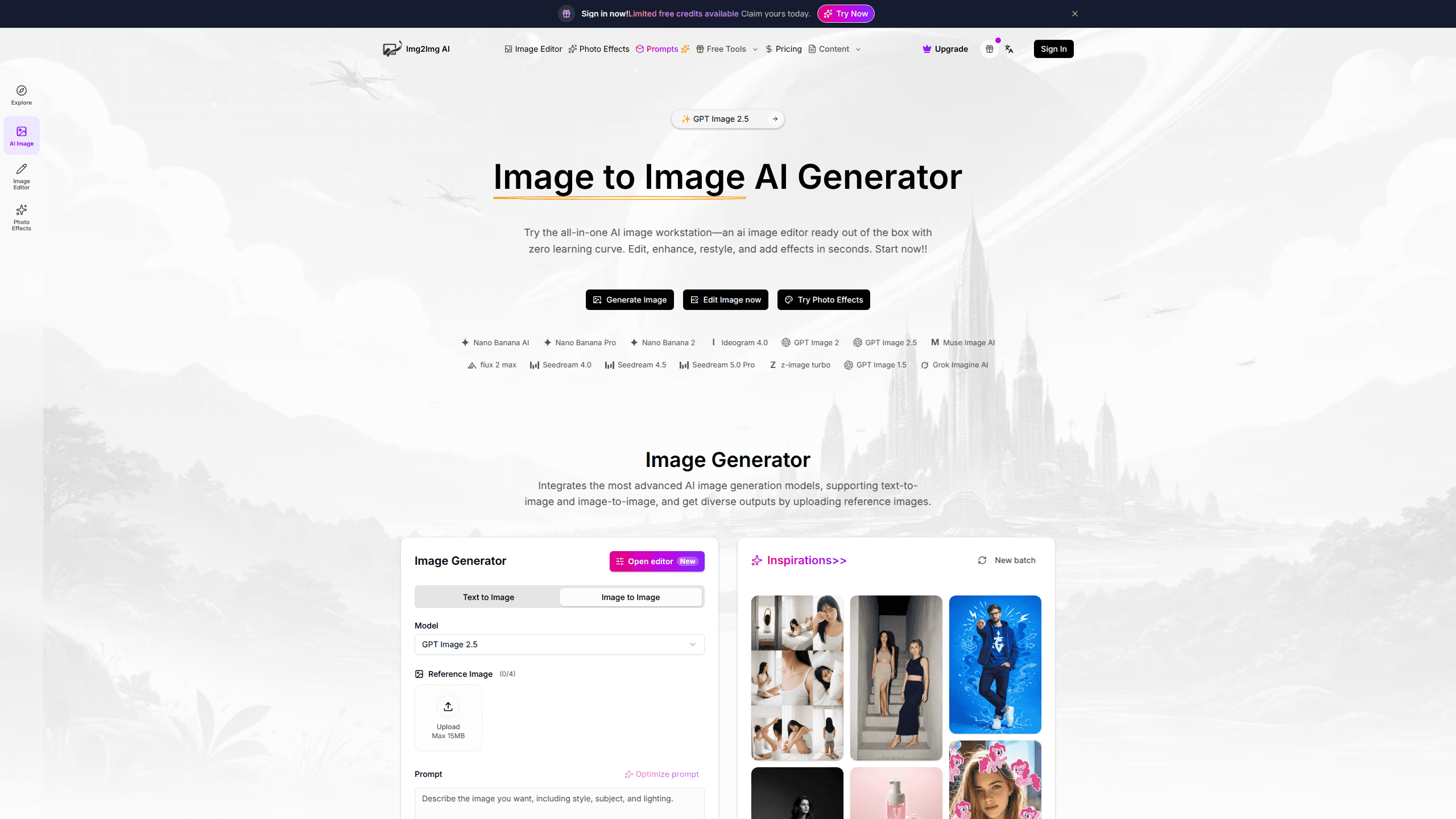
Img2img AI is a browser-based image to image AI generator that turns an uploaded photo into new variations instead of starting from scratch. No blank canvas. You drop in a reference shot, pick a model, and describe the change you want. Easy. From there it can restyle a portrait, swap a background, sharpen an old scan, or extend a frame beyond its original edges. Sound like a lot? It mostly just works. The pitch is simple: no design skills, no desktop install, no learning curve. It runs as an AI image editor in your browser with credits powering the heavier jobs.
About Img2img AI
What Is Img2img AI
Img2img AI is an online image to image AI generator built around one idea. Your own photo is the anchor, and the model reshapes it rather than inventing something unrelated. That's it. That matters if you care about keeping a face, a product, or a composition recognizable while the style or setting changes. Start with a good photo. That's most of the battle. Everything downstream gets easier.
The site bundles a text-to-image mode alongside the img2img workflow, plus a library of one-click effects and editing tools. It lists 10+ AI models and 200+ image tools, and reports 20+ fast tools and 100+ AI effects and filters, which sounds like far more than any single person could reasonably work through in a week. Most people won't touch all of that. What actually matters is having restyling, restoration, background work, and outpainting under one roof, and that alone saves you from keeping four separate subscriptions alive. Big difference.
It isn't a full Photoshop replacement, and it won't give you pixel-level manual control. If you need layered compositing or exact typographic design, you'll still want a dedicated editor in your stack alongside it. Img2img AI is for fast, prompt-driven transformations where "close enough and quick" beats "perfect and slow." That trade-off is the whole product, really.
Getting Started
- Open the Img2img AI site in your browser and sign in to get a credit balance. A free credit option appears alongside the paid tiers. No card needed to start.
- Choose a mode: Text to Image for scenes built from scratch, or Image to Image to upload a reference picture and transform it.
- Select a model. Cheaper models stretch your credits further, while higher-cost ones return sharper, more detailed results. Simple as that.
- Upload your reference image and write a short prompt covering the subject, style, colors, and mood you're after.
- Click Generate, then download the output or share it to your social channels. Done in seconds.
Product Information
A quick look at Img2img AI's pricing, supported platforms, and performance.
Best for
The users, tasks, and scenarios where this tool fits best.
Users
- Social media creators
- Online sellers
- Casual photographers
- Designers exploring directions
Tasks
- Photo restyling
- Subject editing
- Image restoration
- Background processing
- Image outpainting
Scenarios
- Refreshing a dated headshot before a job application or profile update.
- Building a set of cohesive ad visuals from a single product photo.
- Rescuing scanned family photos that have faded or gone soft.
- Filling out a social banner that's wider than your source image.
Key features
Photo and Image Restyling
Smart style transfer swaps the look of an image while holding onto the original framing, lighting, and subject. You can push a photo toward a film look or a hand-drawn illustration without losing the identity of the person or object in it. This is the core reason to use an img2img tool over pure text generation, because a plain prompt can't promise your subject survives the trip.
Subject Editing for People and Products
Object-level edits let you remove distractions, replace props, or adjust clothing with precision. For sellers, it means updating key product details without staging a whole new shoot. Nice. The workflow targets specific elements instead of regenerating the entire scene, which keeps the rest of your image stable. That's the part people underrate.
Image Restoration and Enhancement
The photo-to-photo pipeline sharpens edges, recovers texture, reduces noise, and improves clarity on damaged or low-quality shots. It handles everything from archival scans to everyday phone pictures that came out soft. Results depend heavily on how much usable detail the source image has left. No detail, no rescue.
Background Removal and Replacement
You can cut a subject out cleanly or generate a fresh setting that matches its lighting and perspective. The tool keeps your subject consistent while upgrading the surroundings, which is handy for product shots and portraits that need a cleaner backdrop without a full reshoot.
Smart Outpainting
Outpainting extends an image beyond its original borders to fit any aspect ratio. It fills the new areas naturally and keeps the style continuous with the rest of the frame. Super handy. This is what you reach for when a social banner or poster is wider than the source picture.
One-Click Effects and Filters
Prompt-guided styles and one-tap presets produce share-ready results fast. The effects library leans on current social trends, so you can match a look that's already circulating. Think AI photo effects you've already seen pop up in feeds. It's the least effort-intensive path to a polished image when you don't want to fine-tune a prompt, and for a quick post that's usually all you need.
Multi-Model Generation
The generator integrates several advanced models and lets you pick one per run. Higher-cost options use more credits but generally deliver sharper, more detailed output, while cheaper models are fine for quick tests. Having the choice on one screen saves you from juggling separate subscriptions. Convenient.
Text-to-Image Mode
Alongside the img2img workflow, there's a text-to-image mode for building scenes from a prompt alone. You can lean on reference images for consistency or skip them entirely when you're starting fresh. It makes the same workspace useful for both anchoring and brainstorming, and that flexibility is worth more than any single feature.
Pros and cons
Pros
- Runs entirely in the browser, so there's nothing to install and it works across devices.
- Combines restyling, restoration, background tools, and outpainting in one place.
- Keeps the subject and framing consistent, which is the whole point of an image to image workflow.
- A free credit option lets you test results before paying.
- Multiple models on one screen give you a quality-versus-cost dial.
Cons
- Credits get consumed per generation and heavier models or effects cost more, so budgets can creep up if you iterate a lot.
- Subscription credits don't roll over between billing cycles, so unused allowances are lost unless you buy a one-time pack.
- There's no pixel-level manual editing, so anything needing precise compositing still needs a separate design tool.
- API availability isn't clearly documented, which leaves developers unsure how to automate it.
Frequently asked questions
It takes a photo you upload and uses AI to transform it. You can restyle it, edit specific subjects, restore quality, swap backgrounds, or extend the image beyond its original frame. Text-to-image generation is included too.
Related content
Explore related tools, skills, and articles for Img2img AI.
Img2img AI Alternatives

Google EmbeddingGemma 2
Google DeepMind · Writing · Image · CodingGoogle EmbeddingGemma 2 is a 740M-parameter open model that turns text, code, images, audio, and video frames into vectors in one 768-dimension space, running on phones and laptops.

Tractionwave
TractionWave · Image · MarketingTractionWave is an AI attention heatmap tool for static ads. Upload a PNG or JPG and it returns predicted attention, ranked hotspots, and fixes before you spend budget.

Imejis.io
Imejis.io · Image · MarketingImejis.io is an AI design studio for agents and marketing teams. Describe an image in plain words, and it writes the copy, builds the layout, reflows it to every size, then exports a finished file.