

ImgGen AI
ImgGen AI · Image
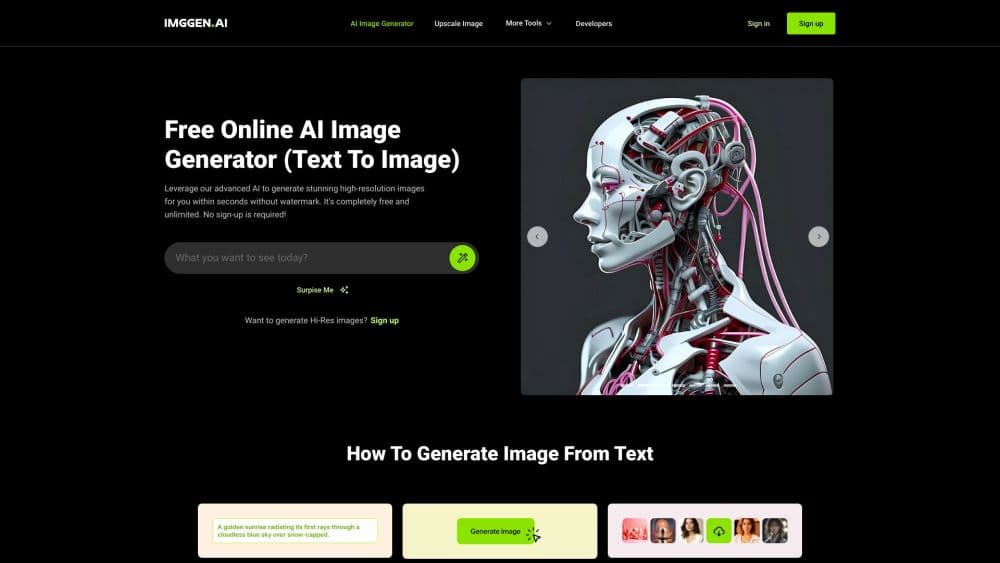
ImgGen AI is a free online text-to-image generator that turns written prompts into high-resolution, watermark-free images in seconds, with 120+ art styles and a suite of editing tools.
About ImgGen AI
What Is ImgGen AI
ImgGen AI is a browser-based image generation and editing platform aimed at anyone who wants visuals without hiring a designer or learning professional software. You type a prompt, pick a style, and get an image back in a few seconds. The company behind it, founded in India in 2023, reports over two million images generated and more than 200,000 creators worldwide.
The core problem it solves is access. Studio software and skilled retouching cost real money and time, while ImgGen keeps both generation and cleanup in one place: text to image, background removal, upscaling, and restoration all live under the same account.
The main tradeoff is control. Results lean on preset models and styles rather than layer-by-layer editing, so fine retouching still belongs in a dedicated editor. Generation also runs on a credit system, which means heavy use eventually asks for a paid plan.
Getting Started
- Open the ImgGen AI site or editor and start for free; no credit card is required to begin.
- Type a text prompt describing the image you want, then pick from the 120+ available styles.
- Generate the image, review the result, and adjust your prompt if the output misses.
- Download the finished file, which carries no watermark on any plan.
Product Information
A quick look at ImgGen AI's pricing, supported platforms, and performance.
Best for
The users, tasks, and scenarios where this tool fits best.
Users
- Social media creators
- Small business owners
- Developers and automation teams
Tasks
- Turning a text prompt into an illustration
- Removing a background or watermark
- Upscaling and restoring older photos
Scenarios
- Refreshing a social profile
- Preparing e-commerce listings
- Reviving family photos
Key features
AI Image Generator
The headline tool takes a text prompt and returns unique, high-resolution images in seconds. You pick a model based on whether you want speed or extra realism, then download the result with no watermark and full commercial rights attached.
120+ Art Styles
The style catalog spans realistic, anime, watercolor, 3D render, cyberpunk, oil painting, pixel art, minimalism, and cinematic looks. That range means you can match a specific mood without switching apps or writing long, technical prompts.
AI Photo Editor Suite
ImgGen ships 19 browser-based editing tools covering image enhancement, restore, color, background, and cleanup work. You can retouch a portrait, correct color, or sharpen a soft shot in the same place you generate images, which saves juggling separate subscriptions.
Background and Watermark Removal
The background remover cuts a subject from its surroundings for a transparent PNG, and the watermark remover erases marks, text, and overlays using content-aware reconstruction. These handle the cleanup jobs that usually push people toward paid desktop software.
AI Image Upscaler
The upscaler raises resolution up to 8K, reconstructing edges and texture rather than simply stretching pixels. It suits print, presentations, and any listing that needs a small legacy shot to look sharp.
Developer API
Seven endpoints cover background removal, upscaling, watermark removal, text removal, restoration, colorization, and generation behind a single key. Calls are synchronous, billed from the same credit balance as the editor, and the service stores nothing after each response.
Pros and cons
Pros
- Free to start: 50 one-time credits with no credit card, and no watermark on any plan.
- Wide style range: 120+ art styles plus 19 editing tools sit under one account.
- Commercial rights included: every plan, including Free, grants full usage rights on generated images.
- Credit rollover: unused credits on paid plans accumulate instead of resetting each month.
- Developer friendly: a documented REST API exposes seven endpoints through one key.
Cons
- Credit-based generation: heavy use burns through a monthly balance, so prolific users pay more over time.
- Limited manual control: you work from preset styles and models rather than layer-level editing.
- API sits behind paid plans: the free tier has no API access, so developers must upgrade to build.
Frequently asked questions
ImgGen AI is a free online generator that turns text prompts into high-resolution images, supported by 19 browser-based editing tools for background removal, upscaling, watermark removal, restoration, and colorization.
Related content
Explore related tools, skills, and articles for ImgGen AI.
ImgGen AI Alternatives

Google EmbeddingGemma 2
Google DeepMind · Writing · Image · CodingGoogle EmbeddingGemma 2 is a 740M-parameter open model that turns text, code, images, audio, and video frames into vectors in one 768-dimension space, running on phones and laptops.

Tractionwave
TractionWave · Image · MarketingTractionWave is an AI attention heatmap tool for static ads. Upload a PNG or JPG and it returns predicted attention, ranked hotspots, and fixes before you spend budget.

Imejis.io
Imejis.io · Image · MarketingImejis.io is an AI design studio for agents and marketing teams. Describe an image in plain words, and it writes the copy, builds the layout, reflows it to every size, then exports a finished file.