

In Parallel
In Parallel · Productivity · Leaning
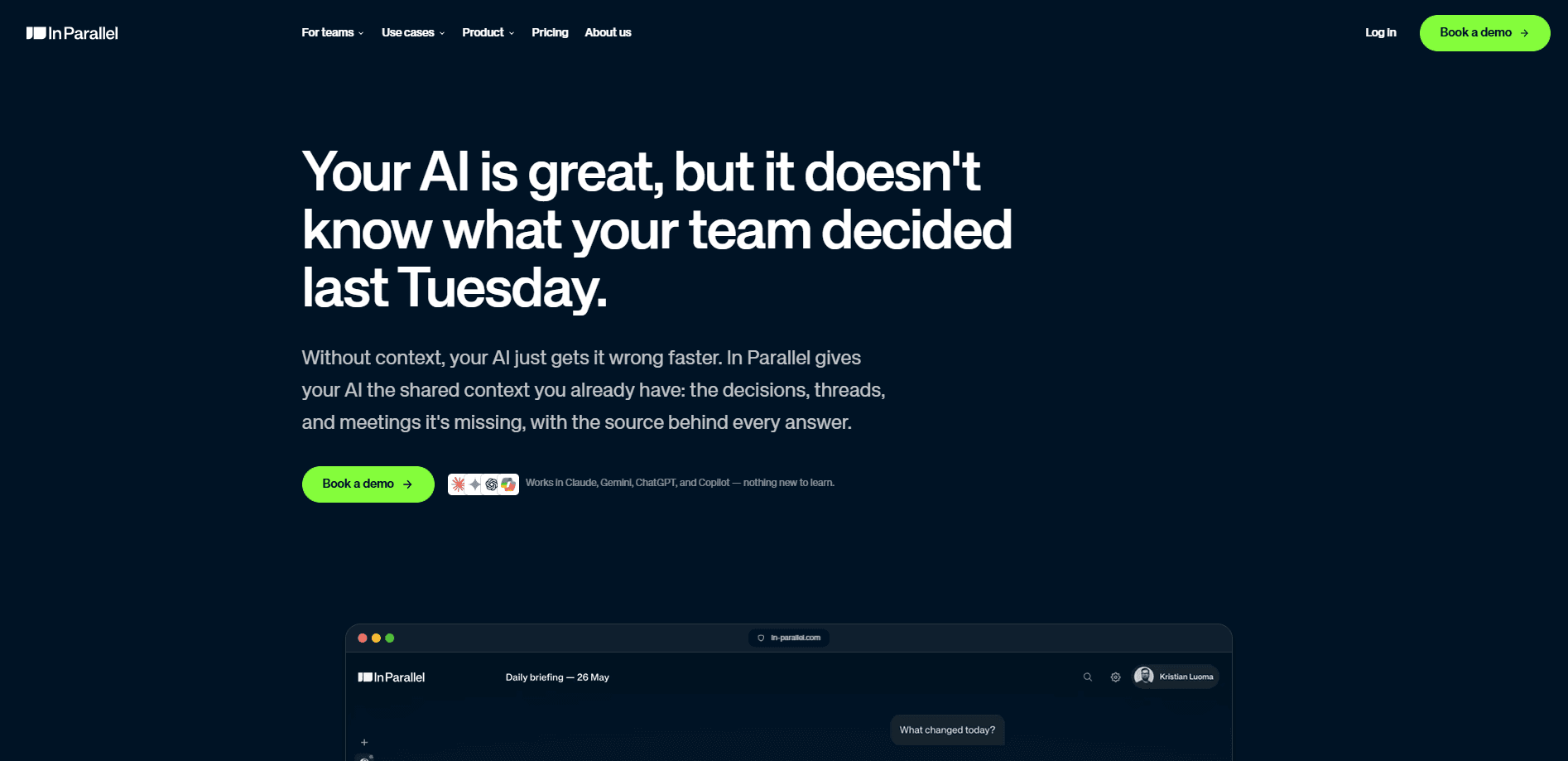
In Parallel is an EU-hosted context layer for teams. It captures the decisions, commitments and risks buried in your meetings and threads, keeps that record current, and serves it to whatever AI tool you already use through MCP. Instead of teaching each assistant separately, you build one shared memory that every agent can query. The pitch is simple: your AI isn't the bottleneck, missing business context is.
About In Parallel
What Is In Parallel
In Parallel is a shared organizational memory layer that sits underneath your AI tools. It joins your calendar, transcribes calls in 50+ languages, and pulls out the signal that usually gets lost: decisions, action items, risks, dependencies and escalations. That material becomes living context. Not a frozen file nobody updates.
The product targets a real gap. Chat memory stays trapped inside one tool. A CLAUDE.md file goes stale the moment someone writes it. A notetaker keeps the whole transcript, which is a wall of text and a security headache. In Parallel splits the difference. It keeps the decisions and drops the liability, then makes the result available across Claude, Copilot, ChatGPT and Cursor through a single MCP endpoint.
So it's an AI meeting notes tool, but not the sort that hands you a recap and leaves. It reads each call for the decisions that matter and skips the filler. That's where permission-scoped context earns its keep. The right people get the right record, and nobody else sees it. Does that replace your notetaker? For decision tracking, mostly yes.
The catch is the pricing model. There's no permanent free tier. Notes is free up to 10 meetings per user per month, and the full product runs free for 20 days, but after that you pay €29 per seat per month with no cheaper plan. Small teams on a tight budget should weigh that before committing. For bigger orgs, enterprise terms kick in past 100 users with SSO and SCIM.
Getting Started
- Sign up at in-parallel.ai and start a workspace for your team.
- Connect your calendar so In Parallel can join Zoom, Teams or Google Meet calls automatically.
- Let Notes capture a first meeting, then review the decisions, actions and risks it extracted.
- Copy your workspace's MCP endpoint and add it to Claude, Copilot, ChatGPT or Cursor like any MCP server.
- Ask your assistant a question about the project and check that it answers from the live context, scoped to your own permissions.
Product Information
A quick look at In Parallel's pricing, supported platforms, and performance.
Best for
The users, tasks, and scenarios where this tool fits best.
Users
- Product and engineering teams
- Executives and PMO leads
- New hires and people joining a team
Tasks
- Tracking decisions and commitments across meetings
- Writing status reports and stakeholder updates
- Feeding shared context to AI assistants
Scenarios
- Cross-team projects where dependencies get lost between calls
- Onboarding into a new account or board seat
- Detecting drift between the plan and reality
Key features
MCP server for any AI tool
In Parallel exposes your live context through one MCP endpoint per workspace. You add it to Claude, Copilot, ChatGPT or Cursor the same way you'd add any MCP server, and your agents stop starting from a blank slate. Because MCP is an open protocol, the context travels with you as your stack changes.
Permission-scoped answers
The endpoint answers within the asker's own permissions, so the assistant you're chatting with only ever sees the slice of company knowledge that you personally have access to. That scoping is the difference between a tool legal will approve and one it won't.
Meeting capture in 50+ languages
Notes joins calls from your calendar across Zoom, Teams and Google Meet with nothing to install and no prompts to remember. It transcribes in over 50 languages and extracts nine signal types per meeting, including decisions, actions, risks, dependencies and escalations. The transcript itself is treated as the liability, not the product.
Living context that stays current
The context layer keeps updating as new meetings happen, so agents see the current state of your business rather than a snapshot. You don't re-brief anyone or copy-paste between tools. The record stays sourced, so you can trace a claim back to the meeting it came from.
Briefings you can read in minutes
A briefing assembles the state of the work from your live context, aimed at people stepping into a new account, team or board seat. It pulls together what you'd otherwise dig for across old decks and Slack threads. The goal is to walk into the room already current.
EU-hosted, no training on your data
In Parallel is hosted in the EU and built in Helsinki, a detail that matters if your legal team cares where company knowledge sits. The company states it doesn't train on your data, and access stays scoped to permissions. For teams that handle sensitive internal decisions, that's a real selling point.
Pros and cons
Pros
- One shared context layer works across Claude, Copilot, ChatGPT and Cursor, so you aren't teaching each assistant separately.
- Permission-scoped access means your AI sees only what you can see, which makes security review easier.
- Notes joins calls with no setup tax and transcribes 50+ languages, then extracts decisions, risks and dependencies automatically.
- EU hosting and a stated no-training-on-your-data policy suit teams with strict data rules.
Cons
- No permanent free plan. After the 20-day trial you pay €29 per seat per month, which adds up fast for large teams.
- The flat price has no cheaper entry tier, so five-person startups pay the same rate per seat as enterprises until the 100-user enterprise terms.
- Full value depends on meetings flowing through the platform. If your team works off transcripts in other tools, coverage will have gaps.
Frequently asked questions
It captures the decisions, actions and risks from your meetings, keeps them current, and serves that context to your AI tools through MCP. Think of it as a shared memory layer that sits under Claude, ChatGPT, Copilot or Cursor.
Related content
Explore related tools, skills, and articles for In Parallel.
In Parallel Alternatives

Base Code
Base44 (Wix) · Coding · ProductivityBase Code is a shared cloud development environment from Base44. Teammates describe changes to an existing GitHub codebase in chat, preview them live and send them back as pull requests.

Knocket
Knocket (Tencent RTC team) · Productivity · Business · ChatbotKnocket is a free live chat and contact page tool that lets visitors message you from your website, app, or a shareable link, with every reply handled from Telegram or one inbox.

FloorGen
Vinit Kumar (FloorGen) · Productivity · China AIFloorGen is a browser-based floor plan maker that turns a sentence or a sketch into an editable 2D plan and a 3D walkthrough. Export to PDF, DXF or video, and draw without an account.