
insMind - AI Video Generator
INSMIND PTE. LTD. · Image
insMind is an AI video generator and photo editor for creators and marketers. It turns text prompts or still images into short clips using models like Veo 3.1, Sora 2 and Kling AI in one account.
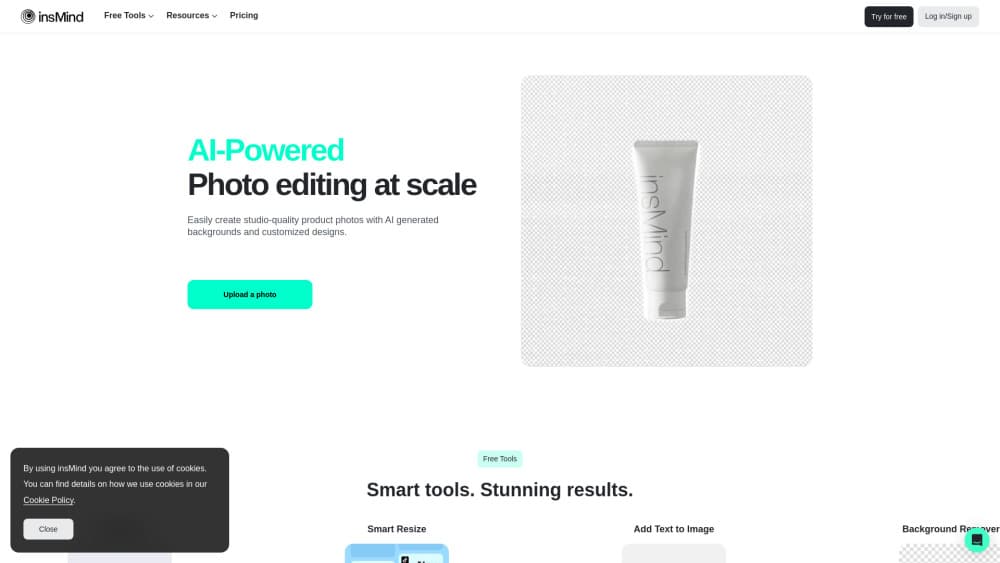
About insMind - AI Video Generator
What Is insMind
insMind is a browser and mobile studio from INSMIND PTE. LTD. that turns a written prompt or a product photo into a short video, then lets you fix the frames with AI photo tools in the same workspace. The company pitches it at marketing content rather than at film production, so the workflow stays short: idea, generate, tidy, download.
The main draw is model choice. Rather than locking you into one engine, insMind routes requests to several hosted video models, including Veo 3.1, Sora 2 and Kling AI, plus Wan AI and Hailuo AI. You can try the same prompt on two engines and keep the take that holds together, without buying five separate subscriptions.
Credits are the catch. Every generation spends them, expensive models spend more, and the balance refills through a monthly plan or one-time packs. Output is short clips rather than a multi-shot timeline, and there's no public API for teams that want to wire the tool into a pipeline.
Getting Started
- Sign in at insmind.com with an email or Google account, or install the iOS or Android app.
- Open the AI Video Generator and choose text to video or image to video.
- Pick a model, set the aspect ratio and duration, then adjust prompt strength.
- Generate, preview the clip, rewrite the prompt if a shot fails, and download the file.
Product Information
A quick look at insMind - AI Video Generator's pricing, supported platforms, and performance.
Best for
The users, tasks, and scenarios where this tool fits best.
Users
- Social media creators
- Small ecommerce teams
- Teachers and trainers
- Solo marketers
Tasks
- Turning a catalog photo into a moving product shot
- Making a vertical hook for a paid ad
- Drafting an explainer before a real shoot
- Cleaning up thumbnails and cutouts
Scenarios
- Testing a campaign idea when there's no budget for a production crew
- Keeping a weekly posting schedule
Key features
Text to Video and Image to Video in One Workspace
You can start from a written prompt or upload a photo and animate it. Text to video suits concept shots and abstract scenes, while image to video keeps a real product or person recognizable. Both paths sit behind the same editor, so switching between them doesn't reset your project.
Several Video Models Behind One Account
insMind hosts Veo 3.1, Sora 2 and Kling AI, plus Wan AI and Hailuo AI, and the AI video maker lets you pick one per generation. Engines differ in how they handle motion and lighting, and in how closely they follow a prompt, so running the same text twice is a practical way to compare results. The tradeoff is that credit costs differ by model.
Audio and Lip Sync on Supported Models
Some of the hosted models produce voice, music and sound effects alongside the picture. That saves a separate audio pass for talking-head clips and short ads, and lip sync stays aligned without manual nudging. Older or cheaper models still return silent video.
AI Photo Editor for Thumbnails and Product Shots
The same account includes background removal, object replacement, image expansion and cleanup tools. These matter for social media videos because the first frame is often a still, and a messy cutout shows immediately. Editing the source image first usually improves the generated clip.
Duration, Aspect Ratio and Prompt Strength Controls
Before you generate, you set the clip length, the frame shape and how literally the model should follow your wording. Lower prompt strength gives the engine room to improvise, which helps with abstract scenes. Higher settings suit product shots where the object has to stay intact.
Mobile App for Edits Away From a Desk
The iOS and Android apps cover generation and basic cleanup, so you can react to a trend the same day it appears. Files sync through the account, and exports are sized for phone-first platforms. Heavy retouching still feels better on the web version.
Pros and cons
Pros
- One credit balance covers several top video models, which removes the cost of stacking subscriptions.
- The workflow needs no editing background: prompt, pick a ratio, generate, download.
- Photo cleanup tools sit in the same account, so you can fix a bad cutout before animating it.
- Vertical formats and short durations are ready for social platforms out of the box.
- Entry pricing is low enough to test the tool for a month before committing.
Cons
- Credit burn is hard to predict because each model charges a different rate, and premium engines drain a balance fast.
- There's no multi-shot timeline, so a 60 second story still needs another editor to assemble the pieces.
- The model list and plan limits change often, which makes long-term budgeting awkward.
- No public API means teams can't automate generation inside their own tools.
Frequently asked questions
It makes short videos from text or images, and cleans up the stills that go with them. Most users are creating social posts, product demos and ad hooks rather than long-form films.
Related content
Explore related tools, skills, and articles for insMind - AI Video Generator.
insMind - AI Video Generator Alternatives

Google EmbeddingGemma 2
Google DeepMind · Writing · Image · CodingGoogle EmbeddingGemma 2 is a 740M-parameter open model that turns text, code, images, audio, and video frames into vectors in one 768-dimension space, running on phones and laptops.

Tractionwave
TractionWave · Image · MarketingTractionWave is an AI attention heatmap tool for static ads. Upload a PNG or JPG and it returns predicted attention, ranked hotspots, and fixes before you spend budget.

Imejis.io
Imejis.io · Image · MarketingImejis.io is an AI design studio for agents and marketing teams. Describe an image in plain words, and it writes the copy, builds the layout, reflows it to every size, then exports a finished file.