

InstaRoom
InstaRoom · Image
InstaRoom is an AI interior design tool and virtual room makeover app that redesigns your space from a photo and returns a shopping list within budget.
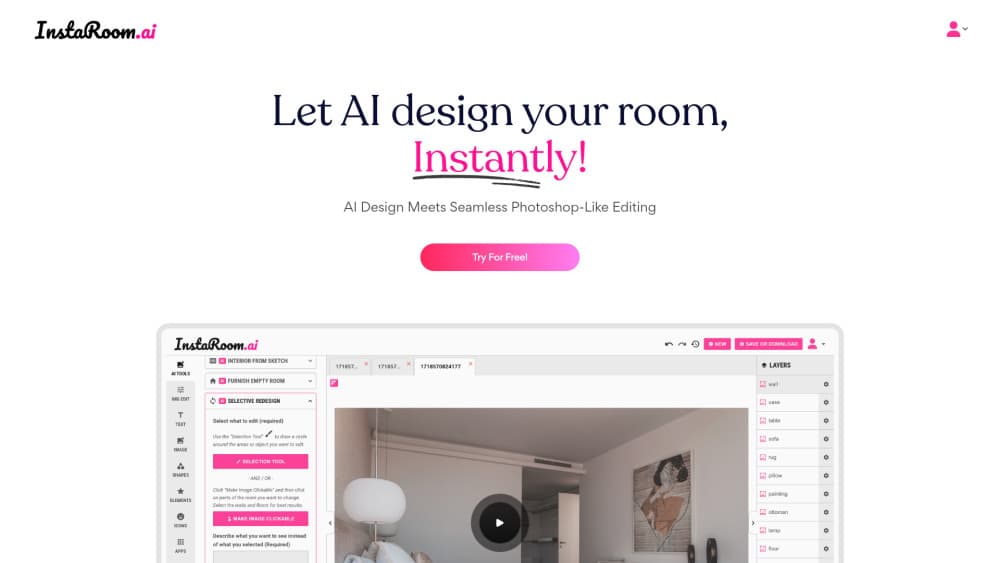
About InstaRoom
What Is InstaRoom
InstaRoom is a web-based AI interior design tool. Think of it as an AI room planner that also shops for you. You upload a picture of a real room, and it produces a redesigned version of that same space. The pitch is narrow and useful. It doesn't just show you a pretty render. It also suggests products you can buy and shows how they'd look sitting in your room.
That fixes the gap most decorating apps leave open. Sure, you've seen a hundred gorgeous "after" images. Then you go shopping and can't find any of it, or the pieces blow past your budget. InstaRoom tries to close that loop by tying the redesign to a shopping list you can act on. Want to redesign a room from a photo and actually follow through? That's the gap it targets.
The tradeoff is real. Output quality depends heavily on your source photo. Crooked, dim, or cluttered shots give weaker results than a clean straight-on frame.
Getting Started
- Go to instaroom.ai and create a free account.
- Upload a photo or sketch of the room you want to redesign.
- Set a budget so the recommendations stay within reach.
- Pick a style direction, then let the AI generate the new design.
- Review the render and the shopping list, and save the products you like.
Product Information
A quick look at InstaRoom's pricing, supported platforms, and performance.
Best for
The users, tasks, and scenarios where this tool fits best.
Users
- Homeowners planning a refresh
- Renters who can't remodel
- Small-space dwellers
Tasks
- Testing a new color or style before committing
- Building a realistic shopping list
- Staging a room for photos or a listing
Scenarios
- Refreshing a tired living room before guests arrive
- Planning a renovation on a fixed budget
- Exploring decor ideas for a room you don't live in yet
Key features
Photo to Redesign
Upload a real photo of your space and InstaRoom generates a redesigned version of that same room rather than a generic template, keeping your walls, windows, and layout largely intact so the result still reads as your place. The better your photo, the more the result looks like your actual space. Straight-on shots in decent light give the cleanest output.
Budget-Aware Shopping List
This is the feature that separates InstaRoom from a pure image generator, since a redesign you can't shop for tends to sit in a folder and never turn into an actual room. Along with the redesign, you get a shopping list tuned to the budget you set. It turns inspiration into something you can act on, which is where most decorating apps stop.
See Products in Your Room
The tool shows how recommended products would look placed in your space, not on a white studio background. That matters. A sofa that looks great in isolation can wreck your actual living room. Seeing the fit in context cuts down on returns.
Photo or Sketch Input
You can start from a photo or a rough sketch. The sketch route is handy when a room is empty, under construction, or you're reworking a floor plan and don't have a finished space to photograph yet.
Style Exploration
Generate the same room in different style directions and compare them side by side. It's a low-risk way to find out whether a bolder look actually suits your space before you commit to buying anything. Cheap way to avoid an expensive mistake.
Web-Based, No Install
InstaRoom runs in the browser, so there's nothing to download. You can start on a laptop and come back later without wrangling a desktop app. Handy for a quick idea session during a lunch break.
Pros and cons
Pros
- Combines a redesign with a buyable shopping list, which most AI design tools skip
- Budget field keeps recommendations realistic instead of aspirational
- Runs in the browser with no app install needed
- Products shown in context, so you can judge fit before buying
Cons
- Output quality leans hard on the quality of your source photo
- No public API, so you can't plug it into other tools or workflows
- Free tier is limited, so heavier use may push you toward a paid plan
Frequently asked questions
It redesigns a room from a photo or sketch and returns a shopping list within your budget, showing how recommended products would look in your space.
Related content
Explore related tools, skills, and articles for InstaRoom.
InstaRoom Alternatives

Google EmbeddingGemma 2
Google DeepMind · Writing · Image · CodingGoogle EmbeddingGemma 2 is a 740M-parameter open model that turns text, code, images, audio, and video frames into vectors in one 768-dimension space, running on phones and laptops.

Tractionwave
TractionWave · Image · MarketingTractionWave is an AI attention heatmap tool for static ads. Upload a PNG or JPG and it returns predicted attention, ranked hotspots, and fixes before you spend budget.

Imejis.io
Imejis.io · Image · MarketingImejis.io is an AI design studio for agents and marketing teams. Describe an image in plain words, and it writes the copy, builds the layout, reflows it to every size, then exports a finished file.