

Invoce.ai
Invoce.ai · Business
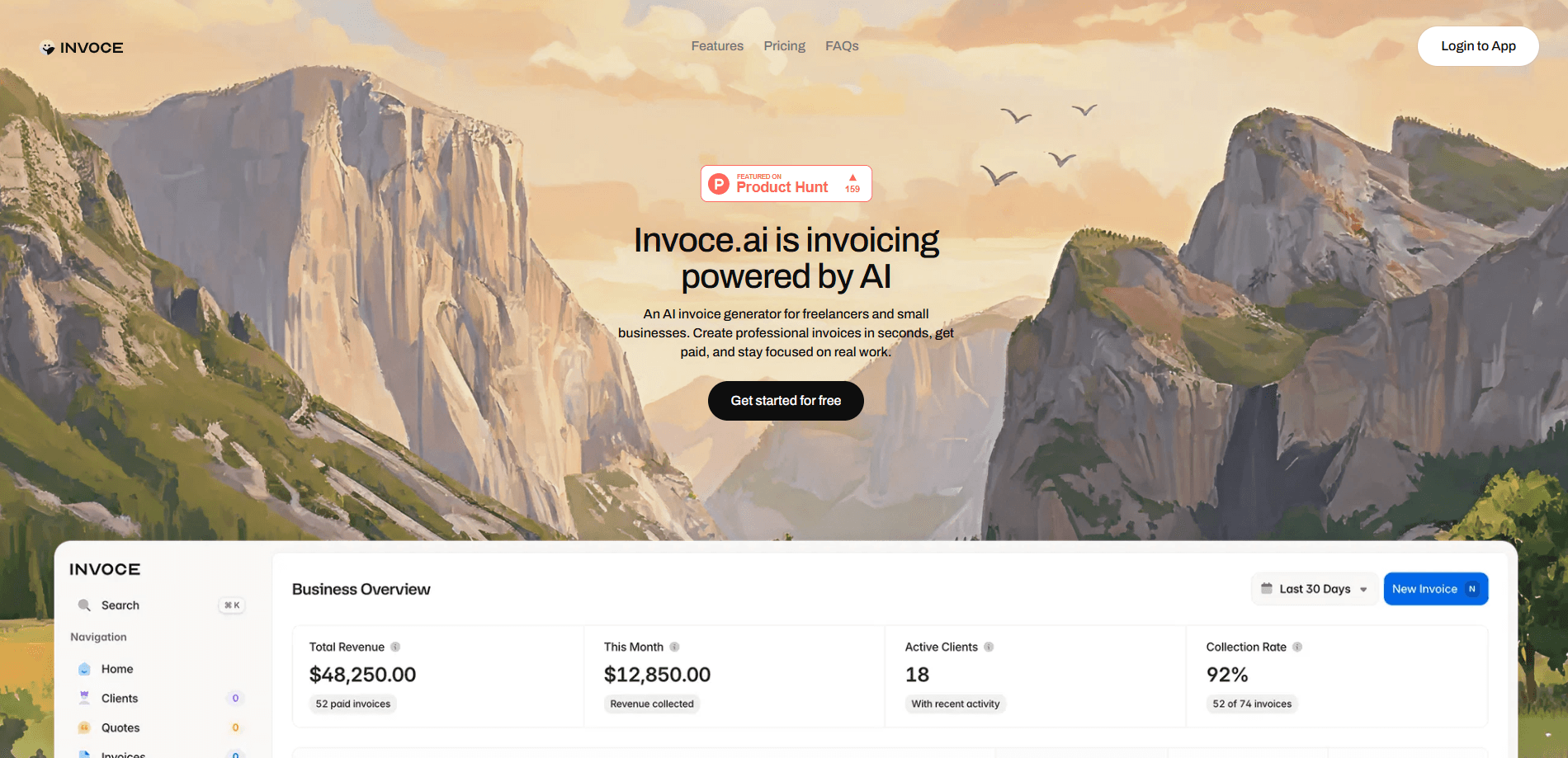
Invoce.ai is an AI invoicing platform built for freelancers and small businesses that want to stop wrestling with invoice templates. Instead of filling out long forms field by field, you describe the job in plain language and this AI invoice generator drafts a professional invoice for you. It also keeps client records, tracks whether payments have landed, and shows how your revenue is trending. The pitch is simple: fewer clicks per bill, fewer missed payments. Is that enough to change how you invoice? For most freelancers, probably yes.
About Invoce.ai
What Is Invoce.ai
Invoce.ai is a web-based invoicing service that leans on natural language processing to generate invoices. You type something close to "three hours of logo work for Acme at ninety an hour," and it builds the line items, totals, and formatting for you. The company targets the people who dread admin most: solo freelancers, contractors, and small teams without a dedicated finance person.
The promise is speed. Traditional invoicing tools are powerful but front-loaded with setup, and a lot of freelancers put off billing until the end of the month, when the pile is already tall enough to feel like a chore rather than a five-minute task. Invoce.ai cuts that friction by treating an invoice like a sentence rather than a form. It also folds in the surrounding chores, so client details, payment status, and growth numbers live in one place instead of three separate apps you have to keep in sync by hand.
The main limitation is scope. This is a focused invoicing platform, not a full accounting suite. A dedicated freelance invoicing tool for taxes and payroll is something you'll still add on top, because Invoce.ai won't file for you. The product description also doesn't spell out offline access, so plan on a steady internet connection when you bill.
Getting Started
- Create an account on the Invoce.ai website and sign in to reach your dashboard.
- Add a client by entering their name, contact details, and any billing notes you want reused.
- Write your first invoice in natural language, naming the work, the quantity, and the rate.
- Review the generated invoice, adjust line items or totals, and add your logo if you want branding.
- Send the invoice to your client and let the platform track its status.
Product Information
A quick look at Invoce.ai's pricing, supported platforms, and performance.
Best for
The users, tasks, and scenarios where this tool fits best.
Users
- Freelancers
- Small business owners
- Contractors
Tasks
- Writing routine client invoices
- Tracking outstanding payments
- Reusing client details
Scenarios
- Month-end billing sprints
- First-time client onboarding
- Freelance income reviews
Key features
Natural Language Invoice Creation
The core feature is typing what you want billed instead of clicking through fields. You write a normal sentence naming the client, the work, and the price, and Invoce.ai turns it into structured line items with correct totals. It's the fastest way to create invoices with AI, and unlike most billing tools that bury the useful parts behind three menus and a settings page, it feels nothing like a form.
Client Management
Invoce.ai stores client details so repeat work takes seconds to bill. Once a client's name, contact info, and usual rates are saved, a new invoice pulls them in automatically, which means you never retype the same address, tax number, or agreed hourly rate for a client you've already billed five times this year. Fewer typos that way. For anyone with regulars, that removes the most repetitive part of invoicing.
Payment Tracking
The platform tracks the status of each invoice, so you can tell paid from outstanding without cross-checking bank statements or scrolling through a folder of PDFs to figure out which clients have actually settled up this month. Overdue balances sit in one place. That's the fastest way to know who to chase this week. No guesswork.
Business Growth Analytics
Beyond single invoices, Invoce.ai summarizes how your billing is trending over time, pulling together revenue figures and payment patterns that would otherwise take an evening of spreadsheet work to assemble by hand. That helps freelancers see which months are strong and when to adjust rates. It won't replace real accounting software. It answers one question well: am I actually growing? And it does so without a spreadsheet.
Professional Invoice Output
Generated invoices come out looking like they came from a business, not a text message. Clean line items, totals, and due dates are handled by the tool, and you can add branding so clients see a consistent face. For freelancers and anyone handling small business invoicing from a phone, this invoice maker keeps things tidy without any design work.
Pros and cons
Pros
- Turns invoicing into a sentence, which is far faster than multi-field forms for routine billing.
- Combines invoice creation, client records, and payment tracking in one dashboard.
- Low learning curve, so first-time users can send a professional invoice in minutes.
- Analytics give freelancers a quick read on revenue trends without extra tools.
Cons
- It's a focused invoicing platform rather than a full accounting suite, so payroll or detailed tax filing still needs separate software.
- Pricing and plan details can't be fully confirmed from the official site right now, so verify current costs before committing.
- As a web tool, it assumes a working internet connection when you create or send invoices.
Frequently asked questions
Invoce.ai is an AI invoicing platform that generates professional invoices from a plain-language description of the work. You name the client, task, and price, and it builds the line items, totals, and formatting for you.
Related content
Explore related tools, skills, and articles for Invoce.ai.
Invoce.ai Alternatives
Liveplan
Palo Alto Software · BusinessLivePlan is business plan software that helps founders and small business owners turn an idea into a funder-ready plan. It combines AI-assisted writing, market research with cited sources, and connected financial forecasting so your income statement, cash flow, and balance sheet move together when you change one number. Over 1.5 million businesses have used it to plan, forecast, and track performance against real accounting data. That's a lot of founders. It's also a signal the tooling survived contact with real lenders.

Swms
Swms AI · Writing · Productivity · BusinessSwms is an AI safety compliance tool that turns a plain description of a job into ready-to-use safety documents. Describe your project, trade, and known hazards, and it writes a safe work method statement, job hazard analysis, safe work procedure, RAMS, or safety data sheet in seconds. It also ships with Oscar, a chat assistant that answers workplace safety questions in any language. Teams in construction, mining, transport, and warehousing use it to cut the paperwork that usually eats into a workday.

Rows
Rows (Superhuman) · Productivity · BusinessRows is an AI spreadsheet and data analysis tool that imports live data from more than 50 sources, then lets you work with it using plain language instead of SQL queries or nested formulas. You can pull numbers out of PDFs, connect ad platforms, databases, and bank accounts, and ask the AI to build reports, merge datasets, or set up models that recalculate themselves. It runs in the browser, works like a spreadsheet, and now sits under the Superhuman umbrella.