

dodocs AI
dodocs · Productivity · Chatbot
dodocs AI is an AI bookkeeping and invoice automation platform that captures invoices and receipts, matches them to the bank, and posts them to QuickBooks, Xero or Zoho.
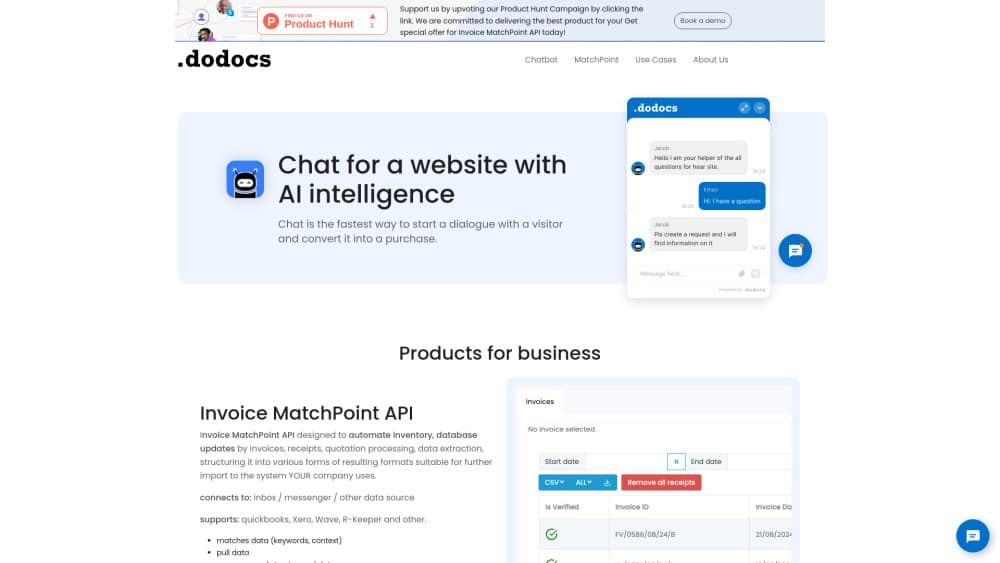
About dodocs AI
What Is dodocs AI
dodocs AI is a bookkeeping platform built around agents that read documents and post them to a ledger. You point it at an inbox, a bank feed, and your accounting stack, then it does the work your team used to do by hand. Invoices, receipts, and bank statements arrive from email, WhatsApp, or a mobile upload, and the platform classifies, codes, and reconciles each one. For a firm, that means document chasing and bank reconciliation run on their own instead of waiting on a person.
The pitch is that your staff only sees what needs judgment. Low-confidence reads, duplicate invoices, and unusual vendor patterns surface in a review queue, while clean documents post on their own. The company reports that about 99% of statements reconcile automatically and 94% of documents post without a human touching them. Those numbers come from dodocs itself, so treat them as the vendor's own claims rather than an outside audit. The whole product is really accounting automation aimed at the routine work that used to sit with a clerk.
The limits are worth knowing before you commit. The product is early, and several advertised modules such as Client Health, Period Close, and a Payroll Agent are still marked as coming soon. Payroll and document exchange sit behind add-ons that are not live yet. Pricing also works on consumption rates on top of the base plans, so a heavy month of documents can cost more than the headline fee suggests.
Getting Started
- Start a 14-day free trial from the official site. No credit card is needed to begin.
- Connect QuickBooks Online, Xero, or Zoho, then open the capture channels you want, such as a dedicated email address, WhatsApp, or mobile upload.
- Import your client list if you run a firm, or forward your AP inbox if you run in-house finance.
- Pick an autonomy level per client, from Shadow mode, which posts nothing, up to Aggressive, which posts everything.
- Review the exceptions the agents leave behind, approve them, and let the platform sync the rest to your ledger.
Product Information
A quick look at dodocs AI's pricing, supported platforms, and performance.
Best for
The users, tasks, and scenarios where this tool fits best.
Users
- Small accounting firms
- In-house finance teams
- Bookkeepers juggling missing receipts
- Business owners sending documents to an accountant
Tasks
- Matching invoices to bank statements
- Chasing missing documents
- Coding to a chart of accounts
- Reconciling a bank feed
- Closing a month
Scenarios
- Running dozens of small clients at once
- Catching fraud before month-end
- Onboarding a new client book quickly
- Keeping clients out of a new app
- Reviewing only what matters
Key features
Autonomous document processing
Documents arrive by email, WhatsApp, or mobile upload, and the platform de-duplicates and queues them without manual sorting. The extractor reads complex tables, multi-line descriptions, and even handwritten receipts, then codes each one to the right account in a few seconds per page. The point is that routine invoices never wait on a person, which is what separates this from a plain OCR tool.
Invoice and bank matching
The platform matches invoices against bank statements automatically, which is the invoice matching step that usually eats the most time. Duplicate invoices, vendor anomalies, and split-billing schemes surface with AI confidence scores so you can judge each one quickly. This is where the reconciliation work moves off a spreadsheet and into a queue of flagged items.
Chase loops
You set a chase loop once, and the agent handles document chasing for missing files across email and WhatsApp. It tracks response rates, nudges every few days, and escalates tone when a contact goes silent, copying the owner when needed. For a firm, the effect is that a junior's chasing work runs without a junior doing it.
Autonomy levels per client
Each client can run at its own trust level, from Shadow, which processes silently and posts nothing, up to Aggressive, which posts everything and surfaces only real anomalies. A cautious firm can start in Shadow or Suggest mode and raise the level as the agents prove themselves. This control is what makes an autonomous ledger workable for people who do not want to hand over the books on day one.
Accounting platform sync
Approved documents sync to QuickBooks Online, Xero, or Zoho with a full audit trail, and the QuickBooks integration is the most detailed of the three. Every posted entry keeps its source document, extraction, match evidence, and reviewer, so an auditor can follow the path in clicks rather than email threads. Connecting QuickBooks also cuts duplicate client requests, since the agent checks the ledger before asking for a document that already exists.
Portfolio health and margin view
For firms, one dashboard ranks every client by document completeness and close progress, with blocked closes explaining why. A margin view compares fee against pages processed and hours saved per client, which shows which accounts are losing money. The team can then reprice those clients with data instead of a guess.
Exception-only review queue
Only documents that need judgment reach a human: low-confidence fields, unmatched bank lines, and policy flags. Evidence is pinned next to each decision, and a rule you set once is applied by the agent going forward. In practice a reviewer works through a small slice of documents instead of every one.
Pros and cons
Pros
- It posts documents to a ledger rather than just extracting them, so the work runs from capture through reconciliation to publishing.
- Chase loops follow up over email and WhatsApp on their own, which cuts the manual follow-up that slows a close.
- Sync with QuickBooks, Xero, and Zoho carries a full audit trail, which answers auditor questions fast.
- Per-client autonomy levels let a cautious team start in Shadow mode and raise trust over time.
- The Firm Starter plan covers the first 10 clients free, so a small practice can test the workflow before paying.
Cons
- Several advertised modules, including Client Health, Period Close, and the Payroll Agent, are listed as coming soon, so you cannot rely on them yet.
- Payroll and document exchange sit behind add-ons that are not live, so those jobs stay outside the platform for now.
- Consumption rates apply on top of the base plans, which makes a heavy month harder to predict than a flat fee.
- The product is early, and performance claims such as the 99% reconciliation figure are the vendor's own, so treat them with care.
- There is no public API listed, so teams that want to wire dodocs into a custom workflow have no documented route.
Frequently asked questions
dodocs AI captures invoices, receipts, and bank statements, reads and codes them, matches them to the bank, and posts them to your accounting platform. It runs the bookkeeping steps that would otherwise be typed by hand and sends only exceptions to a person.
Related content
Explore related tools, skills, and articles for dodocs AI.
dodocs AI Alternatives

Base Code
Base44 (Wix) · Coding · ProductivityBase Code is a shared cloud development environment from Base44. Teammates describe changes to an existing GitHub codebase in chat, preview them live and send them back as pull requests.

Knocket
Knocket (Tencent RTC team) · Productivity · Business · ChatbotKnocket is a free live chat and contact page tool that lets visitors message you from your website, app, or a shareable link, with every reply handled from Telegram or one inbox.

FloorGen
Vinit Kumar (FloorGen) · Productivity · China AIFloorGen is a browser-based floor plan maker that turns a sentence or a sketch into an editable 2D plan and a 3D walkthrough. Export to PDF, DXF or video, and draw without an account.