

Invoko
SophiaPro · Productivity
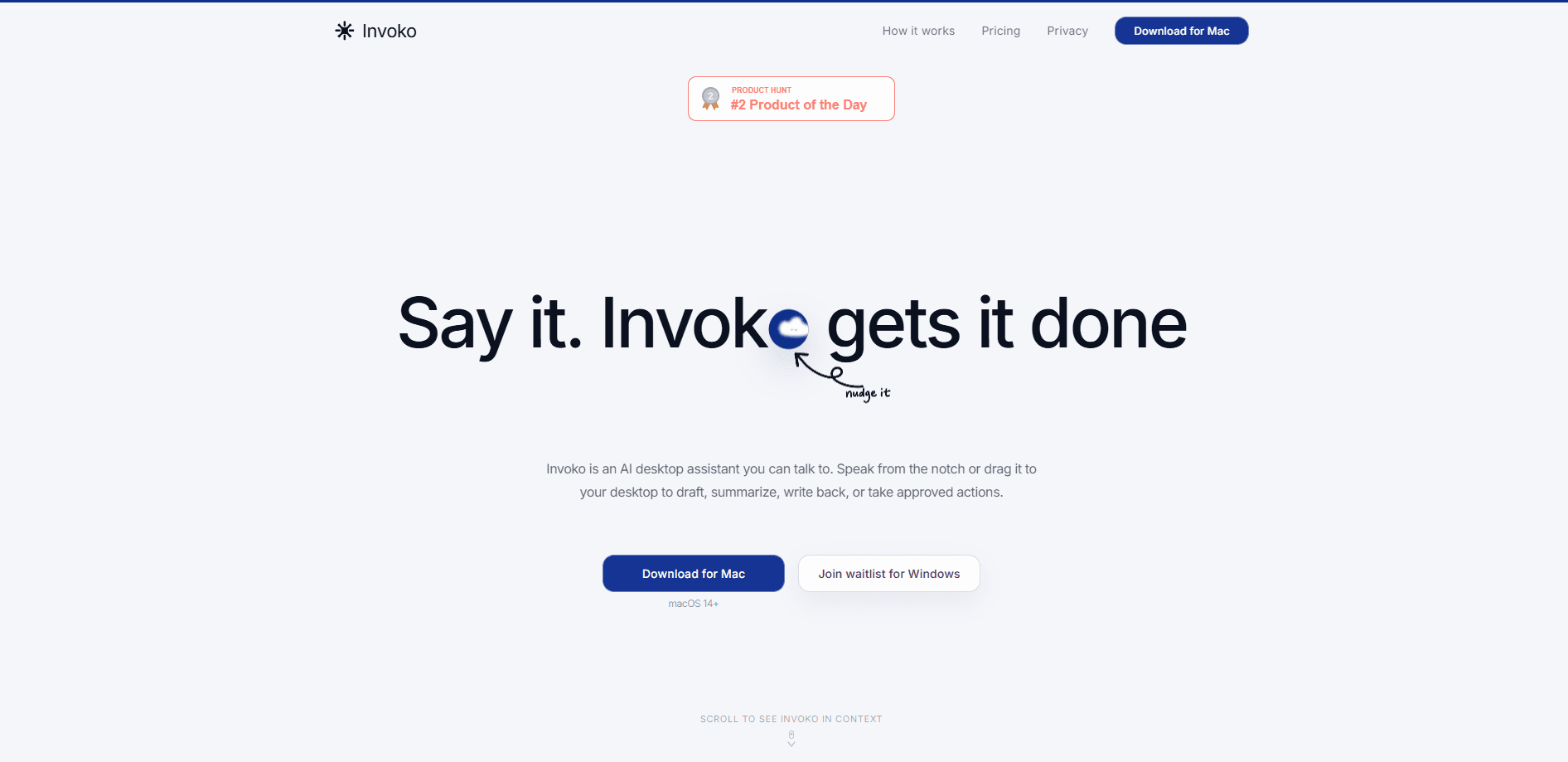
Invoko is an AI desktop assistant for macOS that works from whatever is already on your screen. You hold the Fn key or drag its floating panel onto your desktop, speak a request, and it drafts a reply, summarizes a document, or walks you through software you haven't used before. It remembers context between sessions, reads the page you're looking at when you ask, and can move between apps to finish a task once you approve it. Invoko runs on macOS 14 and newer on Apple Silicon Macs.
About Invoko
What Is Invoko
Invoko is a voice-first AI assistant that lives on your Mac rather than inside a browser tab. It sits in or near the notch area and waits for you to invoke it, which is where the name comes from. Think of it as a voice assistant for Mac that skips the chat window. Instead of copying text into a separate app, you bring the assistant to the work you already have open.
The core idea is context. It's the setup step nobody wants. Most AI tools make you explain what you're doing, what app you're in, and what you want done with it. Invoko skips that step. It reads the app, page, selection, or field in front of you, so "draft a reply" means a reply to the email already on screen. That's the difference between a chatbot you visit and a helper that comes to you.
The main limit is the platform. Invoko is macOS only and needs macOS 14 or later on an Apple Silicon Mac, so Intel Macs and Windows users are out for now. A Windows version is on a waitlist, but there's no firm date. The assistant is built by SophiaPro, a company founded in June 2025, which means it's young and shipping fast rather than a mature, long-established suite.
Getting Started
- Download Invoko for Mac from the official site. You need macOS 14 or later on an Apple Silicon machine.
- Open the app and grant the permissions it asks for. Microphone lets you talk to it, Screen Access lets it read the current page, and Accessibility lets it act across apps after you approve.
- Hold the Fn key and speak your request, or drag the floating panel where you want it. Try something small first, like "summarize this."
- Review what Invoko proposes before it acts. Anything that touches other apps waits for your approval.
- Adjust privacy settings and diagnostics from inside the app if you want to limit what gets shared.
Product Information
A quick look at Invoko's pricing, supported platforms, and performance.
Best for
The users, tasks, and scenarios where this tool fits best.
Users
- Mac power users who juggle many apps and want to stop copying text between them
- People who type slowly but speak naturally
- Anyone learning unfamiliar software who wants on-screen guidance instead of a manual
Tasks
- Drafting email and message replies from the thread already open
- Summarizing a document, article, or thread without leaving the app
- Rewriting selected text to be shorter, clearer, or in a different voice
- Walking through a task in new software step by step, with the instructions tied to what is visible.
Scenarios
- Clearing a backlog of messages after time away
- Switching between a browser, a chat app, and a document while keeping one thread of work alive.
- Handling repetitive writing without a trip to a separate AI tab
Key features
On-screen context reading
Invoko starts from the app, page, selection, or field in front of you instead of a blank chat box. When you say "reply to this," it already knows what "this" refers to. That removes the copy-paste step that most AI tools still require.
Voice-first invocation
Hold the Fn key, speak, and let go. The microphone is used only for that moment, and speech is turned into a reply, rewrite, or answer. The site claims this is up to four times faster than typing for many requests. Treat that figure as marketing. Real speed depends on how you work.
Cross-app task handoff
With Accessibility permission, Invoko can keep working after you approve a request. It moves between apps, gathers what it needs, and brings the result back. Longer jobs can keep running while you do something else. That matters when a single step isn't enough.
Approval-gated actions
Actions that touch other apps wait for your explicit approval before they run. That keeps the assistant useful for automating steps without handing it unchecked control of your machine. No blind automation here.
Persistent context across sessions
The assistant keeps context between sessions, so you don't have to re-explain a project every time you return. Ask it to pick up where you left off and the earlier material is still available.
Floating panel and notch placement
Invoko lives in the notch area of a Mac screen or in a panel you can drag onto the desktop. It stays within reach without taking over a window, so it feels like part of the desktop rather than a separate destination.
Privacy-first permissions
Invoko states that your voice is never stored on its servers and that most data never leaves your Mac. Permissions are split into Microphone, Screen Access, and Accessibility so you can grant only what a task needs.
Pros and cons
Pros
- Works from what is already on screen, cutting the copy-paste step that slows most AI tools.
- Voice invocation through a single key makes short replies and rewrites fast to trigger.
- Cross-app handoff lets longer tasks keep moving after one approval.
- Context carries across sessions, so projects don't reset every time you return.
- Clear, separate permissions give you control over microphone, screen, and app access.
Cons
- macOS 14 and Apple Silicon only, so Intel Macs and Windows users can't run it today.
- No public API, which rules it out if you wanted to build automation on top of it.
- Made by a company founded in 2025, so the feature set is still shifting and some pieces are thin.
- Accessibility-based cross-app actions depend on the apps you use, and can break when an app changes.
Frequently asked questions
Invoko is an AI assistant that works from the app or text already on your Mac screen. You hold the Fn key or drag its panel, speak a request, and it can draft a reply, summarize a document, explain a page, or take approved actions across apps.
Related content
Explore related tools, skills, and articles for Invoko.
Invoko Alternatives

Base Code
Base44 (Wix) · Coding · ProductivityBase Code is a shared cloud development environment from Base44. Teammates describe changes to an existing GitHub codebase in chat, preview them live and send them back as pull requests.

Knocket
Knocket (Tencent RTC team) · Productivity · Business · ChatbotKnocket is a free live chat and contact page tool that lets visitors message you from your website, app, or a shareable link, with every reply handled from Telegram or one inbox.

FloorGen
Vinit Kumar (FloorGen) · Productivity · China AIFloorGen is a browser-based floor plan maker that turns a sentence or a sketch into an editable 2D plan and a 3D walkthrough. Export to PDF, DXF or video, and draw without an account.