

IP Author - AI-Powered Patent Drafting Software
IP Author · Coding · Productivity
IP Author is AI patent drafting software for law firms and corporate IP teams. It turns an invention disclosure into claims, specs and figures, with prior art search built in.
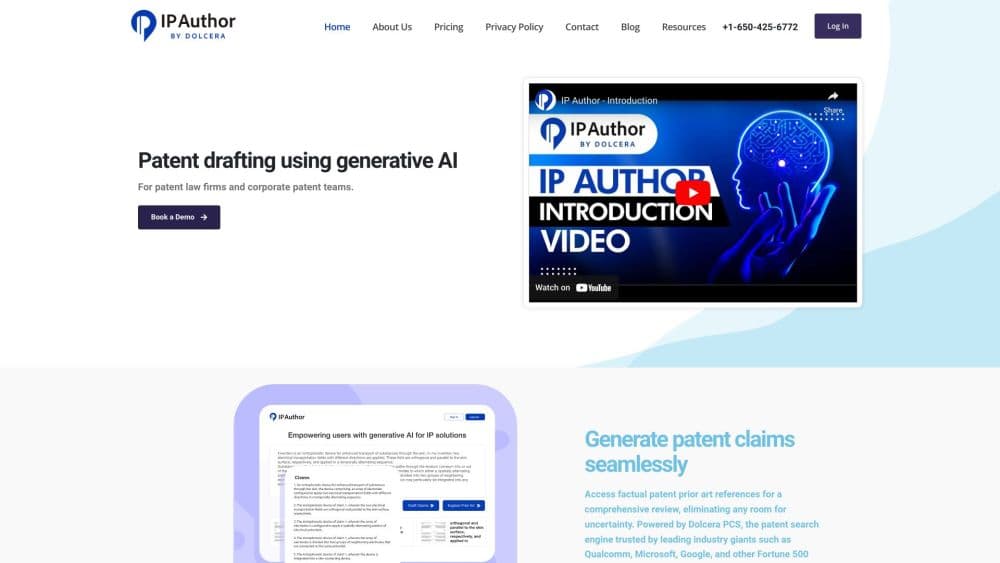
About IP Author - AI-Powered Patent Drafting Software
What Is IP Author
IP Author is a generative AI platform built around the patent lifecycle rather than around a single document. The drafting side takes an invention disclosure and produces structured sections, claim sets and figure references that follow the rules of the jurisdiction you're filing in. Search sits in the same place, so a prior art review can happen before the claims are locked instead of after.
The pitch is speed without giving up control. Attorneys keep review and decision authority at every step, and the tool is designed to keep text, drawings and technical terms consistent across a long application. That matters most in mechanical and software filings where a single mismatched reference numeral can cause problems months later.
Two limits are worth knowing up front. Pricing isn't published, so you'll need a sales conversation before you can budget. And the output still depends on the quality of the disclosure you feed it. A thin disclosure produces a thin draft.
Getting Started
- Request a demo or start the 14 day trial on the IP Author site, then have your firm or IP team set up user accounts.
- Create a matter and upload the invention disclosure, along with any drawings or inventor notes you already have.
- Run the search step to pull relevant patent and non-patent literature, then review the similarity scores and cited passages.
- Generate claims and the specification, adjust scope and claim style for your filing jurisdiction, and check figure references against the drawings.
- Export the draft into your normal review process, or keep working in the platform when an office action arrives.
Product Information
A quick look at IP Author - AI-Powered Patent Drafting Software's pricing, supported platforms, and performance.
Best for
The users, tasks, and scenarios where this tool fits best.
Users
- Patent attorneys in small and mid-size firms
- Corporate IP teams with steady filing volume
- Patent engineers and IP managers preparing disclosures
Tasks
- Writing a first full draft from a disclosure
- Pre-filing prior art review
- Answering an office action
- Keeping drawings and text aligned
Scenarios
- A firm handling a backlog of disclosures after a busy quarter
- A corporate team evaluating novelty before committing to a filing budget
- A solo practitioner covering multiple jurisdictions
Key features
Drafting That Starts From the Invention Disclosure
The platform reads the disclosure and builds the application around it: description sections, claims and an abstract. Each section is generated in the structure that examiners in your target jurisdiction expect, which removes the blank page problem on a first draft. You edit rather than assemble.
Claim Sets Built for USPTO and EPO Practice
Method and system claims are generated from the disclosed invention, and you can reshape claim scope and style to match filing strategy. Support for jurisdiction-specific formats means a US filing and an EP filing don't need two separate drafting passes.
Prior Art Search Inside the Drafting Workflow
This isn't a standalone prior art search tool. AI patent search runs inside the drafting workspace, against worldwide patent and non-patent literature with filters for jurisdiction, CPC and IPC classifications, assignees and publication details, covering more than 100 jurisdictions. You can surface references while claims are still being shaped.
Novelty Scores and Overlap Explanations
Search results come with similarity scores, novelty summaries and written explanations of where the invention overlaps a reference and where it diverges. That's the part that saves review time, because an attorney can triage quickly instead of reading every hit in full.
Office Action Response Support
When a rejection arrives, the platform analyzes the examiner's objections and generates structured response material with supporting reasoning. You still decide the argument. The tool handles the scaffolding and the citations you'd otherwise hunt down first.
Figures and Flowcharts That Stay in Sync
Drawings are labeled and referenced inside the specification automatically, so claim language, description and figure numbers stay consistent. For long applications, that consistency check is where most embarrassing errors get caught late.
Security Built for Confidential Filings
IP Author is SOC 2 Type II compliant, keeps customer data isolated, and doesn't use your documents for model training. Zero data retention is available as an option, which is usually the first question a corporate legal department asks.
Pros and cons
Pros
- No usage limits on search, drafting or office actions within an active subscription, so cost doesn't scale with filing volume.
- Search covers 100+ jurisdictions with CPC, IPC, assignee and publication filters in the same workspace as drafting.
- SOC 2 Type II compliance plus a zero data retention option fits the confidentiality bar of corporate IP departments.
- Jurisdiction-specific claim styles let one disclosure serve USPTO and EPO filings without a rewrite.
- A 14 day trial lets a team test the draft quality on real matters before a contract.
Cons
- Pricing sits behind a demo request, so you can't compare it to a per seat competitor without talking to sales.
- Every draft needs attorney review, and that review time doesn't shrink in proportion to drafting time saved.
- Draft quality tracks the disclosure. Incomplete inventor input produces generic language that takes longer to fix than to write.
- No public API is documented, so wiring the tool into an existing docketing or document management system isn't a self serve job.
Frequently asked questions
It's a patent application drafting and search platform. Teams use it to turn invention disclosures into full applications, to review prior art before filing, and to draft responses to office actions.
Related content
Explore related tools, skills, and articles for IP Author - AI-Powered Patent Drafting Software.
IP Author - AI-Powered Patent Drafting Software Alternatives

Udon
Udon · Coding · ProductivityUdon turns an Apple Silicon Mac into a home server you run from a browser, with container controls, file shares, and an optional AI sysadmin.

offstage
offstage cloud · Coding · Productivityoffstage gives AI coding agents and CI jobs a real Mac: a fresh macOS account on Apple silicon, driven over an API and billed by the second.

BotBus
Chengdu Tuyang Tusen Technology Co., Ltd. · Coding · ProductivityBotBus lets you control AI coding agents from your phone and watch: approve commands, start tasks and read results while the code stays on your desktop.