

IrisGo for Solopreneurs
IrisGo · Productivity · Business
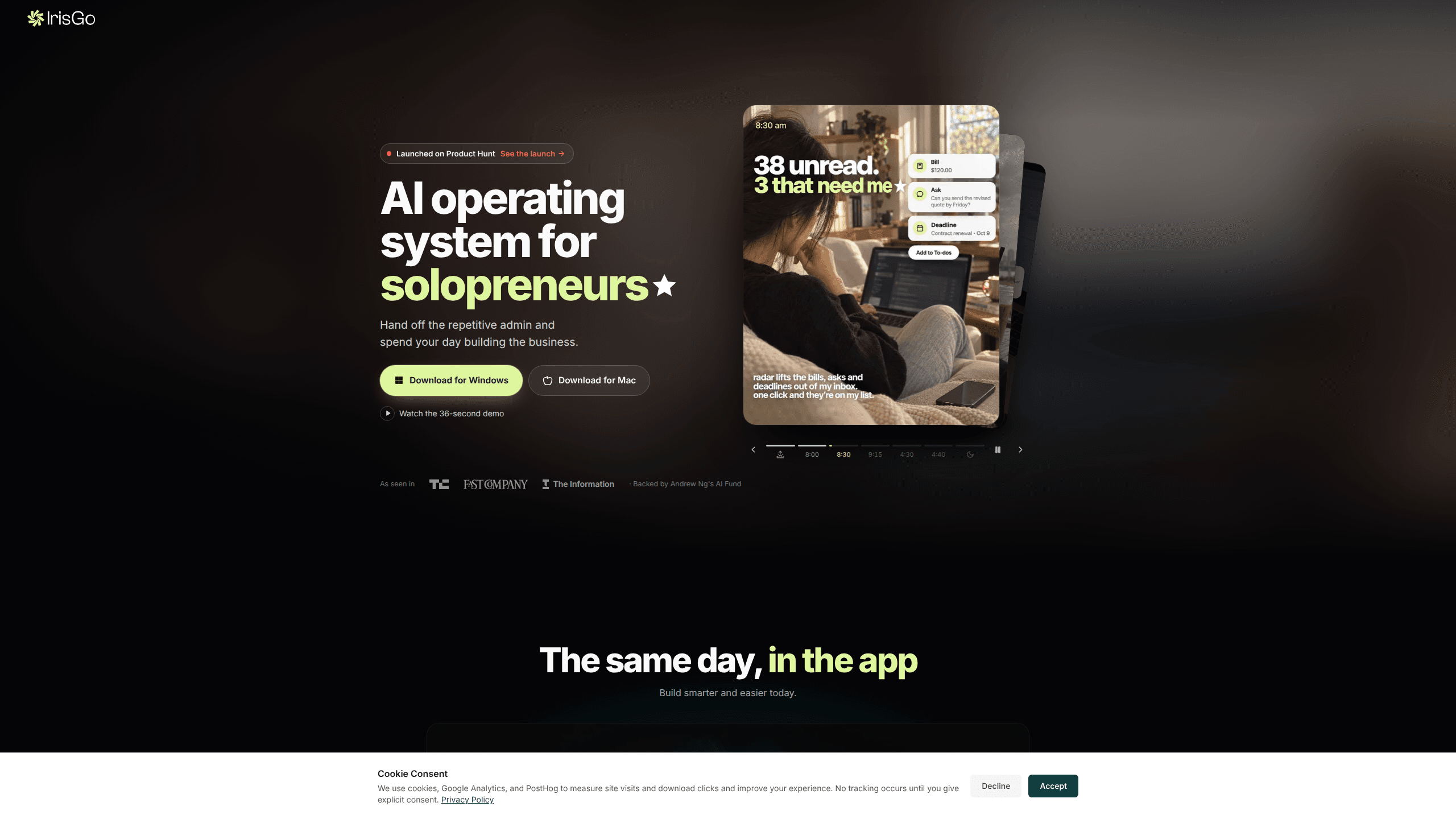
IrisGo for Solopreneurs is a desktop AI agent that watches a task once, learns the steps, and reruns the workflow across your apps on Windows or Mac.
About IrisGo for Solopreneurs
What Is IrisGo for Solopreneurs
IrisGo is a desktop app built for people who run a business alone. It works as AI workflow automation with a simple loop: it records how you move through your own computer, turns that sequence into a reusable skill, and repeats it later with new files or new inputs. The company behind it, also called IrisGo, raised a $2.8 million seed round led by Andrew Ng's AI Fund and ships the product as a public beta.
The pitch fits a specific kind of day. A freelance designer finishes client work at 6 p.m. and then spends two hours on invoices, folder cleanup, and status emails. IrisGo targets that second block. You show it the sequence once at normal speed, and the app replays the clicks, the typing, and the app switching on its own.
The limits matter as much as the promise. Most solo business automation tools stop at one app or one trigger, and this one is meant to span your whole desktop. It runs only on Windows 11 (64-bit) and Apple Silicon Macs, it's free while in beta with no published price afterward, and it has no team or multi-seat setup. Recorded steps also depend on the screens they were captured on, so a redesigned app can mean teaching the workflow again.
Getting Started
- Download the installer for Windows 11 (64-bit) or Apple Silicon Mac from the IrisGo site and sign in.
- Grant screen and accessibility permissions, then pick which folders and apps it can read.
- Perform the task once at your normal pace so Watch and Learn captures the sequence.
- Name the skill, test it on a fresh input, then schedule it or run it from the app. Treat the first runs as a check: you're the one who decides if the output is good enough to send.
Product Information
A quick look at IrisGo for Solopreneurs's pricing, supported platforms, and performance.
Best for
The users, tasks, and scenarios where this tool fits best.
Users
- Solo consultants and freelancers
- One-person online stores
- Creators who publish on a schedule
Tasks
- Recurring client reporting
- Inbox triage and follow-ups
- Invoice and receipt processing
Scenarios
- The Monday admin block
- Onboarding a new client
- Month-end books
Key features
Watch and Learn
This is the core of the product. IrisGo observes your clicks, typing, and window switches while you complete a task once, then builds a workflow from what it saw. You don't write a prompt or map out steps in a builder. The app also learns from your desktop habits over time and suggests tasks it could take over.
Skill library
A catalog of ready-made workflows covers email drafting, invoice handling, report building, and document summaries. You import a skill, show IrisGo your own variation, and it adapts to your files and naming. The company plans to open third-party skill integrations so developers can publish and share their own.
Hybrid local and cloud processing
Routine desktop actions run on your machine. On AI PC hardware, the local NPU and GPU handle part of that load. Complex jobs go to the cloud, and IrisGo says that only happens with your authorization, using end-to-end encryption. For a solo business handling client contracts or personal data, keeping the everyday steps on-device is the more useful half of that design.
Daily brief and to-do radar
The app opens with a short brief of what needs attention and a running list of next actions pulled from your work. It's aimed at the solo operator who has no project manager chasing deadlines. You see the items in one place instead of rebuilding the list in your head each morning.
Email triage and meeting summaries
IrisGo surfaces the messages that need a reply, drafts responses in your tone, and turns meeting notes into summaries you can send. Paired with the to-do radar, it covers the admin work that tends to spill into evenings for people without an assistant. In practice this is the part that feels most like an AI executive assistant.
Coding assistant
A built-in coding helper works along the lines of Codex or Claude Code, aimed at solo founders who ship their own site or scripts. It runs inside the same desktop app, so you can move from a spreadsheet task to a small code fix without switching tools.
Pros and cons
Pros
- No scripting or node-based builder: you demonstrate the task at normal speed and the workflow is built for you.
- Works across separate apps, not inside one tool, which is where most solo admin actually happens.
- Local-first processing keeps routine work on your machine, a real difference for client confidentiality.
- Free during the public beta, so you can test whether the approach fits before any price appears.
- The skill library shortens the first week, since you can start from a shared workflow and adjust it.
Cons
- It's a beta. Expect rough edges, missing integrations, and behavior that changes between updates.
- Windows 11 (64-bit) and Apple Silicon only, so older Intel Macs and Windows 10 machines are out.
- No team seats or shared workspace, which limits it to true one-person operations.
- No public API and no published post-beta pricing, so you can't budget for it or wire it into your own stack.
Frequently asked questions
It's the solopreneur-focused edition of IrisGo, a desktop AI agent that learns a workflow by watching you do it once and then repeats it across your apps. The label describes the audience and the marketing page, not a separate product with different code.
Related content
Explore related tools, skills, and articles for IrisGo for Solopreneurs.
IrisGo for Solopreneurs Alternatives

Base Code
Base44 (Wix) · Coding · ProductivityBase Code is a shared cloud development environment from Base44. Teammates describe changes to an existing GitHub codebase in chat, preview them live and send them back as pull requests.

Knocket
Knocket (Tencent RTC team) · Productivity · Business · ChatbotKnocket is a free live chat and contact page tool that lets visitors message you from your website, app, or a shareable link, with every reply handled from Telegram or one inbox.

FloorGen
Vinit Kumar (FloorGen) · Productivity · China AIFloorGen is a browser-based floor plan maker that turns a sentence or a sketch into an editable 2D plan and a 3D walkthrough. Export to PDF, DXF or video, and draw without an account.