

Convo
Convo · Productivity
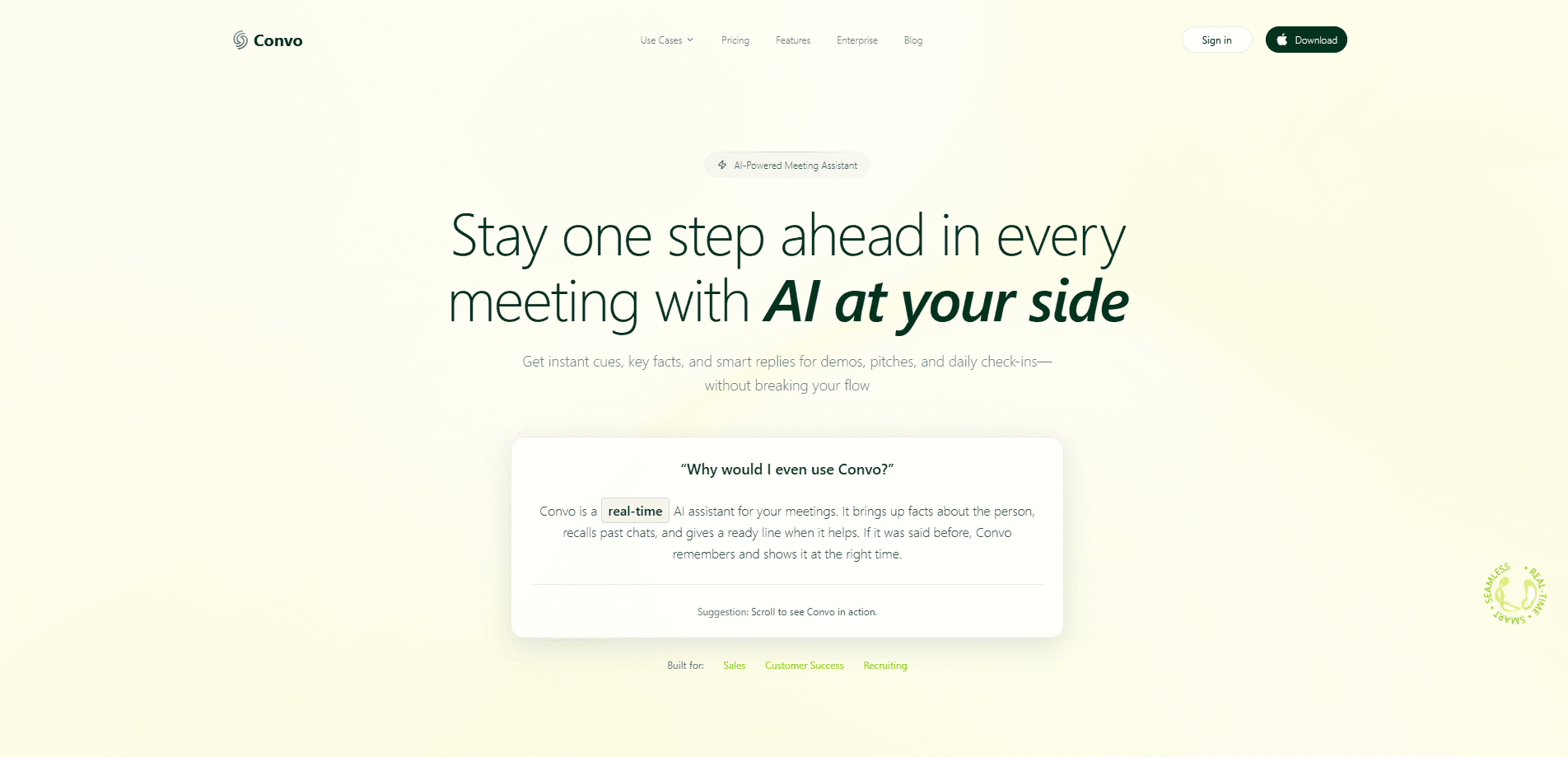
Convo is a real-time AI sales assistant that listens to live calls and puts the right answer, question, or cue on screen before the buyer finishes talking.
About Convo
What Is Convo
Convo is a desktop AI sales assistant that works during your live calls. It listens to the conversation, spots moments worth acting on, and shows a suggested next move on a small overlay while the call keeps running. The point is simple: you get a useful question or answer in front of you before the buyer moves on, instead of remembering to look it up later.
It comes from Convo, a bootstrapped company founded in Barcelona in August 2025 by Markus and Iván. The founders say the product exists for the part of the job you can't pause to research, the moment a buyer raises something and the seller has to respond on the spot. Nothing joins the meeting, and no bot appears in the participant list.
Convo fits sales and customer success teams that want help while the deal is live, not only a recording to review afterwards. It reads the conversation on your computer, alongside Zoom, Google Meet, Microsoft Teams, or Webex. The main limits are the ones you would expect from a young product: pricing runs through a self-serve checkout but the deepest features sit behind higher plans, native CRM integrations are Enterprise-only, and results still depend on the material and playbooks your team prepares.
Getting Started
- Sign up at itsconvo.com and install the desktop app on macOS, Windows, or Linux. The setup is self-serve, with no IT project to get started.
- Add your company knowledge: upload documents, paste website links, or write notes, then prepare Instant Cues for the objections your team hears most.
- Pick a qualification framework such as BANT, SPICED, or MEDDPICC, or bring your own playbook, so the discovery fields fill as the buyer answers.
- Start recording from the overlay when a call begins. Convo follows the conversation and surfaces suggested questions, answers, or cues as they become relevant.
- Review the transcript, summary, and action items after the call, then send the drafted follow-up and push the details into your connected tools.
Product Information
A quick look at Convo's pricing, supported platforms, and performance.
Best for
The users, tasks, and scenarios where this tool fits best.
Users
- Account executives running discovery calls
- Sales managers coaching a team
- Customer success teams
Tasks
- Handling objections in the moment
- Qualifying an opportunity
- Writing the follow-up
Scenarios
- Ramping a new rep
- A hard question mid-call
- Preparing for a renewal
Key features
Live Assistant
The live call assistant is the part that reacts without being asked. It follows the conversation every few seconds and turns what it notices into a suggested next move: a question that still needs an answer, a buying signal to act on, or a moment to pause and let the buyer talk. Because it works during the call, a rep can respond while the deal is still in play. That is the core difference from tools that only summarize a recording after the fact, and it's what separates real-time sales coaching from a review that arrives too late.
Instant Cues
Instant Cues let you prepare answers for the objections and competitor questions your team hears most. When that moment arrives, the relevant cue appears on screen with wording that already works for your team. A new rep can draw on the team's experience instead of improvising. You can add, edit, and reorganize cues as your product and sales approach change.
Ask AI and company knowledge
Ask AI answers a specific question without taking you out of the call. You can ask about the live conversation, your uploaded documents, past calls, your screen, or a current fact on the web. The answers are built on the material you provide, so you can put pricing sheets, product guides, and sales decks within reach. A tough product question no longer has to end with a promise to get back to the buyer.
Self-filling playbooks
Playbooks track qualification as you go. Choose BANT, SPICED, MEDDPICC, or your own framework, and the fields fill in as the buyer answers, so you can see what is covered and what still needs a question. Live playbook capture is available on Professional and Enterprise. The result is a more consistent discovery across the team, not one that depends on who is on the call.
Convo Memory
Convo Memory connects earlier conversations with the same contact. Briefings bring together what matters to the buyer, the decisions made, and any commitments still open, so you can prepare for the next call and ask about that history when you need it. Instead of searching through meeting notes, you ask about what was discussed and pick up where you left off.
Transcripts, summaries, and follow-up
After a call, Convo produces a speaker-labelled transcript, a summary, and a list of action items, then drafts a follow-up email for you to review. This step cuts the write-up that usually follows a call. Use connected tools to share the details or save them to your CRM, with native CRM integrations reserved for Enterprise.
Works alongside your meeting
Convo runs on your computer as a compact overlay, so you open it when you need it and keep your attention on the conversation. No bot joins the call and it stays hidden from screen share, which matters when a participant could be uncomfortable with a recorded meeting. Keyboard shortcuts start and stop recording, ask AI, and close the panel without switching windows.
Pros and cons
Pros
- Help while the deal is live: the overlay surfaces a suggested question or answer during the call, which is when changing the outcome is still possible.
- Faster rep ramp: prepared cues and company knowledge put the team's best answers in front of a new rep on the first calls.
- Self-serve start: signup and setup run without an IT project or a seat minimum, which sets it apart from enterprise conversation-intelligence platforms.
- Lighter price point: plans start at $22.49/mo, a fraction of the contracts common in this category.
- No bot in the meeting: running on your computer keeps the assistant out of the participant list and hidden from screen share.
Cons
- Native CRM integrations are Enterprise only: teams on lower plans route the details through other tools, which adds a step to the follow-up.
- Live playbook capture needs Professional or higher: on the entry plan you get the assistant but not the self-filling qualification fields.
- Output depends on your material: cues and answers are only as good as the documents and playbooks your team prepares.
- Young company: founded in 2025 and bootstrapped, it has a shorter track record and fewer integrations than longer-standing platforms.
Frequently asked questions
Convo is used to support sales and customer success calls as they happen. It listens to the live conversation and puts a suggested next question, answer, or cue on screen, then keeps the transcript, summary, and follow-up together afterwards.
Related content
Explore related tools, skills, and articles for Convo.
Convo Alternatives

Base Code
Base44 (Wix) · Coding · ProductivityBase Code is a shared cloud development environment from Base44. Teammates describe changes to an existing GitHub codebase in chat, preview them live and send them back as pull requests.

Knocket
Knocket (Tencent RTC team) · Productivity · Business · ChatbotKnocket is a free live chat and contact page tool that lets visitors message you from your website, app, or a shareable link, with every reply handled from Telegram or one inbox.

FloorGen
Vinit Kumar (FloorGen) · Productivity · China AIFloorGen is a browser-based floor plan maker that turns a sentence or a sketch into an editable 2D plan and a 3D walkthrough. Export to PDF, DXF or video, and draw without an account.