

iWeaver
iWeaver.ai · Productivity · Leaning
iWeaver is an AI knowledge workspace. You upload documents, audio or video, then ask questions, get summaries, build mind maps and draft reports with agents that work from your own files.
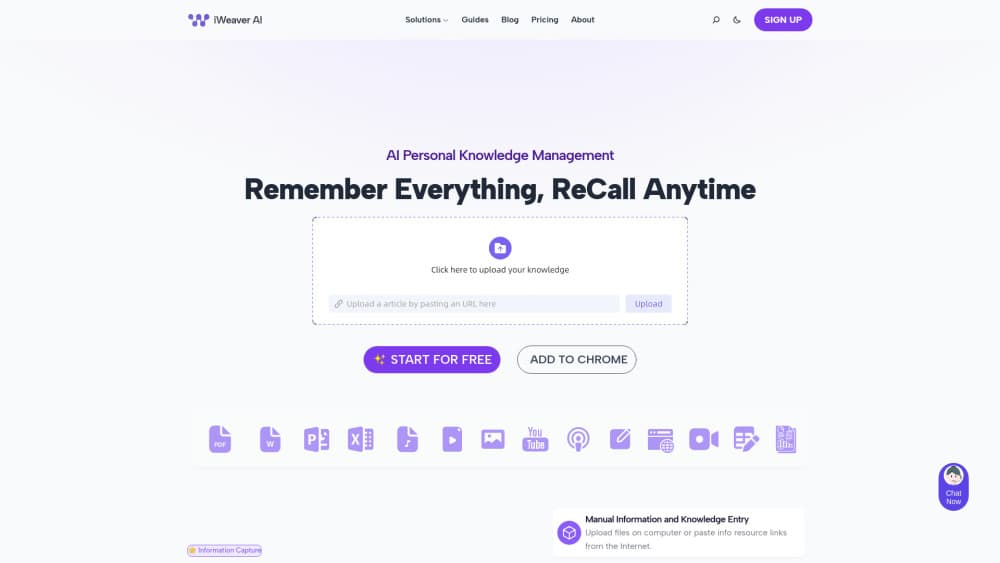
About iWeaver
What Is iWeaver
iWeaver is a web workspace built around your own material. You drop in PDFs, Word files, slides, web pages, recordings or screenshots, and the product indexes them into an AI knowledge base you can search. From there, a chat window answers questions with reference to those files instead of general web results.
The pitch is straightforward: stop juggling five tabs for one research task. Reading, note taking and drafting happen in the same place, and the output stays tied to sources you chose. The free tier shows what the workflow feels like before you commit to a subscription.
Limits matter too. The product runs in a browser, so there's no offline mode, and the quality of every answer depends on what you upload. Garbage in, garbage out. Long or messy scans also slow down indexing.
Getting Started
- Create a free account at iweaver.ai with an email address or a Google login.
- Open a new space and upload your source files. A single upload takes up to 20 files across 9 formats, from PDF and DOCX to audio and images.
- Ask a question in the chat box, or pick a prebuilt agent such as AI PDF Summarizer, AI Report Writer or PDF to Mind Map.
- Choose a model from the picker when you want more reasoning power, then export or copy the result into your own document.
Product Information
A quick look at iWeaver's pricing, supported platforms, and performance.
Best for
The users, tasks, and scenarios where this tool fits best.
Users
- Students and graduate researchers
- Consultants and analysts
- Writers and marketers
- Small teams without a research tool budget
Tasks
- Literature review
- Meeting follow-up
- Turning a PDF into a visual outline
- Drafting a company or project report
Scenarios
- A deadline week with ten reports to read
- Studying for an exam from lecture slides and recordings
- Preparing a client proposal from old decks and case studies
Key features
A Personal Knowledge Base With Nine Formats
Every upload lands in one library, whether it's a PDF journal article, a Word contract, a slide deck, a web page, a screenshot, an audio file or a video. The system extracts text and structure, so later questions can reach details buried on page 40. Files stay searchable after upload, which turns a folder of reference material into something you can query.
Multi-Agent Task Handling
iWeaver runs as a multi-agent AI workspace instead of one general chatbot. A summarizer, a report writer, a translator and a diagram builder each handle their own step, and the workspace keeps the context between them. For long jobs, that means fewer copy-paste hops and a more consistent output format.
Chat With Your Documents
The chat window answers from your uploaded files and keeps earlier context in the thread. Ask a follow-up like "and what did the second study find?" and it stays on topic. This is the main reason people choose an AI document summarizer over a generic assistant: the answers point at your material, not the open internet. Anyone who wants to chat with PDF files gets a direct path from upload to follow-up question.
Summaries and Mind Maps Across Files
Beyond single-document digests, iWeaver compares several sources at once and reports where they agree or clash. The AI mind map generator turns that structure into a visual tree you can expand. Mind maps export as images, which helps when you need to explain a messy topic to someone else.
Writing Agents for Reports and Business Documents
Prebuilt agents cover repetitive writing jobs: quarterly reports, company profiles, press releases, job descriptions, study guides and SOP drafts. You supply the source material and a short brief, then edit the result. Output quality tracks the detail in your prompt, so a one-line request gets a generic answer.
A Model Picker With Three Tiers
Each plan opens a different set of models. Free accounts use basic models. Paid plans add advanced models from Anthropic, OpenAI, Google, xAI and DeepSeek, and the top plan unlocks flagship models with a daily point allowance. You can switch models inside a task without starting over.
An Agent Plaza Instead of a Blank Box
The Agent Plaza lists ready-made tools for common jobs: book summarizer, YouTube video summarizer, handwritten note recognition, chart maker, audio to text converter, PDF to Markdown converter. If you don't know where to start, pick an agent and skip the prompt engineering.
Pros and cons
Pros
- One workspace for reading, summarizing and drafting, which cuts tab switching on research days.
- Handles audio and video as well as text, so meeting recordings and lectures work as inputs.
- File-level context means answers stay tied to sources you can reopen and check.
- Free tier with a daily credit allowance is enough to test the real workflow.
- Model choice across five vendors in one subscription, no separate API keys.
Cons
- No native mobile app, so phone use means a mobile browser and a cramped upload flow.
- Credit caps arrive quickly with long PDFs or video files, and heavy users will need the unlimited plan.
- Output still needs a human edit, especially for reports where tone and structure matter.
- No public API documentation, which rules it out for teams that want to build on top of it.
Frequently asked questions
It's used to read, organize and write from your own documents. Typical jobs are summarizing research papers, pulling decisions out of meeting recordings, building mind maps from reports and drafting business documents from source files.
Related content
Explore related tools, skills, and articles for iWeaver.
iWeaver Alternatives

Base Code
Base44 (Wix) · Coding · ProductivityBase Code is a shared cloud development environment from Base44. Teammates describe changes to an existing GitHub codebase in chat, preview them live and send them back as pull requests.

Knocket
Knocket (Tencent RTC team) · Productivity · Business · ChatbotKnocket is a free live chat and contact page tool that lets visitors message you from your website, app, or a shareable link, with every reply handled from Telegram or one inbox.

FloorGen
Vinit Kumar (FloorGen) · Productivity · China AIFloorGen is a browser-based floor plan maker that turns a sentence or a sketch into an editable 2D plan and a 3D walkthrough. Export to PDF, DXF or video, and draw without an account.