

IzanamiAI
Unknown · Image
IzanamiAI is an AI 3D asset generator that turns text prompts or images into game-ready models and environments. Its official site is no longer online.
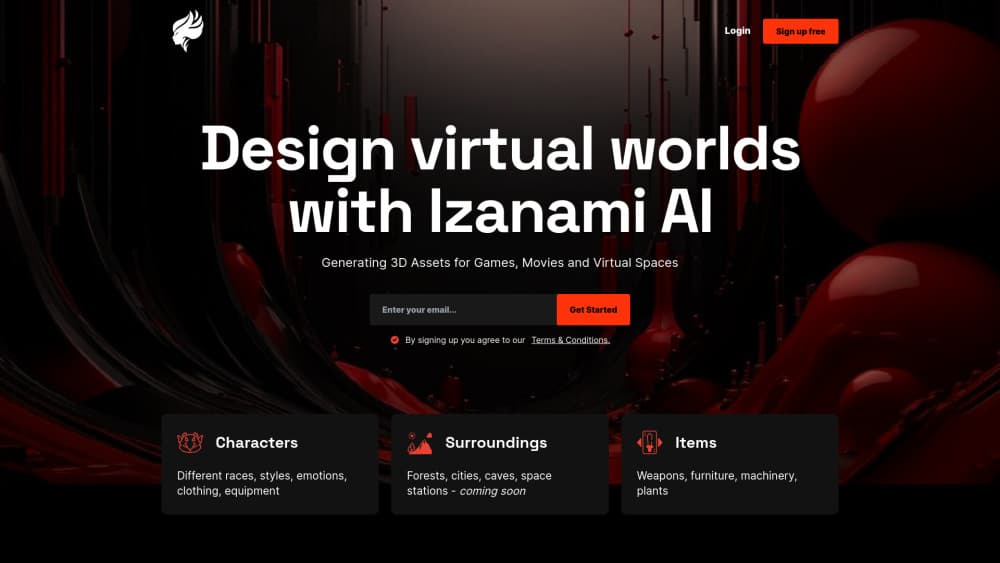
About IzanamiAI
What Is IzanamiAI
Most game asset creation starts at the slowest point: getting from an idea to something you can look at. Modeling a single prop in Blender can eat a full afternoon, and most of that time goes into blocking out shapes you might throw away. IzanamiAI attacked that step with a generator instead of a modeling tool.
Its product record describes a platform where you type a description or drop in an image and get back a 3D asset or an environment. The stated targets were games, movies and virtual spaces, which tells you who the tool was aimed at: small teams that need volume, not one hero asset polished for a month.
The problem is availability. The izanami.ai domain now shows a parked page listing the domain for sale, and no pricing, documentation or changelog is reachable. So treat everything below as the product's documented scope rather than behavior you can test today. If you need text to 3D output this month, plan around a service that's still running.
Getting Started
These are the steps the product described, kept here as a record of the intended flow.
- Open izanami.ai in a desktop browser and sign in, since generation ran in the cloud rather than on your machine.
- Describe the asset in plain language, or upload a reference image if you already had the shape you wanted.
- Review the generated mesh, then rerun the prompt with tighter wording until the silhouette read the way you wanted.
- Export the result and bring it into your engine or DCC tool for cleanup, retopology and texturing.
Product Information
A quick look at IzanamiAI's pricing, supported platforms, and performance.
Best for
The users, tasks, and scenarios where this tool fits best.
Users
- Indie game developers
- 3D artists blocking out a scene
- Students learning 3D pipelines
Tasks
- Prototyping props
- Building background 3D environments
- Turning concept art into geometry
Scenarios
- Game jams with a hard deadline
- Early project pitches
- Pre-production for film or virtual sets
Key features
Text to 3D Asset Generation
The core promise was simple: write what you want, get a mesh. This is the feature that made the category interesting, because it removes the modeling step from the first draft of an idea. Results from tools like this tend to arrive as dense, uneven geometry, so the real value sits in speed of the first look, not in production readiness.
Image to 3D Conversion
Feeding in a reference image gave artists a second way in, which matters when the shape exists as art but not as words. A concept painting or a product photo could act as the input, and the platform returned a rough 3D interpretation of it. For teams with an existing art pipeline, that pairing fits more naturally than prompt writing.
3D Environment Generation
The product covered environments as well as objects, and that's a bigger claim than it sounds. A single prop only needs to look right from one angle. A 3D environment has to hold up when a camera moves through it, which puts pressure on layout, scale and lighting. This was the most ambitious part of the pitch and the hardest to judge without hands-on access.
Browser Based Workflow
Generation ran in the browser with no local install and no GPU requirement, so a laptop was enough to try it. That choice keeps the barrier low for students and for teams on mixed hardware. The tradeoff is the usual one with cloud 3D tools: you depend on someone else's queue, and your files live somewhere you don't control.
Prompt Driven Iteration
Because each run started from text, iteration was cheap in theory. You reworded the prompt, generated again, and kept the version that read best. That loop suits early exploration, where ten rough options beat one careful model. It's also where an AI 3D model generator earns its place in a pipeline, well before any retopology happens.
Pros and cons
Pros
- Cuts the blank-page problem: a rough asset in minutes beats an empty viewport.
- Two input paths, text and image, so teams with existing concept art aren't forced into prompt writing.
- Browser access with no install or GPU, which keeps the entry cost near zero.
- Environments as well as props, a broader scope than most single-object generators.
Cons
- The official site is offline: izanami.ai now resolves to a parked domain for sale page, so the tool can't be used.
- Nothing about pricing, plan limits or export formats is still published, which makes cost planning impossible.
- Generated geometry from this class of tool normally needs retopology and retexturing, so the time saved upfront comes back later.
Frequently asked questions
It was an AI 3D asset generator for turning text descriptions or images into 3D models and environments aimed at games, films and virtual spaces. The point was to skip manual blocking out and get something viewable in minutes.
Related content
Explore related tools, skills, and articles for IzanamiAI.
IzanamiAI Alternatives

Google EmbeddingGemma 2
Google DeepMind · Writing · Image · CodingGoogle EmbeddingGemma 2 is a 740M-parameter open model that turns text, code, images, audio, and video frames into vectors in one 768-dimension space, running on phones and laptops.

Tractionwave
TractionWave · Image · MarketingTractionWave is an AI attention heatmap tool for static ads. Upload a PNG or JPG and it returns predicted attention, ranked hotspots, and fixes before you spend budget.

Imejis.io
Imejis.io · Image · MarketingImejis.io is an AI design studio for agents and marketing teams. Describe an image in plain words, and it writes the copy, builds the layout, reflows it to every size, then exports a finished file.