

Jaaz
Jaaz · Image
Jaaz is an open-source AI design agent that combines a visual canvas with chat, turning sketches and prompts into images, videos, and storyboards on Windows and macOS.
About Jaaz
What Is Jaaz
Jaaz is an open-source AI design agent built around a visual canvas. You sketch, drop a reference image, or type a request, and the agent turns it into finished images, videos, or a full storyboard. The project bills itself as a privacy-first AI design tool and a local alternative to Canva and Manus, and it works on Windows and macOS.
The main problem it solves is the friction between having an idea and getting a usable design out of it. Most tools force you to write detailed prompts or learn a complex editor. Jaaz leans on arrows, boxes, and plain sentences instead, so the agent reads your intent from the canvas itself.
The biggest limit is that it is still a young project. The online version is in the middle of an upgrade, model access depends on your own API keys or a points balance, and some advanced workflows ask you to set up local tools like ComfyUI. It fits people willing to tinker, not someone who wants a finished, hand-holding product.
Getting Started
- Download the desktop app for Windows or macOS from the official site or the GitHub releases page.
- Log in with your account to unlock the hosted models and sync your projects across devices. New accounts get free points to start.
- Open a new project, then drop a reference image onto the canvas or describe the scene in the chat panel on the right.
- Sketch arrows or boxes with the brush tool to point the agent at what you want changed.
- Click Magic Generate and wait a minute or two while the agent composes the result.
Product Information
A quick look at Jaaz's pricing, supported platforms, and performance.
Best for
The users, tasks, and scenarios where this tool fits best.
Users
- Designers who want to run AI generation locally
- Solo creators and marketers who need images and short videos fast
- Developers comfortable with setup
Tasks
- Turning a rough sketch or reference image into finished artwork
- Building a consistent visual story
- Producing social-ready images and short videos
Scenarios
- Exploring a brand or campaign direction early on
- Making travel posters or product sets at volume
- Animating a simple story beat
Key features
Magic Canvas and Magic Video
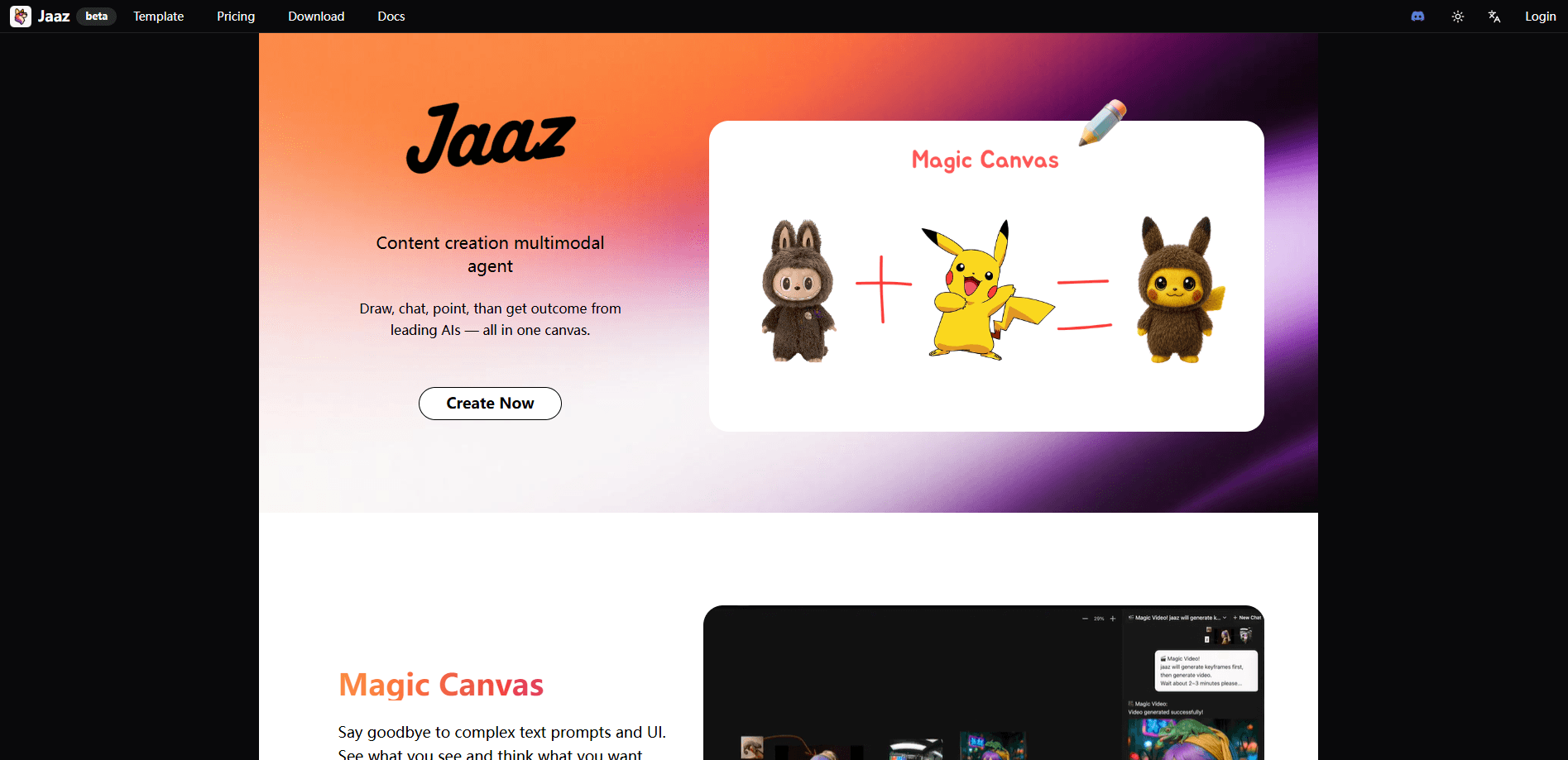
Jaaz lets you create without writing a prompt. Sketch on the canvas, point with arrows, and combine elements like Lego blocks. The agent reads the marks and the objects in front of it, then generates a result. This lowers the entry bar for people who find prompt writing the hardest part of AI image tools.
One-Prompt Image and Video Generation
Type a single sentence and Jaaz turns it into a finished image or a short video. It supports hosted models such as GPT-4o, Midjourney, VEO3, Kling, and Seedance, and it auto-refines your prompt across multiple turns so you do not have to get it perfect on the first try.
Visual Storyboarding on an Infinite Canvas
The canvas has no fixed edge, so you can lay out scenes, link media, and plan a sequence visually. The agent keeps characters and styles consistent between frames, which is the part most single-image generators and video generators struggle with. Real-time collaboration is supported for teams working in the same space.
Local and Cloud Model Support
You can run Jaaz fully offline with local models through Ollama and ComfyUI, or mix local and hosted APIs in a hybrid setup. Switching between them is a configuration choice rather than a separate product, so the same canvas works whether you care about privacy or raw model power.
Local-First Privacy
The project is built local-first: your files stay on your device, there is no tracking, and the code is open source. For teams handling client work under a privacy policy, that is often the reason to pick Jaaz over a hosted-only design tool.
Flexible Deployment
Beyond the desktop app, Jaaz offers private and on-prem deployment for enterprise teams through a Docker image or the full source. Commercial licensing is available, which matters if you need to run it inside a company network rather than on public endpoints.
Pros and cons
Pros
- Open source and free to start, with no subscription required to run it locally.
- Sketches and arrows replace long prompts, so non-writers can still direct the agent.
- Local model support keeps your files on your machine, which helps with client-confidential work.
- Cross-platform desktop app for both Windows and macOS, plus Linux build instructions.
- Consistent characters and styles across frames make storyboards practical.
Cons
- The hosted online version is still being upgraded, so some features may be limited during that period.
- Full local use asks for setup work such as ComfyUI or Ollama, which will frustrate people who want a finished product.
- The best hosted models need your own API keys or a paid points balance, so costs vary by usage.
- It is a young project, so expect rough edges and documentation that is thinner than mature design tools.
Frequently asked questions
Jaaz is an AI design agent for turning ideas into visual content. You sketch or describe an idea on its canvas, and it generates images, short videos, and storyboards, all in one workspace.
Related content
Explore related tools, skills, and articles for Jaaz.
Jaaz Alternatives

Google EmbeddingGemma 2
Google DeepMind · Writing · Image · CodingGoogle EmbeddingGemma 2 is a 740M-parameter open model that turns text, code, images, audio, and video frames into vectors in one 768-dimension space, running on phones and laptops.

Tractionwave
TractionWave · Image · MarketingTractionWave is an AI attention heatmap tool for static ads. Upload a PNG or JPG and it returns predicted attention, ranked hotspots, and fixes before you spend budget.

Imejis.io
Imejis.io · Image · MarketingImejis.io is an AI design studio for agents and marketing teams. Describe an image in plain words, and it writes the copy, builds the layout, reflows it to every size, then exports a finished file.