

Jamie
Jamie · Productivity · Business
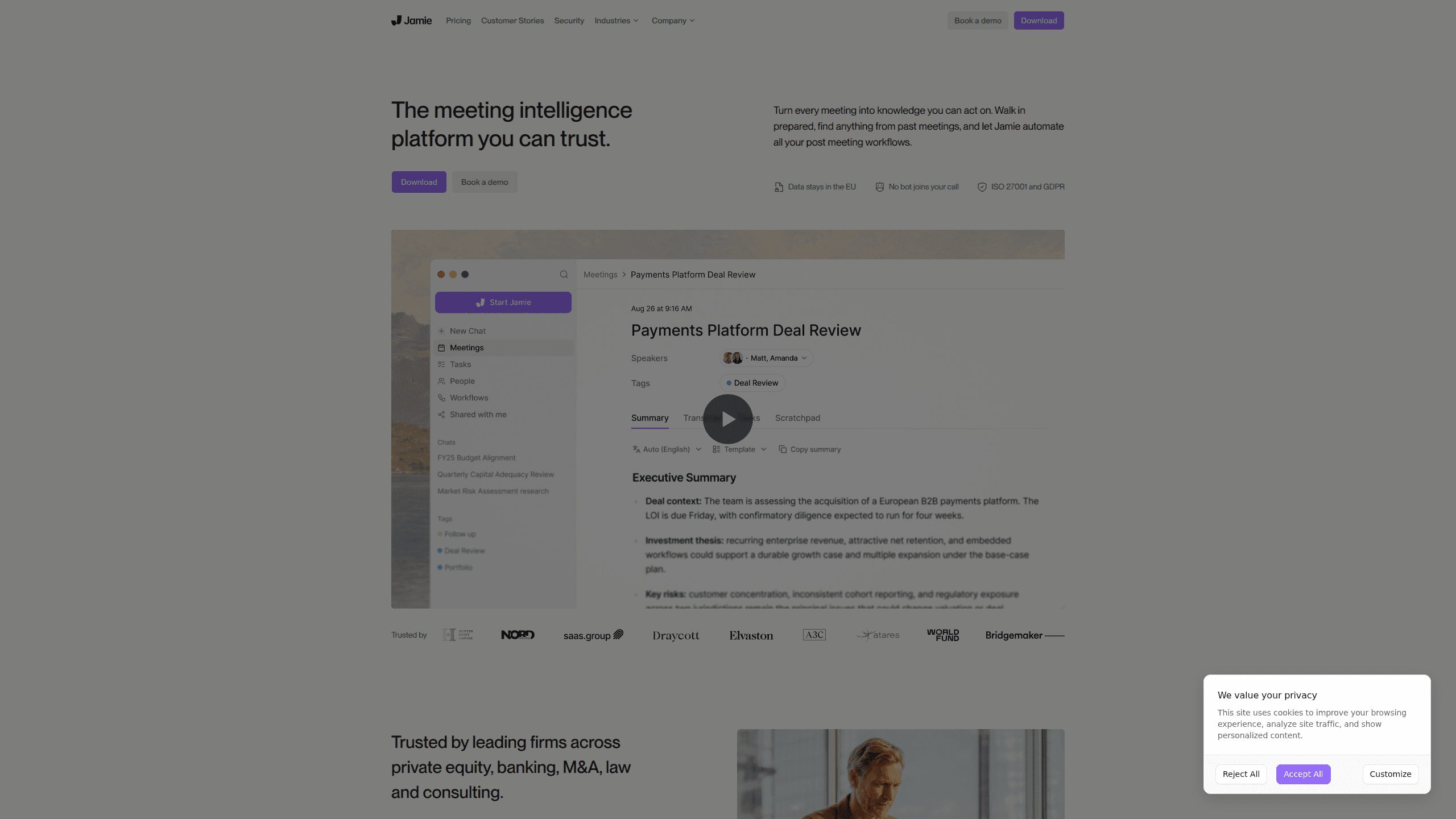
Jamie is an AI meeting notes platform that records and transcribes your calls without sending a bot into the room. It runs on your own device, works across Zoom, Teams, Google Meet and in-person meetings, and turns every conversation into notes, tasks and searchable knowledge. Meeting transcription here happens locally on your machine, so there's no virtual participant on the call. Everything is hosted in the EU, no audio is stored after transcription, and your data is never used to train models.
About Jamie
What Is Jamie
Jamie is a meeting intelligence platform for people who live in back-to-back calls and can't afford to lose what was said. The pitch is simple: you stay present in the conversation, and Jamie handles the notes, the action items and the follow-ups. Unlike most AI note takers, it doesn't join your call as a visible participant, which means no awkward "who's that bot?" moment when you're talking to a client or a candidate.
The product leans hard on privacy because its main buyers are law firms, banks, private equity shops, M&A teams and consultancies. They care about where data lives and who can touch it. Fair question. Jamie answers that with EU and UK data residency, ISO 27001 certification, GDPR compliance and alignment with DORA, the EU rulebook for financial technology providers. If your company blocks tools that ship meeting audio to unknown servers, this one is built for exactly that objection.
The catch is that privacy comes with limits. The free tier is genuinely small, capped at 10 AI notes a month and 30-minute meetings. That's tight. Anyone testing it for real work will hit the wall fast, and enterprise-grade controls like SSO and SCIM sit on higher plans. Normal for this category, but worth knowing before you commit a team.
Getting Started
- Create an account at app.meetjamie.ai using Google, Microsoft, Apple or an email one-time code.
- Install the Jamie desktop app (or mobile app) so it can capture audio from your device rather than joining calls as a bot.
- Pick a plan and set your preferences, including the language, custom vocabulary terms and where notes should be shared.
- Start a meeting as usual. Jamie records and transcribes in the background while you talk.
- Review the generated notes, tasks and summary after the call, then push them to Notion, Google Docs, Salesforce or your other connected tools.
Product Information
A quick look at Jamie's pricing, supported platforms, and performance.
Best for
The users, tasks, and scenarios where this tool fits best.
Users
- Consultants and advisors
- Sales teams
- Legal, finance and M&A professionals
- Anyone working in a second language
Tasks
- Turning a sales call into follow-up emails and CRM entries
- Capturing in-person meeting notes from a laptop or phone
- Finding a decision from three weeks ago
- Preparing for a meeting with a custom briefing
Scenarios
- A recruiter interviewing back-to-back candidates who needs consistent notes on each one.
- A project manager running a weekly standup where tasks need to land in Asana without manual entry.
- A founder pitching to investors and keeping a clean record of what was promised to whom.
- A remote worker on a long call who wants their phone to handle note-taking in the background.
Key features
No Bot on the Call
Jamie runs on your device instead of joining meetings as a virtual participant. That's the biggest difference from tools like Otter or Fireflies, and it matters when a visible bot would look unprofessional in front of clients or interviewers. In short, it's a no-bot meeting assistant. It also means the tool works in person, capturing conversations from your laptop or phone with no video platform involved.
Cross-Platform Transcription
Jamie records across Zoom, Teams, Google Meet and any other online platform, plus in-person meetings. Notes and transcripts come in 99+ languages, which covers most international teams without extra setup. You get speaker recognition and memory, so recurring voices are labeled consistently across calls.
Automated Workflows
Workflows let you build and automate what happens after a meeting, whether that's updating your CRM, drafting follow-ups or sending a summary to the team. Run them automatically or review the output first. The second option is safer until you trust the automation. Integrations span Notion, Google Docs, OneNote, Asana, Salesforce, HubSpot, Attio, Affinity, Pipedrive and Microsoft Dynamics 365.
Meeting Intelligence and Search
Every meeting becomes searchable knowledge. You can ask Jamie questions in chat, pull up a past decision in seconds and get custom briefings before your next call. What did the client actually ask for? Jamie can usually tell you. Task detection flags commitments made in conversation, so nothing quietly slips through the cracks.
EU Data Residency and Privacy Controls
Storage and processing stay inside the EEA, Switzerland and the UK, and never leave those jurisdictions. Audio is deleted after transcription. Data is encrypted in transit (TLS 1.2) and at rest (AES 256), and your meetings are never used to train models. Jamie holds ISO 27001 certification, complies with GDPR and aligns with DORA for regulated industries.
Enterprise Admin and Security
Higher tiers add SAML 2.0 single sign-on, SCIM provisioning, verified domains, audit logs, granular access controls and IP allowlisting. Admins can set retention rules and restrict who manages settings. Big teams need this. For large organizations, Jamie also offers custom app builds and distribution through Microsoft Intune.
API and MCP Access
Jamie exposes an API and webhooks, and it ships an MCP integration for Claude, ChatGPT and Cursor. That lets developers pipe meeting data into their own systems or query notes from an AI assistant. Handy if you live inside those tools. It's a practical option for teams that want meeting context inside their existing tooling rather than another silo.
Pros and cons
Pros
- No meeting bot joins your calls, so client and candidate conversations stay uninterrupted.
- Strong privacy story with EU/UK data residency, ISO 27001, GDPR and DORA alignment.
- Works in person as well as online, which broad bot-based competitors can't match.
- Automated workflows and deep integrations push notes and tasks into the tools you already use.
- Transcription supports 99+ languages with speaker recognition.
Cons
- The free tier is tight at 10 AI notes a month with a 30-minute meeting cap, so it's really a trial rather than a sustainable free plan.
- Advanced integrations like Salesforce and HubSpot require the €39/month Pro plan, which pushes the cost up for small teams.
- SOC 2 Type II is still pending, so security teams that require it by policy will have to wait or use compensating controls.
Frequently asked questions
No. Jamie runs on your device and captures audio directly, so there's no virtual participant in your call list. It works across Zoom, Teams, Google Meet and other platforms, and it also handles in-person meetings from your laptop or phone.
Related content
Explore related tools, skills, and articles for Jamie.
Jamie Alternatives

Swms
Swms AI · Writing · Productivity · BusinessSwms is an AI safety compliance tool that turns a plain description of a job into ready-to-use safety documents. Describe your project, trade, and known hazards, and it writes a safe work method statement, job hazard analysis, safe work procedure, RAMS, or safety data sheet in seconds. It also ships with Oscar, a chat assistant that answers workplace safety questions in any language. Teams in construction, mining, transport, and warehousing use it to cut the paperwork that usually eats into a workday.

Wordly AI Translation
Wordly · Voice & Language · ProductivityWordly AI Translation is a real-time AI translation and captioning platform built for meetings, conferences, and events. It delivers live translation, captions, transcripts, and summaries in more than 60 languages, and attendees join by scanning a QR code or opening a link instead of using dedicated headsets. The platform works with Zoom, Microsoft Teams, Google Meet, and Webex, and it's designed for organizations that want multilingual access without hiring human interpreters for every session. Simple as that.

Rows
Rows (Superhuman) · Productivity · BusinessRows is an AI spreadsheet and data analysis tool that imports live data from more than 50 sources, then lets you work with it using plain language instead of SQL queries or nested formulas. You can pull numbers out of PDFs, connect ad platforms, databases, and bank accounts, and ask the AI to build reports, merge datasets, or set up models that recalculate themselves. It runs in the browser, works like a spreadsheet, and now sits under the Superhuman umbrella.