

Jetpack – Website Builder
Automattic · Productivity · Other
Jetpack is a WordPress plugin suite that adds an AI assistant, security, backups, and speed tools. Its AI writes content in the editor and connects Claude or ChatGPT to your site.
About Jetpack – Website Builder
What Is Jetpack
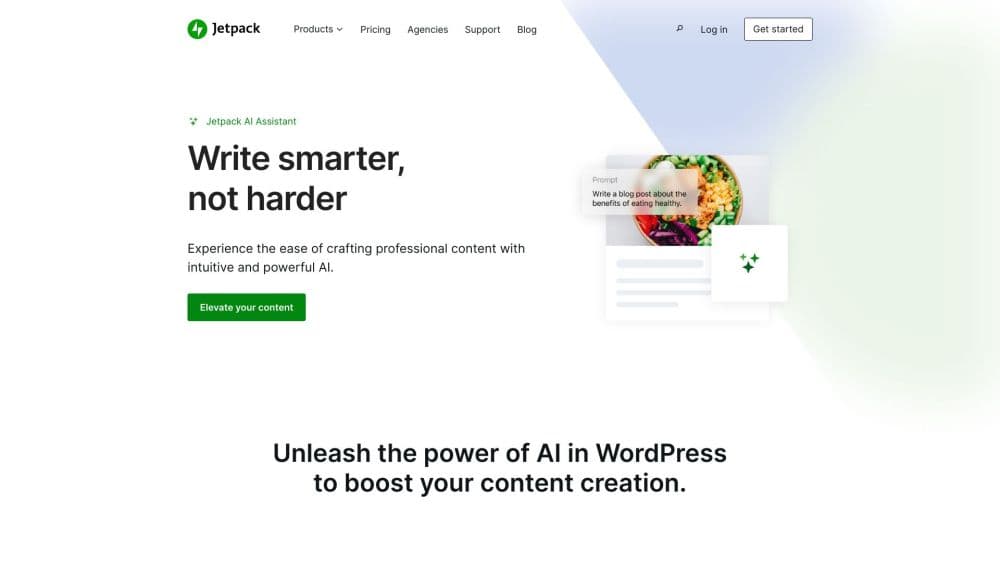
Jetpack is a plugin suite for WordPress that bundles an AI assistant with security, performance, and growth tools. It works as a WordPress website builder add-on and an AI content generator at once. You install it from the WordPress plugin directory, connect a free WordPress.com account, and the whole set switches on from inside your dashboard. The AI side lets you draft posts, fix grammar, translate pages, and generate images without leaving the block editor.
The product targets the everyday chores that pile up on a WordPress site: hardening it against attacks, keeping backups, speeding up pages, and now writing and editing content. The AI assistant is the piece most people search for, but it sits inside a larger bundle, so the value depends on which plan you pick.
The main limit is that Jetpack is built for WordPress only. It ties the AI features to a WordPress.com connection, so a site that runs a different platform cannot use them. The free AI tier also stops after 20 requests, and the strongest tools, including logo generation, need a paid plan.
Getting Started
- Install the Jetpack plugin from the WordPress.org directory, then activate it from your site's plugin screen.
- Connect a free WordPress.com account when Jetpack asks, since the AI and cloud features stay off until the connection is live.
- Open any post or page in the block editor and add the Jetpack AI Assistant block, or pick an AI action from the toolbar.
- Type a prompt, then use the suggestions to draft text, fix spelling, generate an image, or write a summary and title.
- Review the request count in Jetpack, then upgrade to the Jetpack AI or Jetpack Complete plan once the free 20 requests run out.
Product Information
A quick look at Jetpack – Website Builder's pricing, supported platforms, and performance.
Best for
The users, tasks, and scenarios where this tool fits best.
Users
- WordPress bloggers and writers
- Site owners who want security and speed in one plugin
- Agencies and freelancers managing several sites
Tasks
- Drafting a blog post from a rough idea
- Fixing grammar and spelling
- Translating and summarizing content
- Generating images and alt text
Scenarios
- Publishing a new post on a tight schedule
- Keeping a small site safe on a budget
- Managing a handful of client sites
Key features
AI Assistant Block
The AI Assistant block lives inside the WordPress block editor and drafts, transforms, and translates content on demand. You type a prompt or pick a preset action such as Summarize, Simplify, or Change tone, and it writes straight into the post. It works on new and existing content, so you can rewrite a paragraph you already wrote.
Text and Image Generation
Jetpack AI generates blog posts, pages, lists, and tables from a prompt, and it also creates images without leaving the editor. Image generation sits inside the Image and Gallery blocks, so you can produce a featured image, an inline illustration, or a gallery on the spot. Everything the AI adds stays editable, so you replace it with your own text and photos when you like.
Grammar, Titles, and Summaries
The assistant checks your text for spelling and grammar and suggests corrections you accept or ignore. It also drafts post titles, excerpts, and alt text based on the content you already wrote, and it generates captions for images. Each of these shortcuts removes a small manual step that adds up over a long post.
Connect Claude and ChatGPT
Beyond the built-in assistant, Jetpack connects external AI tools through MCP support. Claude and ChatGPT both link to the site, and Claude Code can work on the site itself for anyone who prefers a command-line workflow. Access stays off until you enable it under Jetpack, and you can split read and write permissions per site.
Security and Backups
Jetpack bundles brute-force attack protection, malware scanning, and a web application firewall with the AI tools. Paid plans add real-time automated backups to the Automattic cloud, one-click restore, and an activity log that records every change on the site. If an AI edit goes wrong, you can roll the site back to a point before it.
Performance, Stats, and Search
The same plugin serves optimized images from a global CDN, defers off-screen images, and improves Core Web Vitals scores. Jetpack Stats tracks page views, and Jetpack Search adds typo-tolerant site search with filters. These features round out a site management setup rather than standing alone.
Pros and cons
Pros
- The AI assistant works inside the block editor, so you draft, edit, and generate images without switching apps.
- One plugin covers AI, security, backups, speed, and stats, which cuts the number of separate WordPress plugins to maintain.
- You can connect Claude or ChatGPT through MCP support and set read and write permissions per site.
- Every AI action lands in the activity log, and paid plans add one-click restore if a change goes wrong.
- A free tier with 20 AI requests lets you test the assistant before paying.
Cons
- The free AI tier stops after 20 requests and does not renew, so any real workload needs a paid plan.
- Features lean on a WordPress.com connection, so they stay unavailable if the link breaks.
- Jetpack only runs on WordPress, so you cannot use the AI tools on another platform.
- The bundle mixes many tools, so you pay for security and performance features even if you only want the AI.
Frequently asked questions
Jetpack is a plugin suite for WordPress that combines an AI assistant with security, performance, and growth tools. You install it on a WordPress site, connect a WordPress.com account, and manage the AI and site features from one dashboard.
Related content
Explore related tools, skills, and articles for Jetpack – Website Builder.
Jetpack – Website Builder Alternatives

Base Code
Base44 (Wix) · Coding · ProductivityBase Code is a shared cloud development environment from Base44. Teammates describe changes to an existing GitHub codebase in chat, preview them live and send them back as pull requests.

Knocket
Knocket (Tencent RTC team) · Productivity · Business · ChatbotKnocket is a free live chat and contact page tool that lets visitors message you from your website, app, or a shareable link, with every reply handled from Telegram or one inbox.

FloorGen
Vinit Kumar (FloorGen) · Productivity · China AIFloorGen is a browser-based floor plan maker that turns a sentence or a sketch into an editable 2D plan and a 3D walkthrough. Export to PDF, DXF or video, and draw without an account.