

Joint Angels
Joint Angels · Image · AI Assistant
Joint Angels is a free browser tool that measures joint angles and range of motion from a webcam or uploaded video, giving clinicians quick movement analysis without a goniometer.
About Joint Angels
What Is Joint Angels
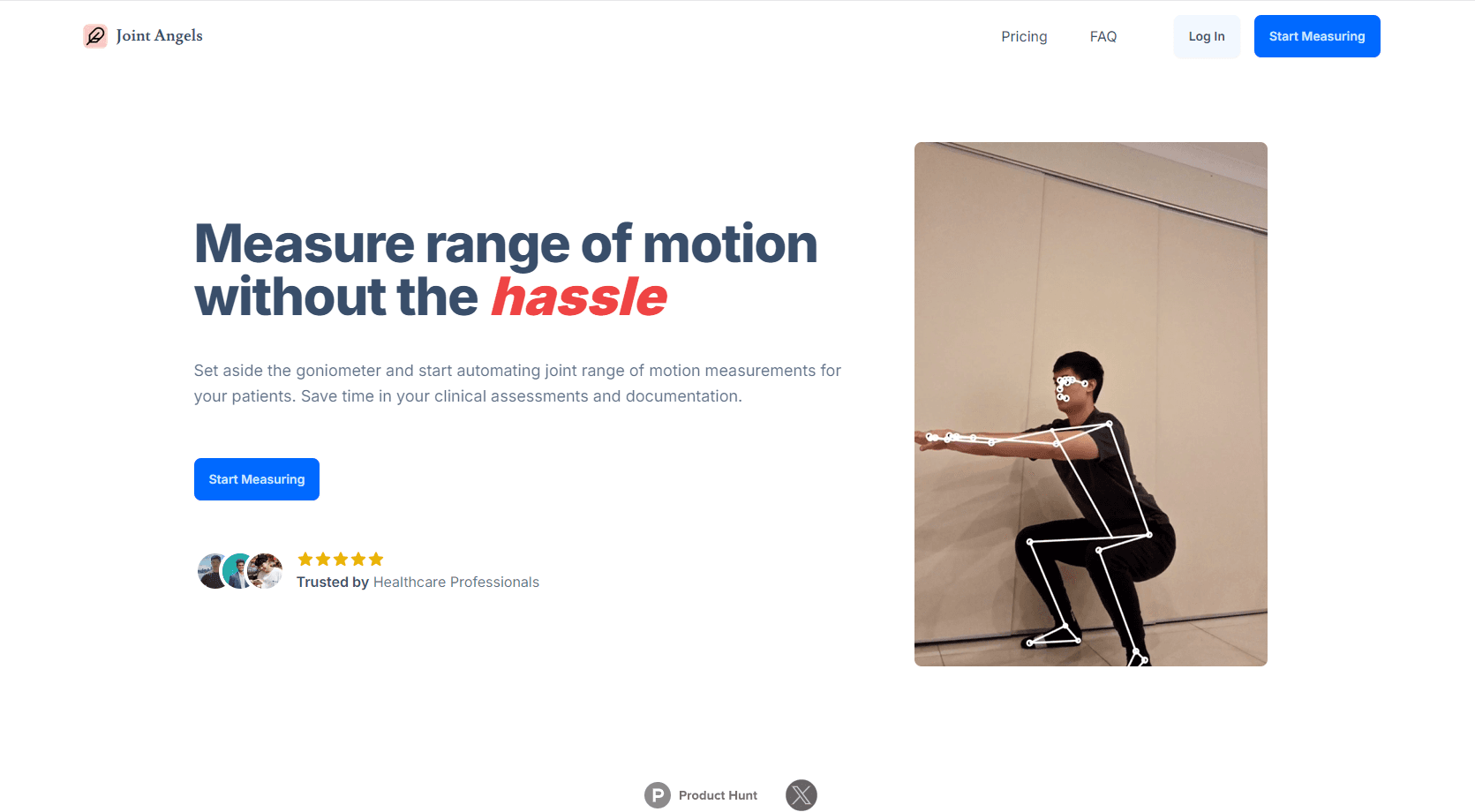
Joint Angels is a web app for measuring joint angles. You open the site, turn on your webcam or upload a clip, and the software draws a skeleton over the person in frame, then shows the angle at each major joint. The pitch is simple: put aside the goniometer and get a number on screen in seconds.
It was built by a clinician who got tired of estimating angles by eye during patient visits. That origin shows in the design. There's no onboarding course, no patient database, and no dashboard to configure. You point a camera at a knee and read the degrees. For a physical therapy clinic that needs a quick range of motion check, the low setup cost is the whole appeal.
The limits matter just as much. The pose model works in two dimensions, so an arm moving toward or away from the camera can distort the reading. Nothing is saved after you close the tab, which protects patient privacy but also means the tool won't replace your notes or your EHR. Treat the numbers as a support for your own assessment, not as a certified medical measurement.
Getting Started
- Open jointangels.com in a desktop or laptop browser. No install and no account.
- Grant camera access for live analysis, or choose Upload to load a recorded video or a still image.
- Let the skeleton lock onto the person, then move the confidence threshold slider if joints keep dropping out.
- Read the angle values, switch on note-taking mode to record what you see, and press Reset Joints when tracking drifts.
Product Information
A quick look at Joint Angels's pricing, supported platforms, and performance.
Best for
The users, tasks, and scenarios where this tool fits best.
Users
- Physical therapists and rehab clinicians
- Sports coaches and trainers
- Yoga, Pilates, and dance instructors
Tasks
- Measuring knee or shoulder range of motion
- Reviewing a recorded movement screen
- Spotting left-right asymmetry
Scenarios
- A follow-up visit where you need a quick progress number
- A home exercise check
- A studio or gym assessment
Key features
Live Joint Angle Measurement
The core mode reads angles from a webcam feed in real time. Shoulders, elbows, wrists, hips, knees, and ankles each get a value that updates as the person moves, so you can watch a joint through its full arc instead of freezing at one position. That makes it easy to catch the point where compensation starts.
Video and Image Upload
You don't need a live subject to use it. Upload a recorded clip or a still photo and the same pose model runs on the file. Coaches use this for game footage, and clinics use it when a patient sends a video from home. The tradeoff is that you can't ask the person to adjust mid-movement.
Skeleton Overlay
A stick figure is drawn over the body with the measured angle printed next to each joint. The overlay is the part that makes the tool teachable: you can turn the screen toward a patient and show them what "forty degrees short of full extension" looks like. It also helps you spot a bad camera angle before you trust the number.
Confidence Threshold Control
Pose models guess, and sometimes they guess badly. The slider sets how confident the model must be before it draws a joint, which lets you filter out flickering points caused by loose clothing or a hand crossing the body. Raising it cleans up the display, at the cost of losing joints in poor light.
Note-Taking Mode
A simple text area sits beside the video, so you can type observations while the measurement runs. It's meant for quick clinical notes, not structured records, and nothing is filed away for you. Copy the text into your own system before you close the tab.
Browser-Only Processing
All calculation happens on your device, and the site says no data is stored. Video from a patient never lands on a server, which removes a common objection to cloud rehab tools. It also means the tool works with whatever laptop you already own, with no dedicated hardware.
Pros and cons
Pros
- Free with no account, which makes it easy to trial in a clinic before anyone signs off on a purchase.
- Setup takes under a minute, compared with finding a goniometer and lining it up by hand.
- Runs on a standard webcam, so no motion capture suit or depth sensor is required.
- Video upload supports remote checks, useful when a patient can't come in for a follow-up.
- Local processing keeps patient footage off the company's servers.
Cons
- Measurements are 2D, so rotation toward or away from the camera skews the angle and can make a normal joint look restricted.
- No saved history, export, or EHR integration, which means clinical documentation stays a manual copy and paste job.
- It isn't marketed as a validated medical device, and no published accuracy study backs the numbers, so it can't stand alone for billing or medico-legal records.
- Tracking drops when clothing is loose, light is dim, or one limb hides another, and you have to reset joints by hand.
Frequently asked questions
Yes. Every mode on the site, including webcam analysis, video upload, and note-taking, is open without payment. There's no premium tier and no account requirement.
Related content
Explore related tools, skills, and articles for Joint Angels.
Joint Angels Alternatives

Google EmbeddingGemma 2
Google DeepMind · Writing · Image · CodingGoogle EmbeddingGemma 2 is a 740M-parameter open model that turns text, code, images, audio, and video frames into vectors in one 768-dimension space, running on phones and laptops.

Tractionwave
TractionWave · Image · MarketingTractionWave is an AI attention heatmap tool for static ads. Upload a PNG or JPG and it returns predicted attention, ranked hotspots, and fixes before you spend budget.

Imejis.io
Imejis.io · Image · MarketingImejis.io is an AI design studio for agents and marketing teams. Describe an image in plain words, and it writes the copy, builds the layout, reflows it to every size, then exports a finished file.