

KAI: Comic Maker Manga, Manhwa
Mobiversite · Image
KAI: Comic Maker Manga, Manhwa is an Android comic maker that turns a written story idea into illustrated manga, manhwa, or webtoon pages. Instead of drawing every panel yourself, you build characters, pick a genre, and let the AI handle the art. It sits in the comic creation space for people who have a story in mind but no drawing skills, and it targets the same audience that would otherwise pay an artist or spend years learning to sketch.
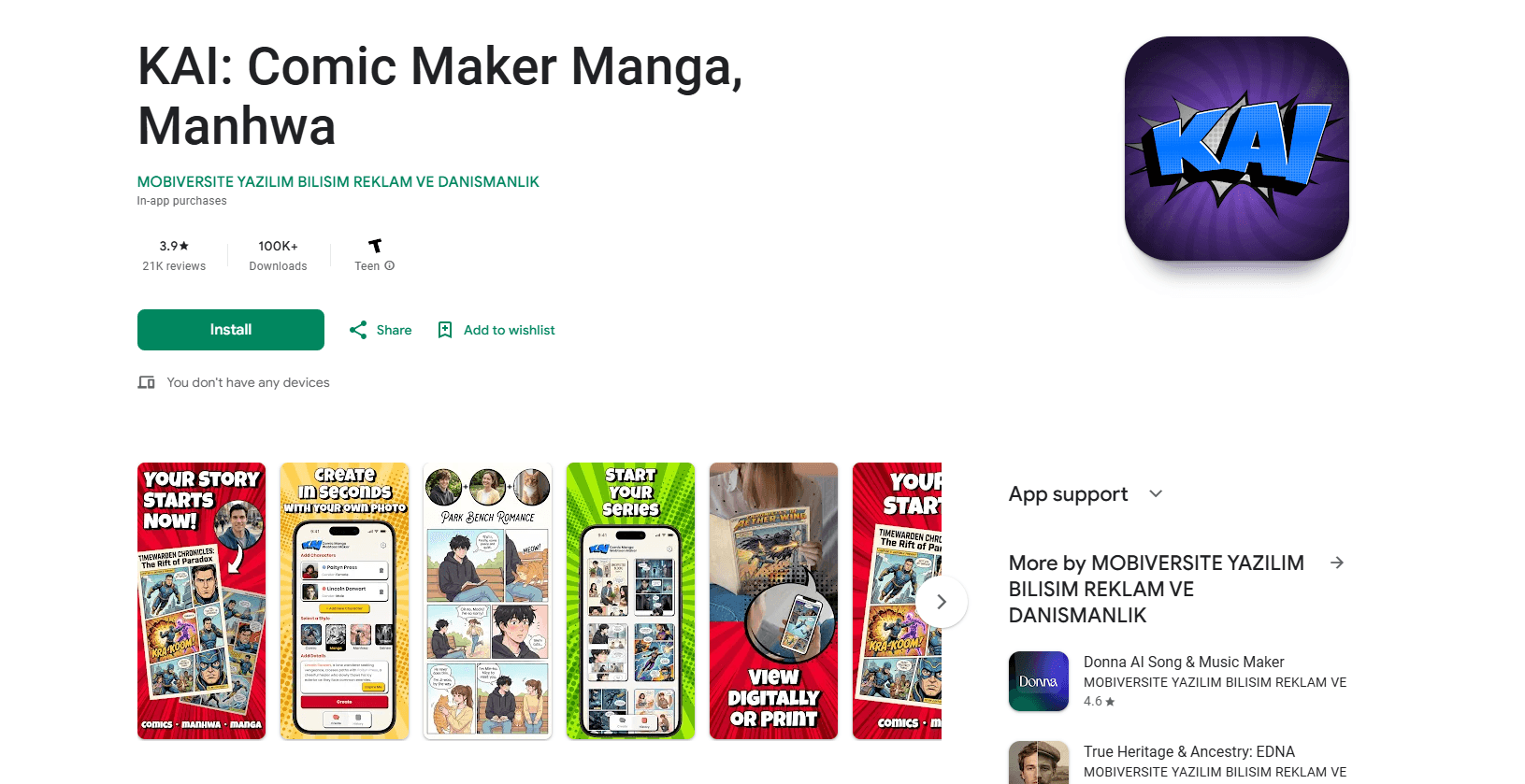
About KAI: Comic Maker Manga, Manhwa
What Is KAI: Comic Maker Manga, Manhwa
KAI: Comic Maker Manga, Manhwa is an AI comic generator built for storytellers who want finished comic pages without an art background. Think of it as a comic book maker that runs on your phone. You describe a character, choose a style like manga, manhwa, or superhero, and the app generates panels and sequences from your synopsis. The pitch is simple. You write. The AI draws.
The app covers a wide genre spread, from shonen and isekai battles to romance, slice of life, and superhero action. That range matters if you want to prototype several story ideas fast rather than commit months to one. You can also turn photos into comic characters, which is handy for fan fiction or a personal gift.
The main catch is depth. This is a mobile creation app, not a desktop studio, so expect decent generative output but limited manual control over fine details like panel spacing or bubble placement. The Android listing sits at 3.8 stars across roughly 27.8K reviews, which suggests that the quality of the generated art and the consistency of the panels feel uneven to a meaningful share of the people who have actually tried it. If you need pixel-level control over every line, you'll want a real illustration tool alongside it.
Getting Started
- Install KAI: Comic Maker Manga, Manhwa from Google Play and open the app.
- Pick a genre or style, such as manga, manhwa, romance, or superhero.
- Describe your story or character, or upload a photo to turn into a comic character.
- Generate the comic and review the panels the AI produces.
- Adjust what you can, then save or share your finished pages.
Product Information
A quick look at KAI: Comic Maker Manga, Manhwa's pricing, supported platforms, and performance.
Best for
The users, tasks, and scenarios where this tool fits best.
Users
- Aspiring comic creators with no drawing skills
- Fan fiction writers
- Writers prototyping ideas
Tasks
- Turning a synopsis into comic pages
- Building characters from photos
- Drafting genre-specific comics
Scenarios
- Making a short personal comic as a gift
- Sketching out a webtoon pilot on your phone
- Casual weekend creation
Key features
AI Story-to-Comic Generation
You give the app a story synopsis, and it structures the comic for you, generating panels and sequences automatically. The point is to remove the layout work so you can focus on the narrative. It's the core reason most people install the app.
Photo-to-Character Conversion
Upload a photo, specify a few details, and the AI turns it into a manga, manhwa, or webtoon-inspired character. This is what makes personal comics and fan fiction possible without any art skill. Results vary by photo quality. A clear, well-lit shot helps. Blurry ones don't.
Wide Genre and Style Coverage
The app spans shonen, isekai, shoujo, mecha, sci-fi, fantasy, romance, rom-com, leveling, system, slice of life, superhero, graphic novel, and indie styles. A style picker like manga, romance and manhwa, superhero, or seinen lets you match the look to your story. So you can work as a manhwa creator one day and a superhero artist the next. Few mobile comic makers cover this many genres in one place, which is why the broad shelf of styles ends up being one of the strongest reasons to keep the app installed.
Webtoon-Style Layouts
Visuals lean on webtoon layouts, manga panels, and manhwa storytelling conventions, so output reads like the formats readers already follow. If your goal is vertical-scroll webtoon content, the framing reflects that. It's a closer fit for the format than a generic image generator.
In-App Creation and Sharing
Everything runs inside the app on Android, so you create, review, and share without exporting to another program. You can post pages or keep them as a personal collection. Sharing is the intended way to grow your audience. The app itself doesn't host a reader platform.
Pros and cons
Pros
- Removes the drawing barrier entirely, so a written idea becomes visual pages without art skills.
- Broad genre coverage means one app serves manga, manhwa, webtoon, and superhero projects.
- Photo-to-character tooling makes personal and fan comics quick to start, which lowers the effort needed to begin a story you have been sitting on for months.
- Free to install with a clear in-app purchase range of $3.99 to $79.99.
- Android-only build keeps the workflow in your pocket, no desktop needed.
Cons
- Manual control is limited, so matching a precise panel layout or bubble placement is hard.
- The 3.8-star average across 27.8K reviews points to inconsistent output quality for some users.
- No public API means you can't wire the generator into your own tools or pipeline.
- No iOS version, which rules it out for iPhone and iPad creators.
Frequently asked questions
It's an AI comic generator that turns a written story into illustrated manga, manhwa, or webtoon pages. You supply the plot and style, and the app then produces the panels, the characters, and the overall sequence of scenes that make up each finished comic page. It works as a comic book maker that lives on your phone rather than a full desktop illustration suite.
Related content
Explore related tools, skills, and articles for KAI: Comic Maker Manga, Manhwa.
KAI: Comic Maker Manga, Manhwa Alternatives

Google EmbeddingGemma 2
Google DeepMind · Writing · Image · CodingGoogle EmbeddingGemma 2 is a 740M-parameter open model that turns text, code, images, audio, and video frames into vectors in one 768-dimension space, running on phones and laptops.

Tractionwave
TractionWave · Image · MarketingTractionWave is an AI attention heatmap tool for static ads. Upload a PNG or JPG and it returns predicted attention, ranked hotspots, and fixes before you spend budget.

Imejis.io
Imejis.io · Image · MarketingImejis.io is an AI design studio for agents and marketing teams. Describe an image in plain words, and it writes the copy, builds the layout, reflows it to every size, then exports a finished file.