

KarmaBox
Karma Box · Productivity
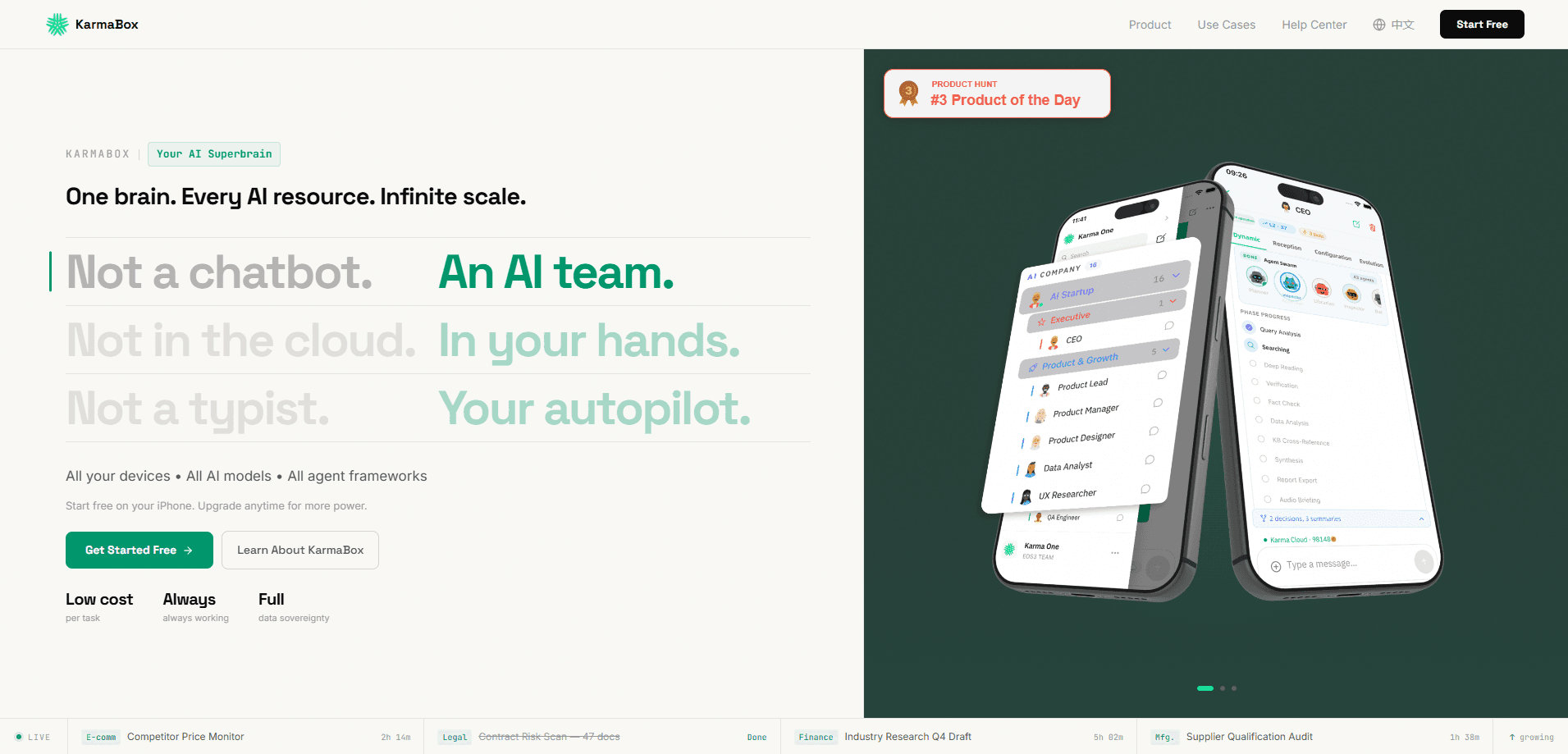
KarmaBox is a mobile-first AI agent platform built around a "sovereign AI foundry" idea: instead of one chatbot you talk to, you get a team of autonomous agents that keep working after you close the app. It orchestrates several agents at once, routes each task to whichever model fits best, and keeps their memory alive between sessions. The whole thing runs from an iPhone, and the data-control story is pitched as staying on your side rather than sitting on a vendor's server somewhere you can't see.
About KarmaBox
What Is KarmaBox
KarmaBox is an AI agent orchestrator for people who want work to continue without babysitting a chat window. You describe what an agent should do in plain language, and it runs continuously in the background, picking up tasks across e-commerce, legal, finance, and manufacturing workflows.
The core pitch is parallelism. Multiple agents run at the same time, and a routing layer picks the model best suited to each job instead of locking you into one. So what does that actually buy you? Mostly the ability to hand off several unrelated tasks and walk away, which is a different feeling from nudging a single chat assistant every few minutes. Persistent memory means an agent remembers context from earlier sessions, so you're not re-explaining the same project every time.
It's iOS-first, which is unusual for this category. Most agent builders assume a desktop and a credit card. KarmaBox leans on the phone as the control surface and advertises a free start with no card required. The trade-off is that fine-grained configuration is thinner than what you'd get from a developer-oriented framework. This is a tool for individuals and small teams, not for engineering orgs wiring up custom pipelines.
Getting Started
- Download the KarmaBox app from the App Store and install it on your iPhone.
- Open the app and create a free account. No credit card is required to start.
- Describe your first AI avatar in plain language: tell it what you want it to do and when.
- Launch the agent and let it run. KarmaBox handles model selection and scheduling behind the scenes.
- Check the dashboard to watch progress, adjust the task, or spin up a second agent to run in parallel.
Product Information
A quick look at KarmaBox's pricing, supported platforms, and performance.
Best for
The users, tasks, and scenarios where this tool fits best.
Users
- Solo founders and freelancers who want background agents without running their own infrastructure, as long as they work from an iPhone.
- Small teams that need several tasks handled at once and don't want to pay per-seat developer tooling.
- People who care about keeping their data on-device and are wary of handing everything to a cloud service.
Tasks
- Running repeating monitoring jobs, like tracking competitor prices or scanning contract sets, that shouldn't need a human kickoff each time.
- Drafting research and reports that benefit from an agent remembering earlier context across sessions.
- Publishing content to multiple social platforms from one place, instead of hopping between tools.
Scenarios
- You're away from your desk and want an agent to keep working on a long task while you're commuting.
- You're testing an idea and want to stand up a working agent without writing code or configuring a backend.
- You need a handful of tasks moving at once and don't want to manage separate subscriptions for each one.
Key features
Autonomous Agents That Keep Running
KarmaBox agents are designed to work continuously rather than wait for a prompt. You set the task and the conditions, then it keeps going. That matters for monitoring and research jobs where the value comes from steady coverage, not a single response.
Parallel Execution
Several agents can run at the same time instead of queuing behind each other. If you've got a price check, a document scan, and a draft report to kick off, they move together. This is the feature that separates it from a single-threaded chat assistant.
Smart Model Routing
Rather than forcing one model on every task, KarmaBox picks the model that fits the job. You don't pick the model yourself in most cases. The upside is less friction; the catch is you're trusting the router's judgment on which model is actually best.
Persistent Memory
Agents hold onto context between sessions, so a project doesn't reset every time you open the app. For longer work, that means less repetition and fewer cold starts.
One Mobile Workspace
Image, video, file analysis, web design, and presentation work sit in one place on your phone, which is the whole idea behind treating the device as a mobile AI workspace rather than a thin remote control. Fewer app switches, less copy-pasting between tools. Real-time sync keeps tasks moving between phone and desktop, so a job started on mobile doesn't stall the moment you sit down at a different screen.
Data Sovereignty
KarmaBox frames itself as on-device and end-to-end encrypted, aimed at users who don't want their working data sitting on a vendor's servers. That's a meaningful difference if your tasks involve sensitive material. It also means you're responsible for your own backups.
Pros and cons
Pros
- Runs agents continuously without you re-triggering each task.
- Parallel execution handles multiple jobs at once rather than one at a time.
- Model routing removes the guesswork of choosing a model per task.
- Memory carries context across sessions, cutting repeated setup.
- Free to start on iPhone with no credit card.
Cons
- iOS-only means Android and desktop-first users are out of luck for now.
- Pricing beyond the free tier isn't published, so scaling costs are unclear.
- Lean on-device control means less of a managed safety net if something breaks.
Frequently asked questions
It's an AI agent platform for running autonomous tasks in the background, such as monitoring, research, drafting, and multi-platform publishing. You describe a task and the agent keeps working on it.
Related content
Explore related tools, skills, and articles for KarmaBox.
KarmaBox Alternatives

Base Code
Base44 (Wix) · Coding · ProductivityBase Code is a shared cloud development environment from Base44. Teammates describe changes to an existing GitHub codebase in chat, preview them live and send them back as pull requests.

Knocket
Knocket (Tencent RTC team) · Productivity · Business · ChatbotKnocket is a free live chat and contact page tool that lets visitors message you from your website, app, or a shareable link, with every reply handled from Telegram or one inbox.

FloorGen
Vinit Kumar (FloorGen) · Productivity · China AIFloorGen is a browser-based floor plan maker that turns a sentence or a sketch into an editable 2D plan and a 3D walkthrough. Export to PDF, DXF or video, and draw without an account.