

KatClaw™
KatClaw · Productivity
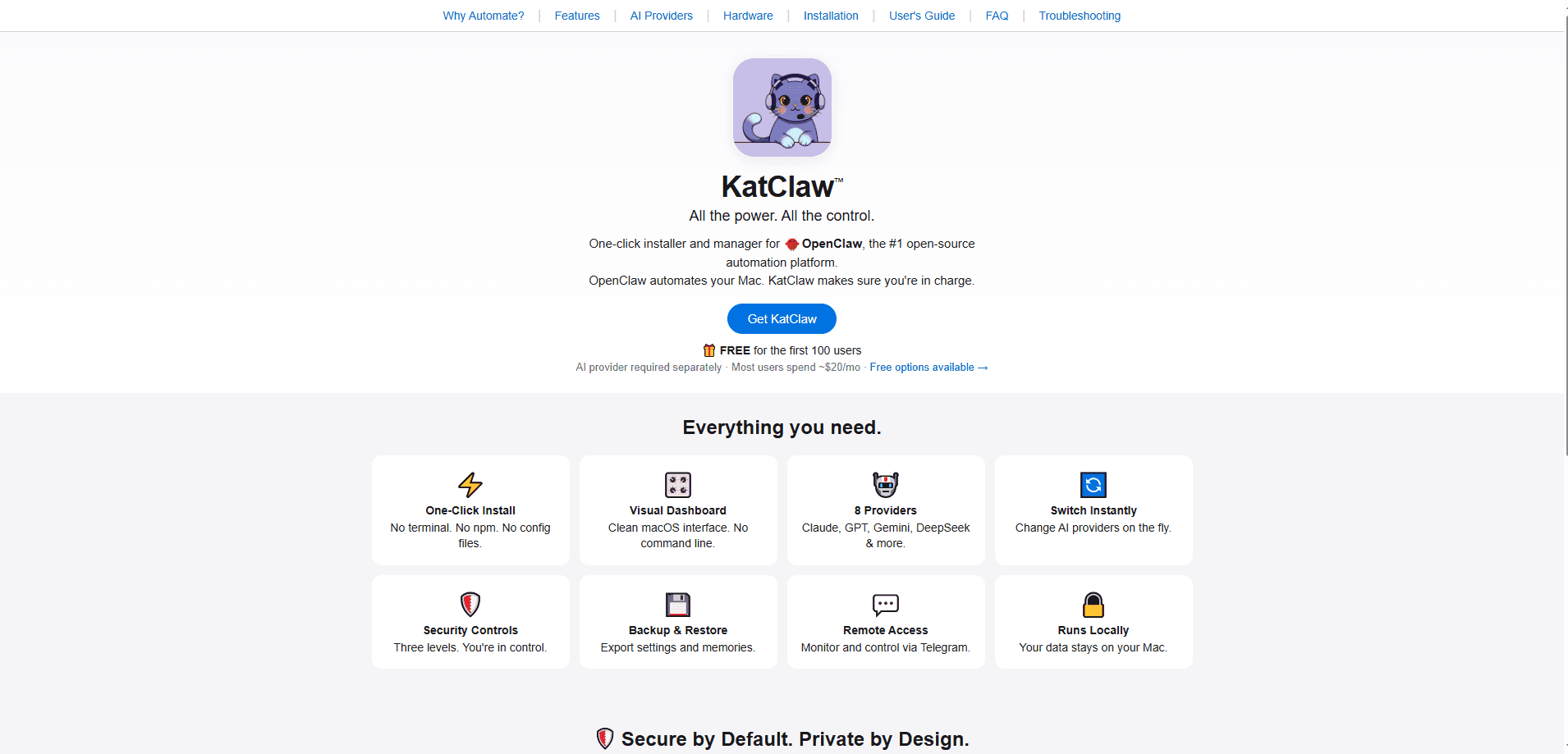
KatClaw™ is a one-click installer and manager for OpenClaw, the open-source automation platform, built specifically for Mac users who want AI automation without ever touching a terminal or writing a config file by hand. It handles setup, connects up to eight AI providers, and adds three security levels, one-click backup, and remote control through Telegram. Everything runs on your Mac. Your data and API keys stay local.
About KatClaw™
What Is KatClaw™
KatClaw™ is a Mac automation app that takes the pain out of installing and running OpenClaw. OpenClaw itself is a powerful open-source automation platform, but getting it running usually means working with a terminal, npm, and config files. KatClaw wraps all of that into a single installer and a visual dashboard, so the whole job becomes a few clicks. That's the pitch.
The product is aimed at people who want the features of an AI agent on their Mac but don't want to become a system administrator to get them. You bring your own AI provider (OpenAI, Claude, Gemini, and others), and the app acts as your AI provider manager. It plugs into local AI automation and handles the connection, the switching, and the guardrails. It also bundles a security audit that scans your agent configuration and flags weak tokens, open groups, and risky settings before they become a problem.
One limit matters most. KatClaw is Mac-only, and it needs an AI provider that you pay for separately. A few options, like a free OpenAI account or Gemini's free tier, cost nothing to start. It's also a one-time purchase rather than a subscription, which is unusual in a market full of monthly plans.
Getting Started
- Download KatClaw from the official site and run the installer. No terminal or npm commands are needed.
- Open the visual dashboard and connect an AI provider by pasting an API key (OpenAI, Claude, Gemini, DeepSeek, Grok, Kimi, OpenRouter, or a local model).
- Pick a security level. Conservative blocks shell access entirely, Moderate runs only allowlisted commands, and Full Access is unrestricted.
- Run the one-click security audit to scan your configuration and fix weak settings.
- Start automating, then use backup or Telegram remote access to manage things away from your desk.
Product Information
A quick look at KatClaw™'s pricing, supported platforms, and performance.
Best for
The users, tasks, and scenarios where this tool fits best.
Users
- Mac owners who want AI automation but avoid the terminal
- Privacy-conscious users
- People running multiple AI providers
Tasks
- Setting up OpenClaw for the first time
- Managing AI provider costs
- Locking down an agent configuration
- Backing up agent settings and memories
Scenarios
- A freelancer automating repetitive Mac tasks, such as file organization, while keeping shell access off.
- A developer testing several models for coding work and switching providers without reinstalling anything.
- Remote monitoring on the move
- Living with a new laptop
Key features
One-Click Install and Visual Dashboard
KatClaw replaces the terminal, npm, and config-file routine with a single installer and a clean macOS interface. No commands needed. You start automating right away, and later changes happen through the dashboard rather than text files.
Eight AI Providers, Switchable Instantly
The app connects to Claude, GPT, Gemini, DeepSeek, Grok, Kimi, OpenRouter, and local models through LM Studio or Ollama. You can swap providers on the fly, which matters when one model is better for coding and another is cheaper for routine work. One key covers all of them with OpenRouter. A free OpenAI account works as a starting point, so the first setup doesn't require a paid plan.
Three Security Levels
KatClaw ships with guardrails instead of leaving access wide open. Conservative mode blocks shell access entirely, Moderate runs only commands you've allowlisted, and Full Access is unrestricted for power users. You decide what automation can touch, not a third party.
Security Audit in One Click
A built-in scan reviews your entire agent configuration for the specific things that turn a helpful automation platform into a liability, including weak tokens, open groups, and risky settings that leave your setup exposed. It ranks what it finds by severity, critical issues first. Fixes take one click.
Backup and Restore
Your provider list, security settings, channels, and workspace are backed up as one package. Auto-backup runs on every gateway start. Manual snapshots are available from the dashboard, and a full restore works even on a fresh Mac.
Remote Access via Telegram
You can monitor and control your agent from Telegram when you're not at the desk. That turns a desktop automation tool into something you can keep an eye on from a phone. Handy on a train.
Local and Private by Design
There are no cloud servers and no telemetry. Your data doesn't leave the machine. API keys sit in the macOS Keychain rather than plaintext, and an optional virtual machine mode isolates automation from your host system.
Pros and cons
Pros
- Removes the terminal, npm, and config-file steps that stop most people from setting up OpenClaw.
- Three-tier security model gives real choices between safety and full automation access.
- Local-only design with no cloud servers and no telemetry keeps your data on the Mac.
- Eight providers and instant switching avoid lock-in to a single AI model.
- One-click backup and restore makes moving to a new Mac quick.
Cons
- Mac-only, so Windows and Linux users are out of luck entirely.
- You still pay an AI provider separately, so KatClaw isn't the whole cost of running an agent.
- No public API, which limits programmatic control for developers who want to script KatClaw itself.
Frequently asked questions
Partly. KatClaw runs locally and stores your data on the Mac, but the AI provider you connect to usually needs a network. If you use a local model through LM Studio or Ollama, you can run the whole thing offline. That setup needs 32GB of RAM and an M-series chip or better.
Related content
Explore related tools, skills, and articles for KatClaw™.
KatClaw™ Alternatives

Udon
Udon · Coding · ProductivityUdon turns an Apple Silicon Mac into a home server you run from a browser, with container controls, file shares, and an optional AI sysadmin.

offstage
offstage cloud · Coding · Productivityoffstage gives AI coding agents and CI jobs a real Mac: a fresh macOS account on Apple silicon, driven over an API and billed by the second.

BotBus
Chengdu Tuyang Tusen Technology Co., Ltd. · Coding · ProductivityBotBus lets you control AI coding agents from your phone and watch: approve commands, start tasks and read results while the code stays on your desktop.