

Keily-AI Soulmate Chat
Keily AI · AI Assistant · Chatbot
Keily-AI Soulmate Chat is a mobile AI companion app that pairs you with a customizable character built to match your own conversation style. You shape the personality, chat about daily life or fictional scenarios, and the character adapts as the relationship develops. It runs on Android and leans toward romantic or friendly companionship rather than utility. Think of it less as an AI girlfriend app and more as a blank slate you get to design yourself.
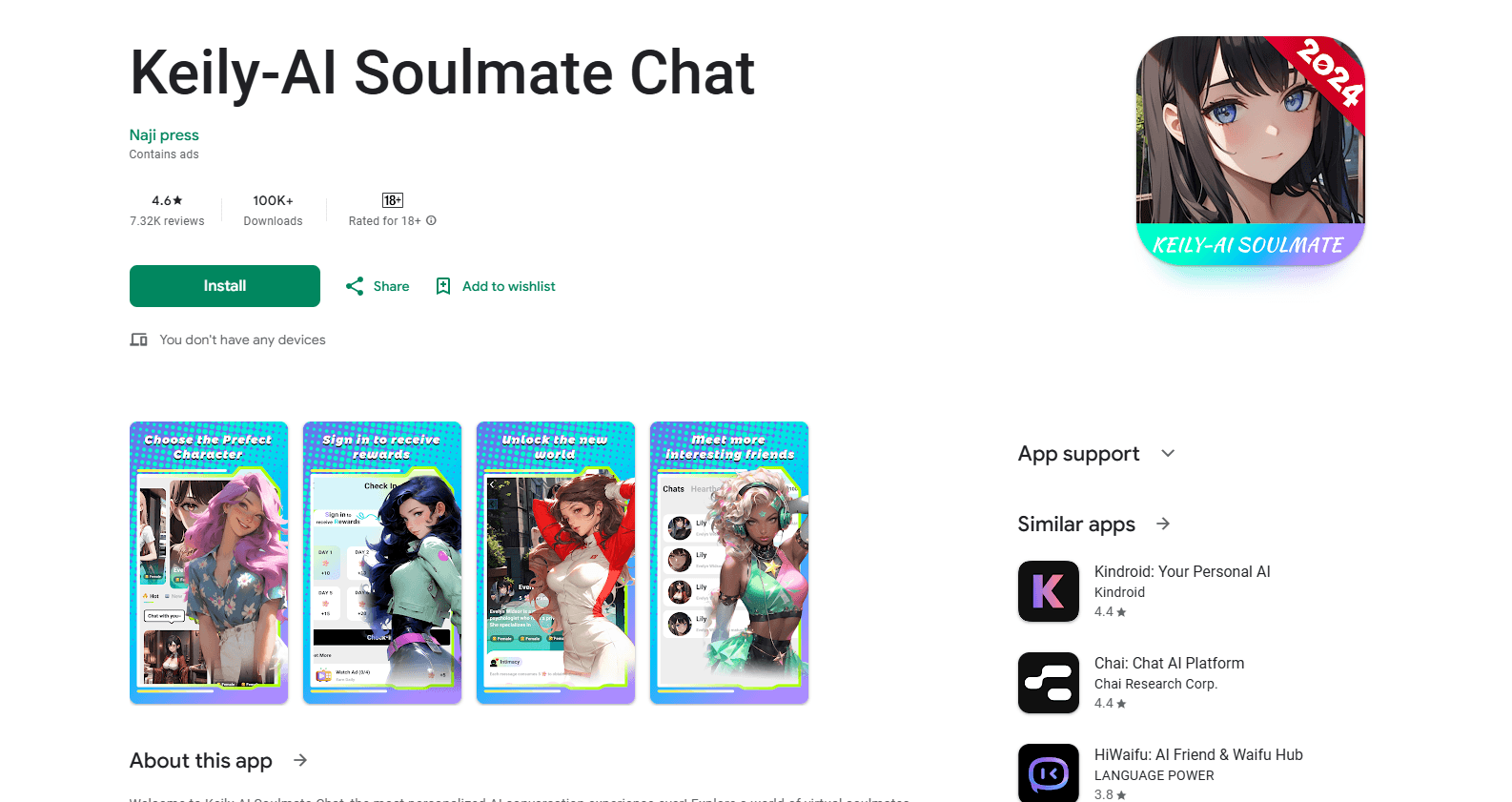
About Keily-AI Soulmate Chat
What Is Keily-AI Soulmate Chat
Keily-AI Soulmate Chat is a companion-focused chat app, the kind of product built around emotional conversation rather than productivity. Instead of answering questions or running errands, the character is designed to listen, respond with empathy, and remember what you've shared. You can define how it behaves, from personality traits to how much it talks back, so the companion fits your idea of a good conversation partner rather than a single fixed script.
The app's core promise is adaptation. The character tracks your preferred topics, how long you like replies to be, and whether you want it to lead or listen, then nudges its behavior toward your rhythm over time. That sets it apart from generic chatbots, which tend to reset with every session and reply in the same tone no matter who's typing. It's a real difference.
The main limitation is the category standard: these apps run on language models, so the companion isn't a real person and won't always stay perfectly in character. Emotional support from an AI isn't a substitute for professional help, and anyone in genuine distress should treat the app as a casual pastime, not a source of real counsel. Pricing and content rules also vary by region, so check the in-app store before subscribing.
Getting Started
- Download Keily-AI Soulmate Chat from Google Play and open the app.
- Create a character or pick a preset companion, then set personality traits, interests, and tone.
- Open a chat and send your first message. The AI companion responds in the style you configured.
- Keep the conversation going to let the character learn your topics, reply length, and habits.
- Explore roleplay scenarios or extra chat features once the basic setup feels comfortable.
Product Information
A quick look at Keily-AI Soulmate Chat's pricing, supported platforms, and performance.
Best for
The users, tasks, and scenarios where this tool fits best.
Users
- People who want a judgment-free space to talk
- Fans of character-driven chat and roleplay
- Anyone curious about AI companions on Android
Tasks
- Daily venting and small talk
- Personality design
- Scenario roleplay
Scenarios
- Late-night conversation when friends are asleep
- Practicing social conversation
- Killing time on a commute
Key features
Custom Personality Building
You start by defining what kind of companion you want. Traits like introverted or outgoing, rational or emotional, plus interests and a humor level, combine into a distinct character rather than a generic assistant. Someone who wants a calm listener ends up with a different companion than someone who wants playful banter, which is the whole point of the app.
Long-Term Memory and Adaptation
The character is built to remember your important experiences, preferences, and past conversations, then adjust its replies as it learns more about you. That continuity is what makes an AI companion feel less like a tool and more like a relationship. It's the feature that separates the app from a plain chatbot, where every session tends to start cold. Memory matters here.
Emotional Awareness in Replies
Keily reads the tone of what you write and shifts its response, moving toward empathy when you sound down and toward lighter engagement when you're upbeat. The point is less about technical emotion detection and more about the practical result: the reply tends to match the moment instead of ignoring it.
Roleplay and Story Scenarios
Beyond everyday chat, the app supports scenario play. You can set a setting and a premise, then build a story with your companion as you go. It's a feature for people who like co-writing fiction or exploring "what if" conversations, and it gives the app a creative outlet on top of companionship.
Chat Preference Learning
The AI watches whether you like short answers or long ones, and whether you'd rather it drive the conversation or hold back and listen. It then tunes itself toward that style. Small thing on paper, but it's the difference between a companion that feels tuned to you and one that keeps interrupting.
Anytime, Private Conversation
The app is pitched as a private space for sharing, day or night, without a social audience. For users who want to talk something through without judgment from real people, that framing is the draw. Just keep realistic expectations about privacy and read the app's own policy before sharing anything sensitive. It's a chat app, not a vault.
Pros and cons
Pros
- Personality customization goes deep, letting you build a companion that matches your idea of a good chat partner.
- Memory and adaptation give conversations a sense of continuity that generic chatbots rarely offer.
- Free tier lets you test the AI companion app before committing to a subscription.
- Android-only focus keeps the experience simple for mobile users.
Cons
- It's an AI, so replies can drift out of character or miss emotional nuance, which breaks immersion when it happens.
- No public API means you can't plug the companion into other apps or build on top of it.
- Paid tiers add real features, so the free experience is a limited version of the full product.
Frequently asked questions
It's an AI companion app for conversation. You build a character, chat about daily life or fictional scenarios, and the companion adapts to your style over time. It's built around companionship and roleplay, not productivity tasks.
Related content
Explore related tools, skills, and articles for Keily-AI Soulmate Chat.
Keily-AI Soulmate Chat Alternatives

Iplan AI
Iplan AI · Productivity · AI AssistantIplan AI is an AI travel planner that turns a few trip details into a full day-by-day itinerary in seconds. You answer questions about your destination, interests, budget, and travel companions, and the tool builds a plan you can edit, share, and carry with you on any device. It targets travelers who want a solid draft without spending hours in spreadsheets and browser tabs. Think of it as an itinerary generator that does the tedious part for you.

Screenhelp
Screenhelp · Productivity · AI AssistantScreenhelp is an AI screen assistant that turns a single keyboard shortcut into real-time help. You press Ctrl+Shift+Space, it captures what's on your screen, and it streams an answer into a private panel in about two seconds. Think of it as an AI screenshot helper you trigger on demand. It runs on Mac, Windows, and the web, starts free with 30 answers a month, and stays invisible during screen sharing on Zoom, Teams, and Google Meet.

Rainbow
Rainbow · AI AssistantRainbow is an AI weather forecast app built around short-term precipitation nowcasting. Its engine pushes min-by-min rain and snow predictions up to four hours ahead, blending live satellite and radar feeds into hyperlocal forecasts. The app adds live rain radar, a seven-day outlook, precipitation alerts, home-screen widgets, and a hurricane tracker, and it runs on both Android and iOS with a free tier plus paid upgrades.