

Khanmigo
Khan Academy · Leaning
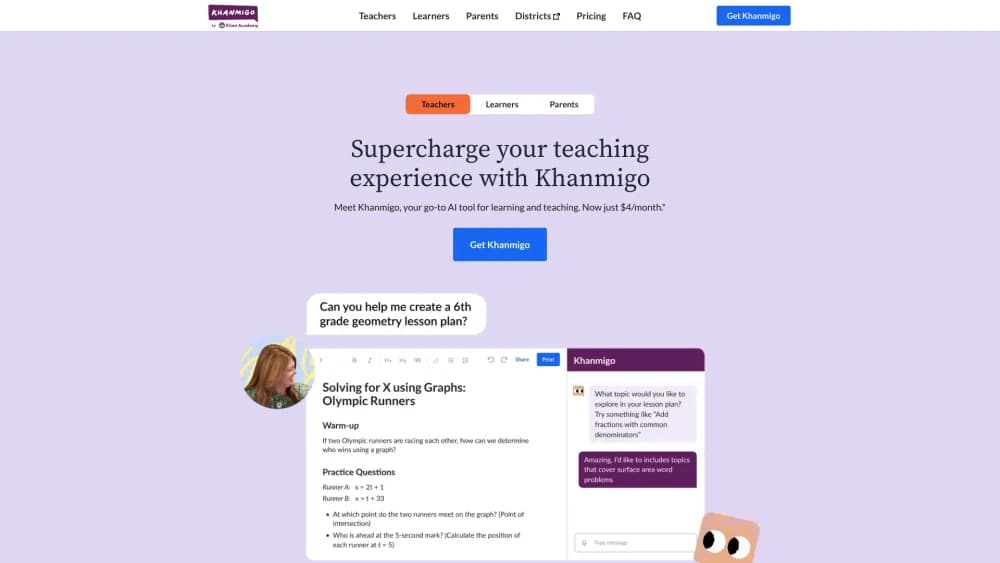
Khanmigo is Khan Academy's AI tutor and teaching assistant. It guides students through problems instead of handing over answers, and it helps teachers plan lessons and assess work.
About Khanmigo
What Is Khanmigo
Khanmigo is an AI tutor built by Khan Academy, the nonprofit behind a free online library used by millions of learners. It runs on large language models from OpenAI, and Khan Academy spent months tuning the prompts so the tool tutors instead of answering. When a student asks for the answer to a math problem, Khanmigo asks what they have tried and works through the next step with them.
The same assistant does two jobs. For learners, it walks through math, science, coding, history, and writing, and it can act as a debate partner for a topic or a coach for career questions. For teachers, it drafts lesson plans tied to Khan Academy's content, writes learning objectives and rubrics, and gives a summary of how a class is doing.
The catch is access. Khanmigo needs a paid account for learners and families, and at launch it was limited to users 18 or older in the United States with a US billing address, with parents adding younger children to their own account. The Khan Academy library itself stays free.
Getting Started
- Create a Khan Academy account, or sign in with one you already have, and open Khanmigo from the sidebar.
- If you are a teacher, pick the teacher sign-up so you get the free classroom tools; learners and families start a paid plan.
- Choose a subject or activity, then start a chat. Ask Khanmigo to explain a concept, quiz you, or review a piece of writing.
- For teachers, generate a lesson plan, exit ticket, or rubric, and adjust the difficulty before you use it in class.
- Track progress in the chat history, where saved conversations show what a student worked on and where they got stuck.
Product Information
A quick look at Khanmigo's pricing, supported platforms, and performance.
Best for
The users, tasks, and scenarios where this tool fits best.
Users
- K-12 students
- Parents
- Teachers
- Adult learners
Tasks
- Working through a hard math problem
- Writing and revising an essay
- Drafting a lesson plan
- Learning to code
- Getting quick class insights
Scenarios
- Homework help at home
- Test prep
- First-year teaching
- Career pivots
Key features
Socratic Tutoring
Khanmigo works as a Socratic AI tutor, and its core behavior is refusing to hand over answers. Ask it to solve an equation and it responds with a question about what you have tried, then nudges you toward the next step. Khan Academy tuned the prompts over months so the tutor stays on topic and does not drift into off-subject chat. The point is that the student does the thinking, and the tool keeps them from quitting when it gets hard.
Teacher Lesson and Assessment Tools
Teachers get a free dashboard that generates standards-aligned lesson plans tied to Khan Academy's library, along with learning objectives, rubrics, and exit tickets. It also produces an on-demand summary of student work so a teacher can gauge progress and flag who needs support. The draw is saving the administrative time that lesson prep otherwise takes.
Writing and Debate Partner
Khanmigo works as a partner for writing and debate, giving guided prompts and immediate feedback rather than a finished draft. A student can argue a position and have Khanmigo push back, which builds the reasoning habit that plain spellcheck never touches. It stays anchored to the assignment instead of doing the writing itself.
Coding Practice with Real-Time Feedback
Learners can hone coding skills and get feedback as they practice, so mistakes in syntax or logic surface right away. It fits beginners learning the fundamentals and adults brushing up for work. The feedback loop is the feature, not a finished code solution handed to the user.
Career and College Coaching
Beyond school subjects, Khanmigo offers coaching for career questions and, on family plans, guidance through college admissions. An adult working through a job change or a student weighing options gets a structured conversation instead of a search engine's worth of links. It is advice to react to, not a decision made for you.
Parent Controls and Chat History
Parents add children from their own account, review the history of their children's interactions, and receive moderation alerts. Every conversation is saved, so a parent or teacher can see what a learner worked on and where they struggled. Khan Academy runs a second model that watches for unhealthy exchanges and can end a chat, which is the safety layer a general chatbot lacks.
Pros and cons
Pros
- Guides students to the answer with questions instead of giving it away, which builds understanding rather than dependency.
- Ties tutoring to Khan Academy's free content library across math, science, coding, history, and writing.
- Teacher accounts are free and handle lesson plans, rubrics, and class summaries, saving real prep time.
- Parent controls include visible chat history and moderation alerts, which makes it easier to supervise a child's use.
- Works on the web plus iOS and Android, so practice follows the learner across devices.
Cons
- Learner and family access requires a paid plan, and the free tier does not cover AI tutoring for students.
- Sign-up for learners has been limited to users in the United States who are 18 or older, so access outside the US is restricted.
- The AI can still make mistakes in math or give a shaky explanation, which means a learner needs to double-check answers that matter.
- There is no public API, so you cannot plug Khanmigo into your own tools or workflow.
Frequently asked questions
The short answer on Khanmigo pricing: teacher accounts are free in the United States, while learners and families pay $4 a month or $44 a year. The standard Khan Academy library stays free for everyone, but there is no free student tier for the AI tutor itself.
Related content
Explore related tools, skills, and articles for Khanmigo.
Khanmigo Alternatives

HireKey
HireKey · Voice & Language · Productivity · LeaningHireKey is an AI job search copilot built by a former tech recruiter. It checks role fit, tailors resumes, runs interview practice and tracks every application.

Lune
Retrograde Labs · Productivity · LeaningLune is a research search engine for scientific AI agents. It runs as an MCP server that lets Claude, ChatGPT and Cursor search peer-reviewed computer science papers and cite them.
Coddy
Coddy · Coding · LeaningCoddy is a gamified platform to learn to code through short interactive lessons in 20+ languages, with a browser editor, an AI tutor and free certificates.