

Kira.art
Kira · Image
Kira.art is an AI photo editor and sharing app that edits images from a text prompt, doubles as an AI image generator, then lets you post the results to a creator community built for sharing.
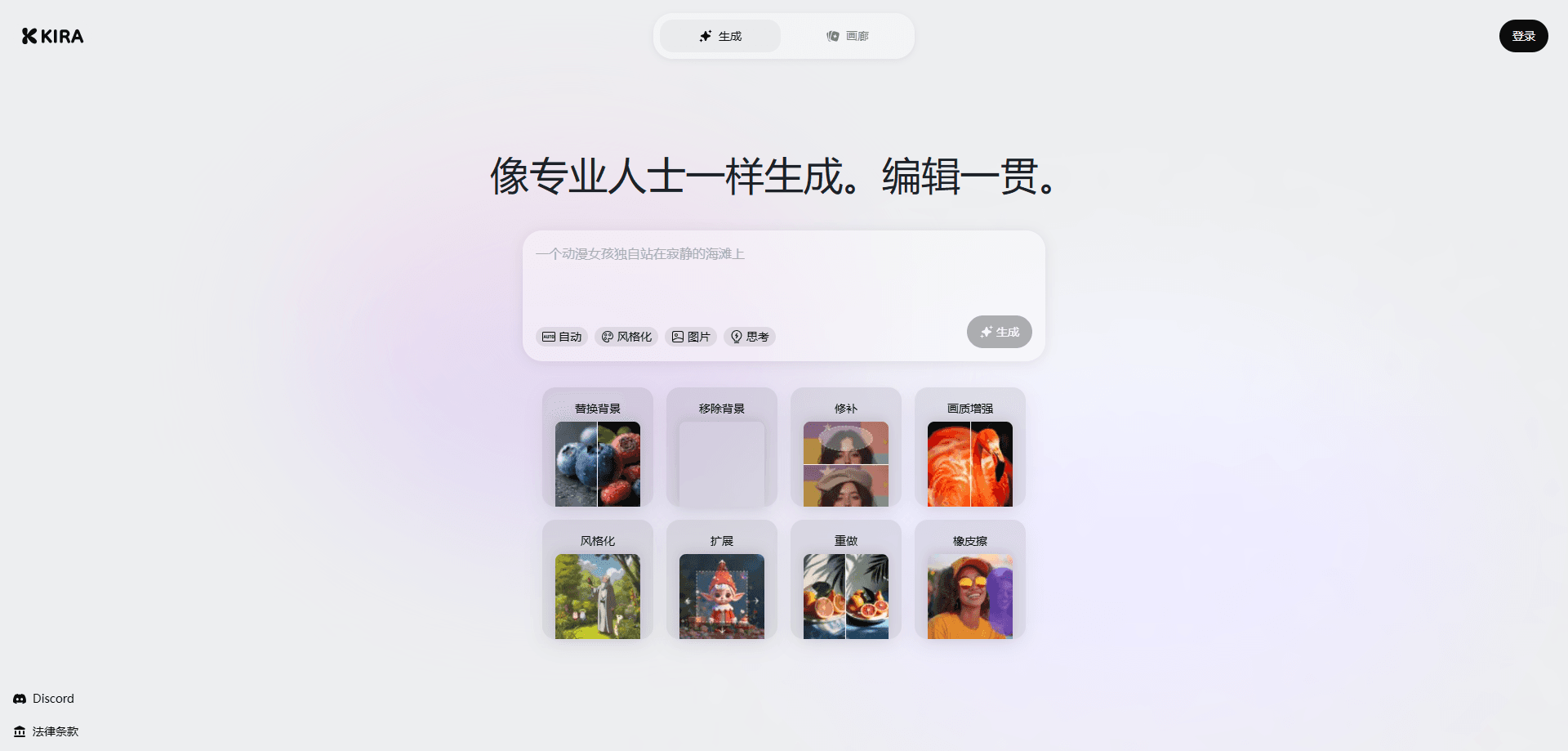
About Kira.art
What Is Kira.art
Kira.art is a photo editing and sharing app built around AI tools. You bring in a photo, describe the change you want in plain words, and the app handles the edit. It also carries a community feed, so images you finish can go straight to a public gallery instead of sitting in a camera roll.
The pitch is that editing and sharing live in one place. Most people edit in one app and then move the file somewhere else to show it off. Kira.art keeps both steps in the same spot, and its toolset leans on AI for the tasks that used to need care, such as swapping a background or removing an object.
The main limit is platform. The heavier editing tools, including background replacement and inpainting, are built for the phone app. The site labels some of them "Only in the Kira app," so a desktop browser won't get the full set. The app is free to start with daily credits, and the advanced tools sit behind a paid plan.
Getting Started
- Download the Kira app on iOS or Android and sign in, or open the web version in a browser.
- Upload a photo from your camera roll, or generate a new image from a text prompt.
- Pick a tool such as Replace BG, Inpaint or Expand, and describe what you want in plain words.
- Adjust exposure, contrast and color with the manual controls, or apply a filter.
- Share the finished image to the Kira feed or export it to another app.
Product Information
A quick look at Kira.art's pricing, supported platforms, and performance.
Best for
The users, tasks, and scenarios where this tool fits best.
Users
- Casual editors who want quick results
- Creators posting to a feed
- Social media hobbyists
Tasks
- Swapping a background
- Removing an object
- Extending a frame
Scenarios
- Cleaning up a travel shot before posting
- Making a profile picture
- Turning a still photo into a short clip
Key features
Edit an image from a text prompt
The core of the app is prompt-based editing. You describe the change you want, and the AI applies it to the photo you uploaded. This matters because it removes the layer of menus and masks that trip up people who don't edit often.
Replace BG and Inpaint
Replace BG cuts out your subject and puts it on a new background. Inpaint covers a masked area with AI content, so you can remove an object or repair a section and let the model fill in the gap.
Expand and Redux
Expand grows the image in any direction and lets the AI draw what lies beyond the original frame. Redux re-shoots the same scene from a new camera angle while keeping the subject, style and lighting steady.
Upscale, Adjust and Filter
Upscale raises the resolution of a finished image. Adjust gives you manual control over exposure, contrast, saturation and color balance, and Filter applies color grading presets with an intensity slider for a different look.
Image and video generation
Beyond editing, the app works as an AI image generator that builds new pictures from text and animates stills with its AI video generator. Preset projects such as themed portraits and stylized avatars give you a starting point when you don't have a prompt ready.
Creator community feed
Finished work can go to the Kira feed, a shared gallery where creators browse and post. A referral program pays 50 credits per friend with no cap, which keeps the loop between creating and sharing moving.
Pros and cons
Pros
- Prompt-based editing keeps the learning curve low, so casual users can make big changes without learning masks or layers.
- Editing and a sharing feed sit in the same app, which saves a step for anyone posting to social media.
- Daily free credits let you test the tools before paying, and the app pays 50 credits per referral with no limit.
- The tool set covers common jobs, from background swaps and object removal to upscaling and short video.
Cons
- Several of the strongest tools are phone-only, and the site marks them "Only in the Kira app," so desktop users lose access to part of the feature set.
- Advanced tools sit behind a subscription, and extra credits are sold as add-ons, which adds cost once the daily free credits run out.
- There's no published API, so you can't wire Kira's editing into your own app or workflow.
Frequently asked questions
Kira.art is an AI photo editor and sharing app. You upload or generate an image, edit it with prompts and manual tools, then post the result to a community feed.
Related content
Explore related tools, skills, and articles for Kira.art.
Kira.art Alternatives

Google EmbeddingGemma 2
Google DeepMind · Writing · Image · CodingGoogle EmbeddingGemma 2 is a 740M-parameter open model that turns text, code, images, audio, and video frames into vectors in one 768-dimension space, running on phones and laptops.

Tractionwave
TractionWave · Image · MarketingTractionWave is an AI attention heatmap tool for static ads. Upload a PNG or JPG and it returns predicted attention, ranked hotspots, and fixes before you spend budget.

Imejis.io
Imejis.io · Image · MarketingImejis.io is an AI design studio for agents and marketing teams. Describe an image in plain words, and it writes the copy, builds the layout, reflows it to every size, then exports a finished file.